
Create your BuiltSIGN account
Sign up at sign.builtsofthub.com and verify your email before you upload documents.
BuiltSIGN has its own sign-in at sign.builtsofthub.com. Signing in to BuiltINVOICE or BuiltCRM does not sign you in to BuiltSIGN.
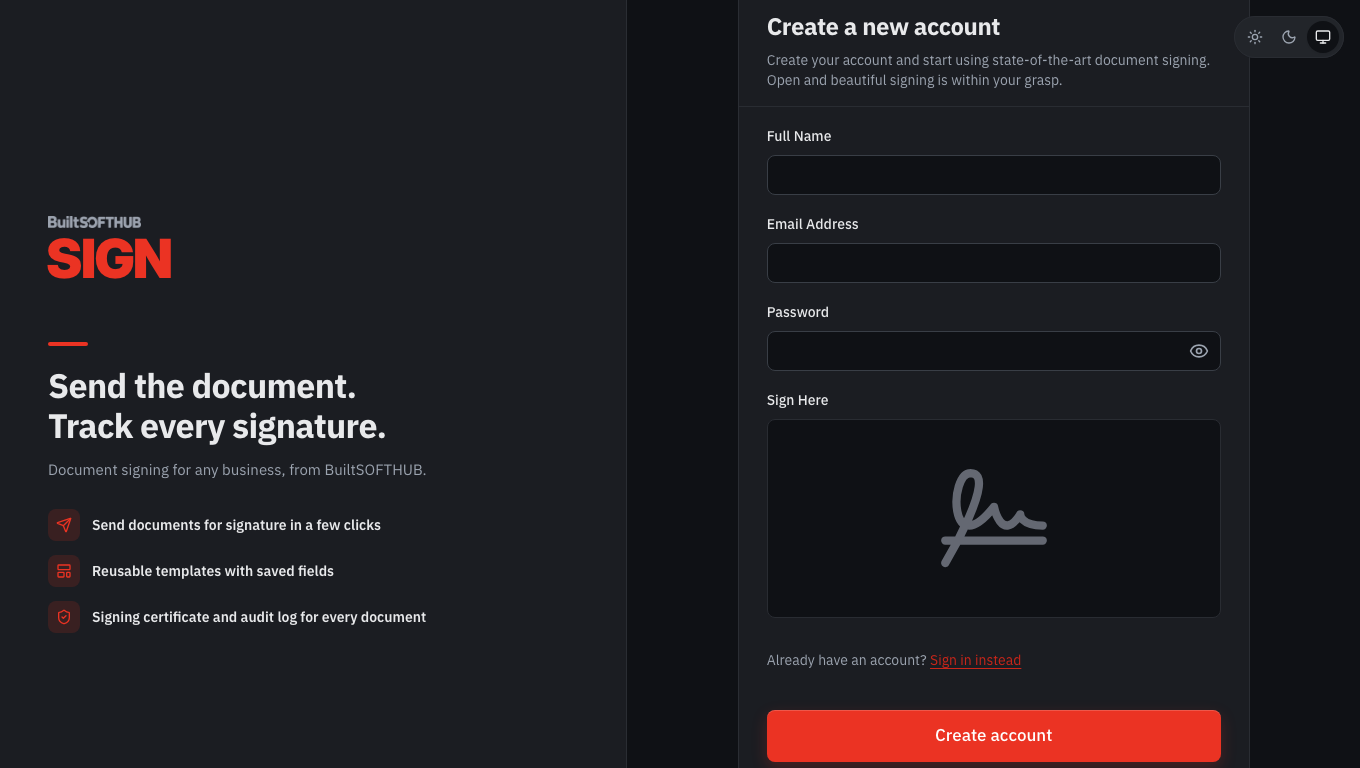
- Go to sign.builtsofthub.com and choose Create account.
- Enter your Full Name, Email Address and Password. You can also use Sign Up with Google or Sign Up with Microsoft.
- Open the email from BuiltSIGN and confirm your address. Until you do, BuiltSIGN shows Verify your email to upload documents.
- Sign in. You land on Documents.
Plans#
The free plan lets you try BuiltSIGN with a small number of documents a month. Paid plans add more documents, more users and features such as reminders and bulk send.
To connect BuiltSIGN to BuiltINVOICE or BuiltCRM you need a plan that includes API tokens (Pro or higher). See the plans on the BuiltSIGN pricing page.
Related#
Was this helpful?
Thanks for letting us know.
Sorry it did not help. Tell us what was missing: open Help & Support in the app and choose Report a problem, or email support@builtsofthub.com.