
What is BuiltLauncher?
BuiltLauncher locks a Windows register to BuiltPOS and a short list of approved apps, so staff never see the Windows desktop.
On this page
BuiltLauncher is a full-screen "shell" for a Windows register. When the register starts, it signs in to Windows by itself, opens BuiltPOS, and keeps the Windows desktop, Start menu, taskbar and Task Manager out of reach.
What staff see#
- BuiltPOS opens by itself when the computer starts. This is the primary app.
- If BuiltPOS closes or crashes, BuiltLauncher opens it again after a few seconds.
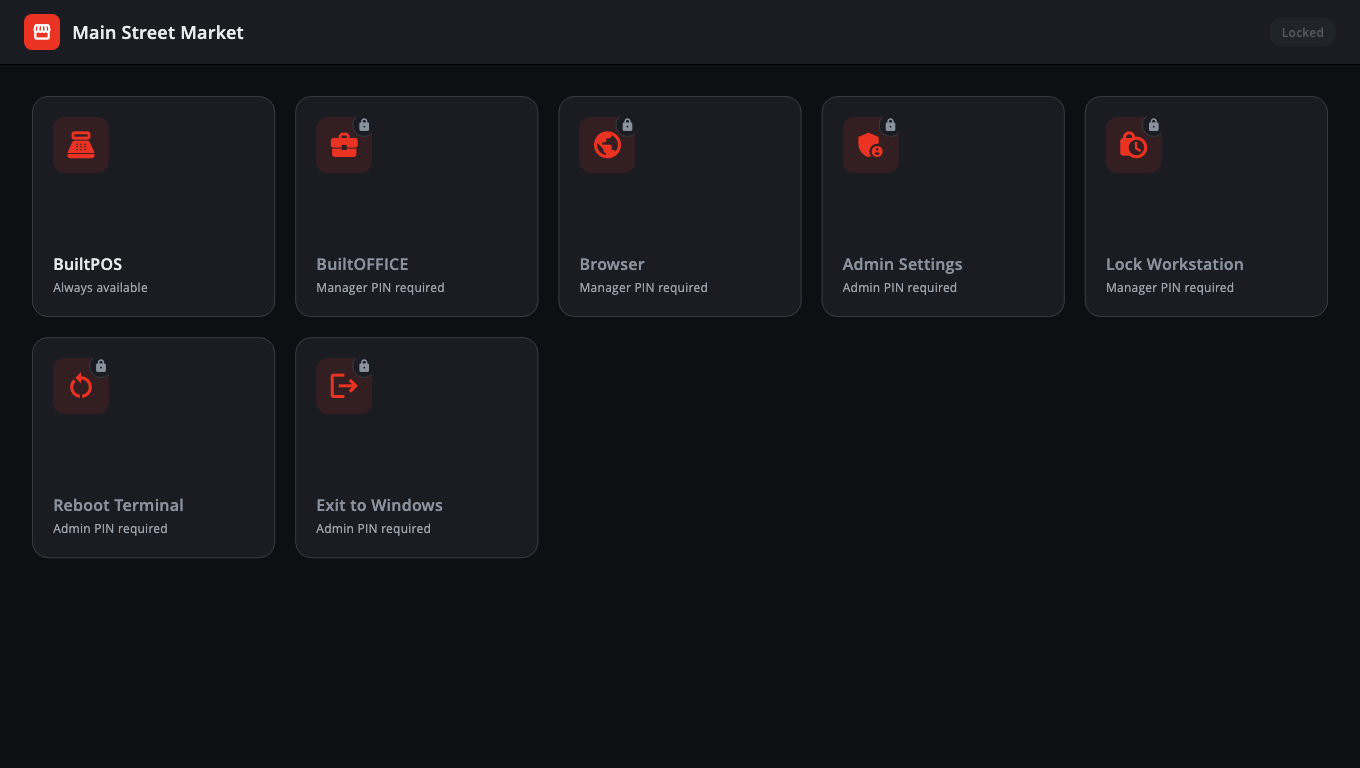
- When no app is in front, staff see a grid of tiles — one per approved app (for example BuiltPOS, BuiltOFFICE, a locked web browser).
- Each tile says who may open it:
- Always available — anyone can tap it.
- Manager PIN required — needs the manager PIN (or the admin PIN).
- Admin PIN required — needs the admin PIN.
What it blocks#
When BuiltLauncher is installed with a kiosk account, the installer also switches off Task Manager, Windows locking, the Windows keys (so no Start menu or Win+R) and USB autorun. These settings apply to the whole computer, not only the kiosk account. Only someone with the admin PIN can leave to Windows (see Exit to Windows).
Two PINs#
- Admin PIN — for the owner or your IT person. Opens everything, including Admin Settings and Exit to Windows.
- Manager PIN (optional) — opens manager tiles only.
These PINs belong to BuiltLauncher. They are not the same as staff PINs in BuiltPOS.
Good to know#
- BuiltLauncher is part of the BuiltPOS Suite installer for Windows. Choose a setup type that includes BuiltLauncher (see Set up BuiltLauncher).
- You don't need BuiltLauncher if the register is a normal office PC that staff are allowed to use for other things.
- BuiltLauncher follows the Windows display language for its PIN and tile messages. Its setup and settings screens are in English.
Was this helpful?
Thanks for letting us know.
Sorry it did not help. Tell us what was missing: open Help & Support in the app and choose Report a problem, or email support@builtsofthub.com.