
Sign in to BuiltOFFICE
Open BuiltOFFICE on the web, a tablet or Windows, sign in with your email, and pick the store you want to manage.
BuiltOFFICE is the back office for your BuiltPOS stores. You manage products, prices, staff and reports here, and every till picks up the changes.
You can use it in three ways:
- On the web: go to app.builtsofthub.com in Chrome, Edge or Safari.
- On an iPad or Android tablet: install the BuiltOFFICE app from the App Store or Google Play.
- On Windows: BuiltOFFICE comes with the BuiltPOS Suite installer. Open it from the Start menu.
Sign in#
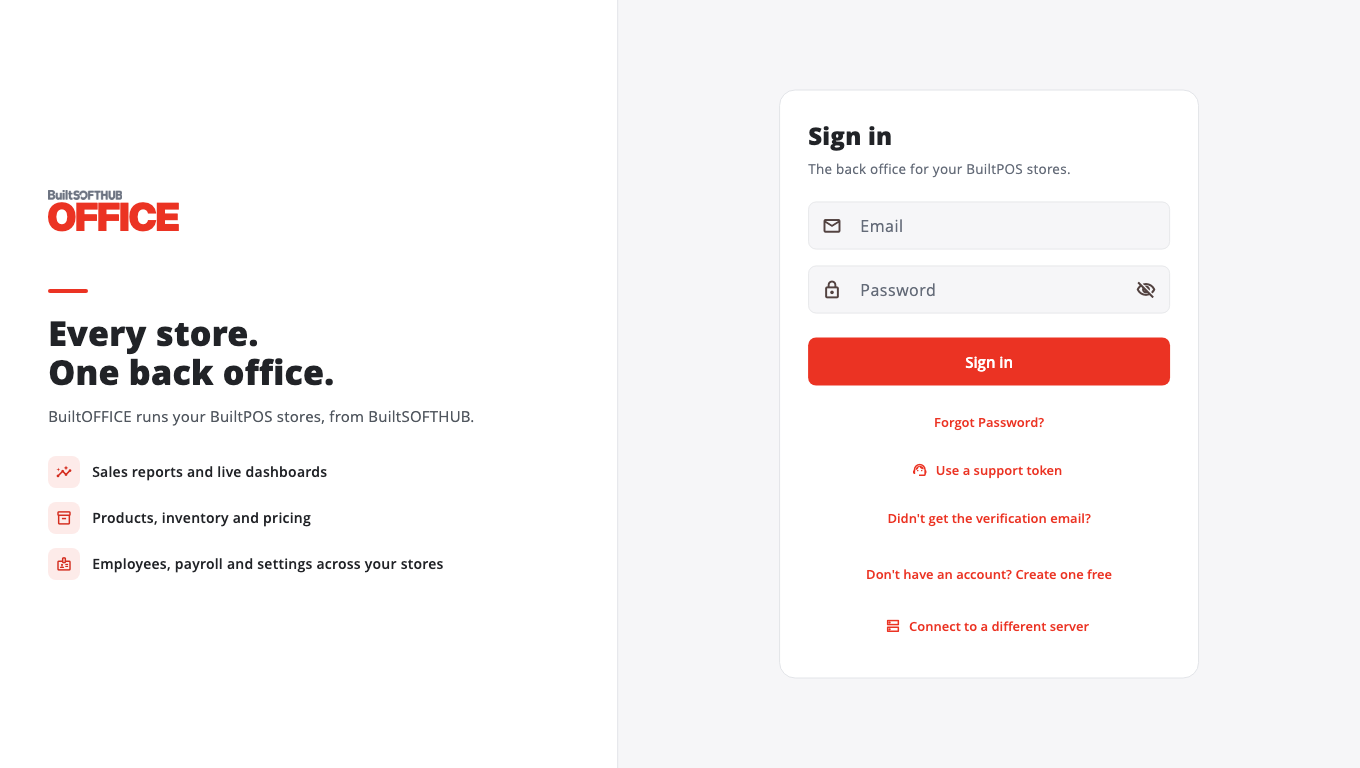
- Open BuiltOFFICE. The Sign in screen appears.
- Type the Email and Password of your account.
- Tap Sign in.
- If you can see more than one store, the Select Store screen opens. Tap the store you want to manage.
- The Dashboard for that store opens.
Forgot your password#
- On the Sign in screen, tap Forgot Password?.
- Enter your Email Address and tap Send Reset Link.
- Open the email and follow the link to choose a new password.
- Go back to BuiltOFFICE and sign in with the new password.
Change your password#
- Tap your name at the bottom of the menu (on a phone, tap More first).
- Tap Change password.
- Type your current password and the new one, then save.
No account yet#
On the Sign in screen, tap Don't have an account? Create one free. Pick your type of business, then fill in Full Name, Email Address, Password and Business Name (optional) and tap Create Account.
New accounts are checked and switched on by our team before you can sign in. We email you when your account is ready. This is usually within one business day.
Good to know#
- On a tablet you can turn on a PIN or Face ID / fingerprint after your first sign-in, so you don't have to type your password every time. Tap Skip for now if you don't want it.
- Your staff sign in to the till with their PIN, not with BuiltOFFICE. To give a manager their own BuiltOFFICE sign-in, see Employees and roles.
- Ignore Connect to a different server unless support asks you to use it. It is only for stores that run their own BuiltPOS server.
- Ignore Use a support token too. It is for our support staff.
- If you can't sign in, see Troubleshooting BuiltOFFICE.
Was this helpful?
Thanks for letting us know.
Sorry it did not help. Tell us what was missing: open Help & Support in the app and choose Report a problem, or email support@builtsofthub.com.