
A tour of BuiltOFFICE
Learn where everything lives in BuiltOFFICE — the menu, the hubs, their cards, search and the bell.
BuiltOFFICE is organised into hubs. Each hub is a page of cards, and each card opens one tool.
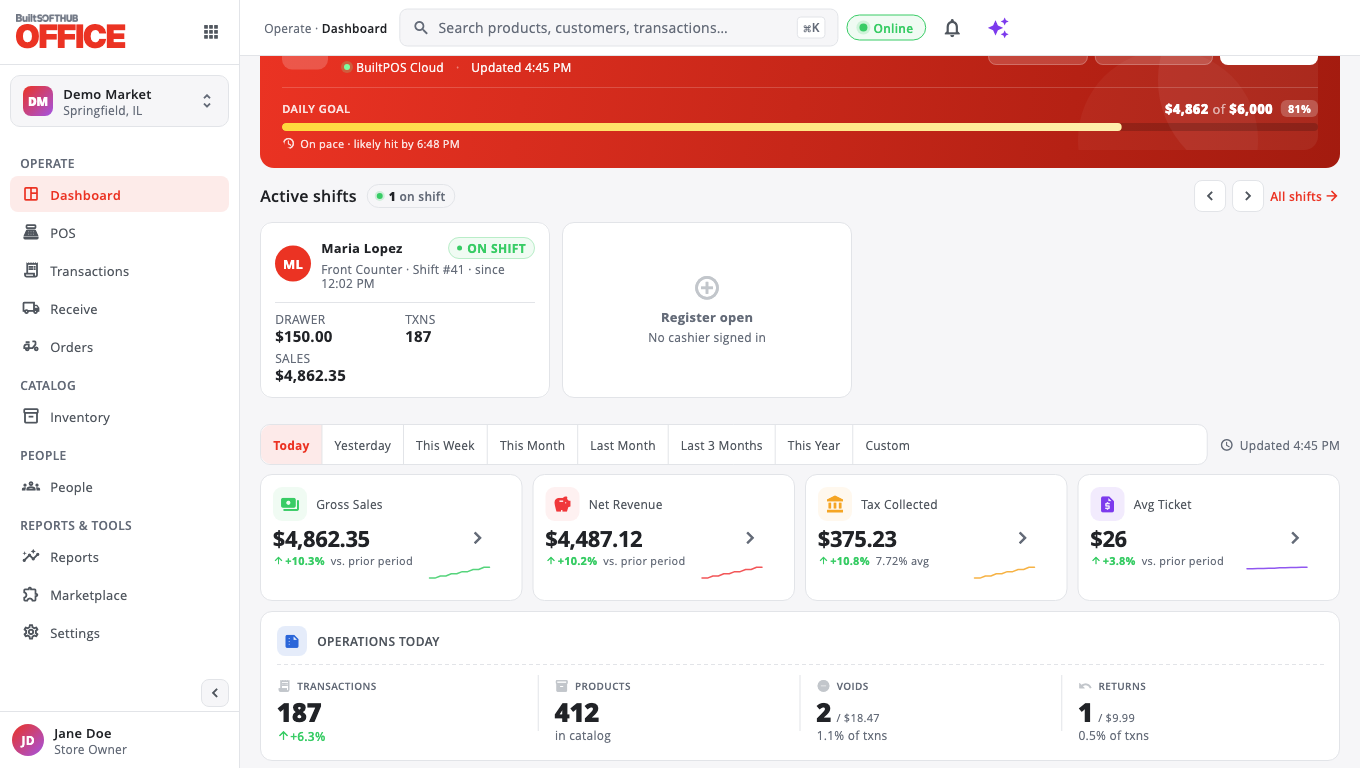
The menu#
On a computer or tablet the menu runs down the left side:
| Menu item | What you find there |
|---|---|
| Dashboard | Today's sales, goal, top products and live shifts |
| POS | Tills, printers, kitchen, receipt designer, POS settings, time clock, held sales, returns, voids |
| Transactions | Every sale, returns waiting for approval, gift cards |
| Receive | Receive stock, EDI invoices, purchase orders, suppliers |
| Orders | Online orders and BuiltCommerce |
| Inventory | Products, categories, prices, taxes, promotions, stock |
| Customers & employees | Customers, loyalty, employees, role permissions, payroll |
| Reports | Sales reports, analytics, audits, exports |
| Marketplace | Add-on modules you can turn on |
| Settings | Timezone, scanner, plan and billing, store tools |
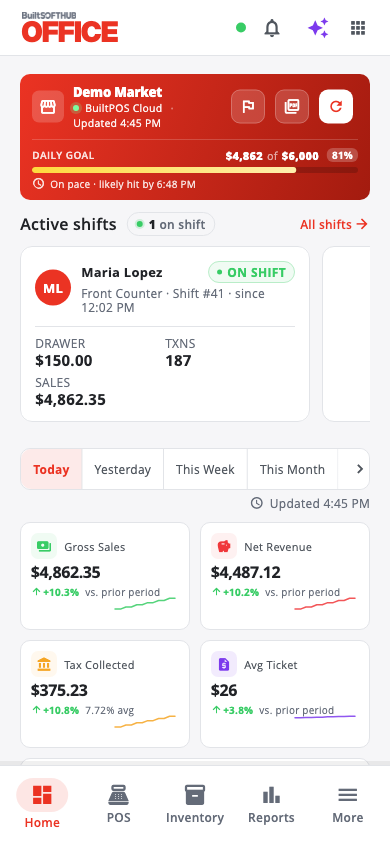
On a phone, use the bar at the bottom: Home, POS, Inventory, Reports and More. More opens the full menu.
Cards you don't see#
Some hubs start with only the most-used cards showing. The rest are hidden, not gone.
- Scroll to the bottom of the hub.
- Tap … more cards hidden — Show all (on Reports it says reports).
- To keep a card showing, tap the Customize button at the top of the hub (its tooltip reads Customize and the hub name).
- Under Show / hide individual cards, switch on the cards you want.
You can also choose a Business mode in the same dialog: All, Retail, Café or Restaurant. It hides the cards that don't fit your type of business.
To manage every hub at once, go to Settings → Store tools → Hub Cards. Hub card choices are saved for the whole store, so everyone on your team sees the same layout.
Why a card is missing#
A card can also be missing because:
- Your role can't use it. For example, only owners and admins see Role Permissions. See Role permissions.
- It is an add-on you haven't turned on. These cards show a lock. Tap it to see how to turn it on. See Subscription and billing.
- Your store still runs on the legacy Windows POS (SQL Server or BuiltSync Lite). Features that need BuiltPOS — terminals, kitchen, kiosk, payroll, fuel, gift cards, store credit and more — are hidden for these stores. You see the message Not available while this store runs on the legacy Windows POS.
Your account menu#
Tap your name at the bottom of the menu to:
- Change between Light, Dark and Auto theme.
- Change password.
- Open Help & support to report a problem, ask for a feature, or read your tickets.
- Sign out.
Good to know#
- If you manage more than one store, the store name at the top of the menu is a switcher. See Multiple stores.
- The bell shows alerts such as low stock, voids, returns waiting for approval and new EDI invoices. You can turn each alert type on or off in Settings → Store tools → Notification Preferences.
Was this helpful?
Thanks for letting us know.
Sorry it did not help. Tell us what was missing: open Help & Support in the app and choose Report a problem, or email support@builtsofthub.com.