
What BuiltPAYROLL does
Payroll, time clock, schedules, time off and paystubs for your team, on the web.
BuiltPAYROLL runs payroll for your team from a web browser at payroll.builtsofthub.com/app. It works on a computer, a tablet or a phone.
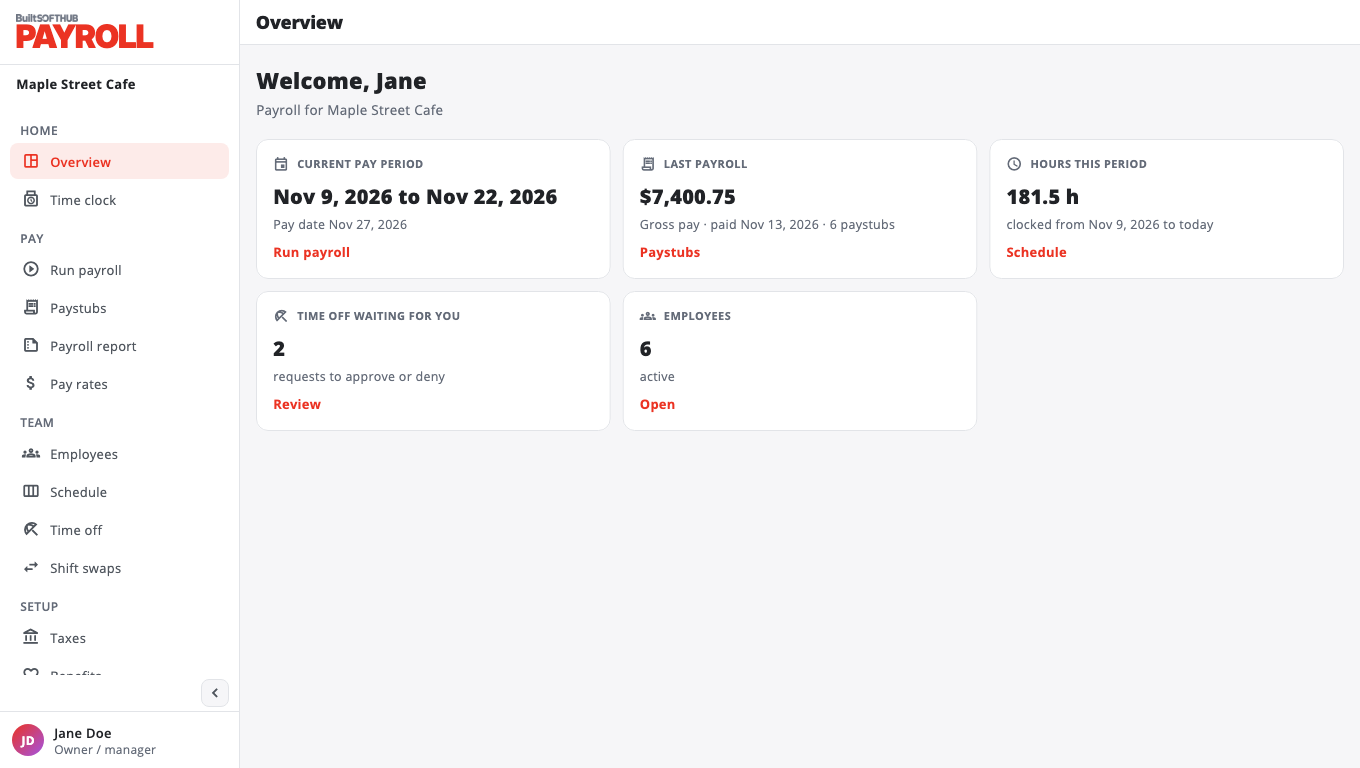
What you can do#
- Pay your team. Create a pay period, generate paystubs from the hours worked, check them, then finalize them.
- Track hours. Hours come from the web time clock, or from your BuiltPOS tills if you have a store on BuiltPOS.
- Plan the week. Build schedules, post open shifts, approve time off and shift swaps.
- Set up pay. Hourly, salary, commission or a mix, with overtime rules, paid holidays, taxes and benefits.
- Send paystubs. Download paystub PDFs, or email them to each employee automatically.
- Pay by bank deposit. Each employee can connect a bank account through Stripe (see Pay employees by bank deposit).
Two kinds of people#
- Owners and managers see the full menu: Overview, Time clock, Run payroll, Paystubs, Payroll report, Pay rates, Employees, Schedule, Time off, Shift swaps, and the setup pages.
- Employees see My pay: their latest paystub, paystub history, upcoming shifts, time off and tips. Some companies also give employees the Time clock.
What BuiltPAYROLL does not do#
BuiltPAYROLL works out pay and taxes on each paystub, but it does not file payroll taxes for you or send forms to the tax agencies. Keep using your accountant or tax service for filings.
Next: Set up your company.
Was this helpful?
Thanks for letting us know.
Sorry it did not help. Tell us what was missing: open Help & Support in the app and choose Report a problem, or email support@builtsofthub.com.