
Set up your company
Create a BuiltPAYROLL account, or sign in with your BuiltOFFICE account if you have a BuiltPOS store.
If you do not have a point of sale#
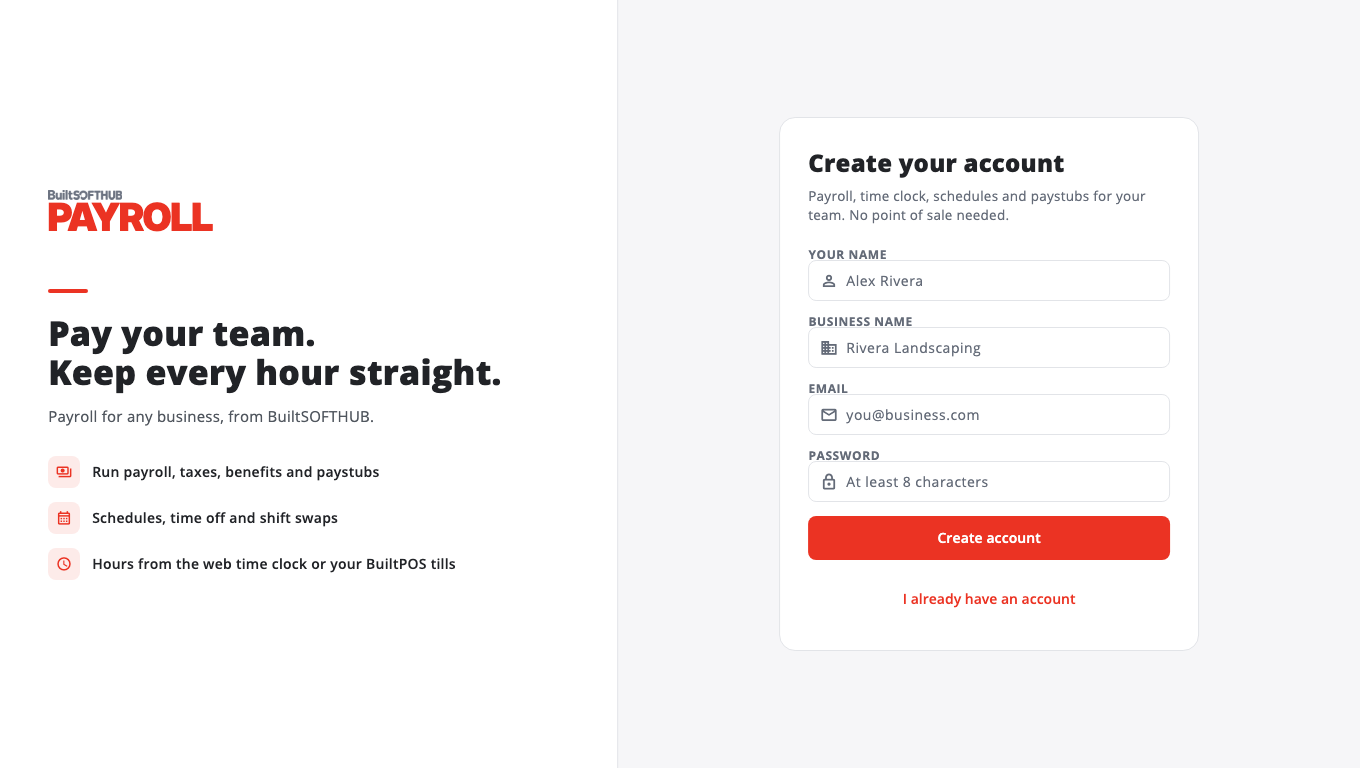
- Go to payroll.builtsofthub.com and choose Start free, or open the app and choose New to BuiltPAYROLL? Create an account.
- Enter Your name, Business name, Email and a Password (at least 8 characters).
- Choose Create account.
- Check your email and open the verification link. See Verify your email.
- Sign in. Your company is ready.
If you already use BuiltPOS#
You do not need a new account. Sign in with the email and password you use for BuiltOFFICE. Hours from your tills are used for payroll.
The store owner first turns on Payroll (or Scheduling) in BuiltOFFICE, under Marketplace. Until then you see Payroll is not turned on for your store.
Choose a store or company#
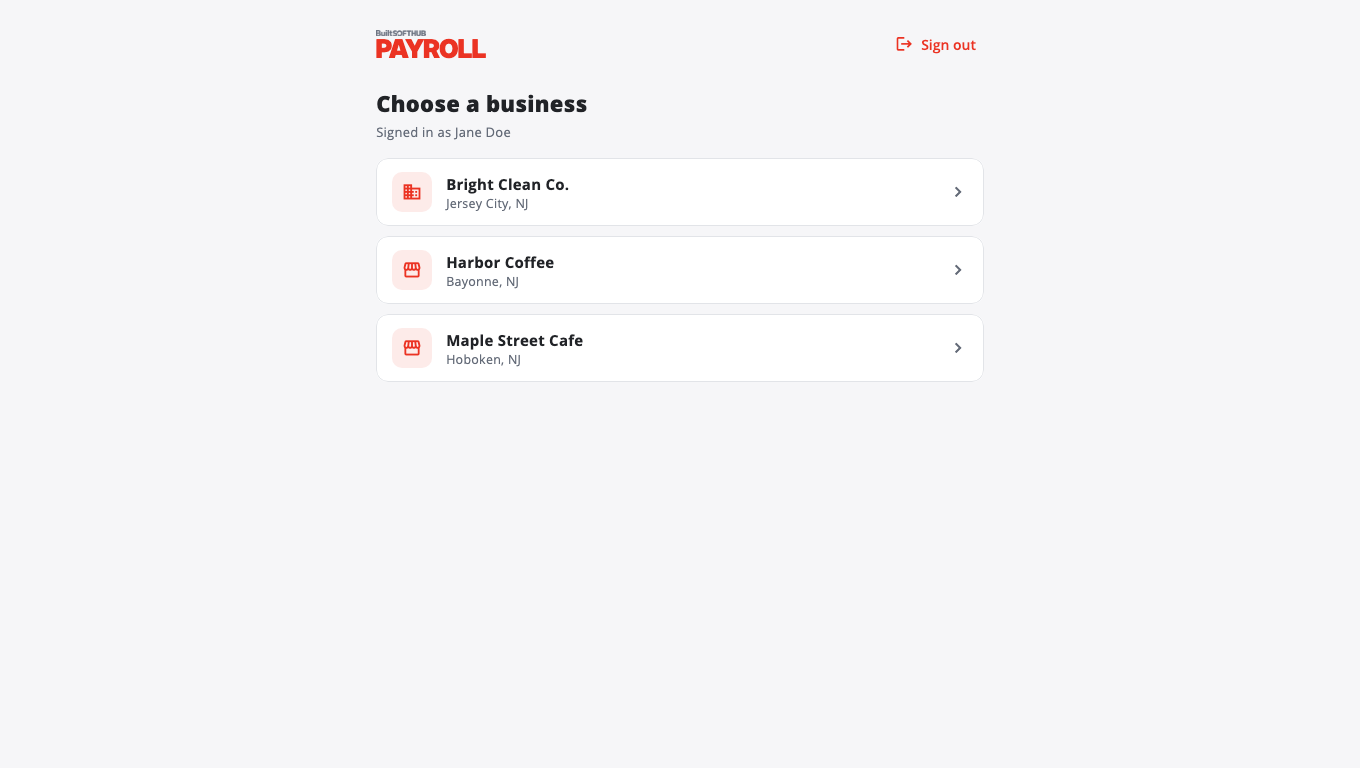
If your account has more than one place, BuiltPAYROLL asks you to Choose a store (or Choose a company). To change later, open the menu and choose Switch store or Switch company.
Signed in to another BuiltSOFTHUB app?#
Use Switch app at the top of the menu to move between BuiltPAYROLL, BuiltOFFICE, BuiltCRM and the others without signing in again. See Sign in once across apps.
Next: Your first payroll.
Was this helpful?
Thanks for letting us know.
Sorry it did not help. Tell us what was missing: open Help & Support in the app and choose Report a problem, or email support@builtsofthub.com.