
Your plan, add-ons and invoices
See your plan, upgrade or downgrade, turn on add-on modules in the Marketplace, update your card, and download or email invoices.
Only the store owner and admins can see billing. For prices, see Plans & pricing on our website or Plans and billing.
Open Subscription & Billing#
- Go to Settings.
- Under Subscription & License, check your Plan, Status and limits.
- Tap Subscription & Billing.
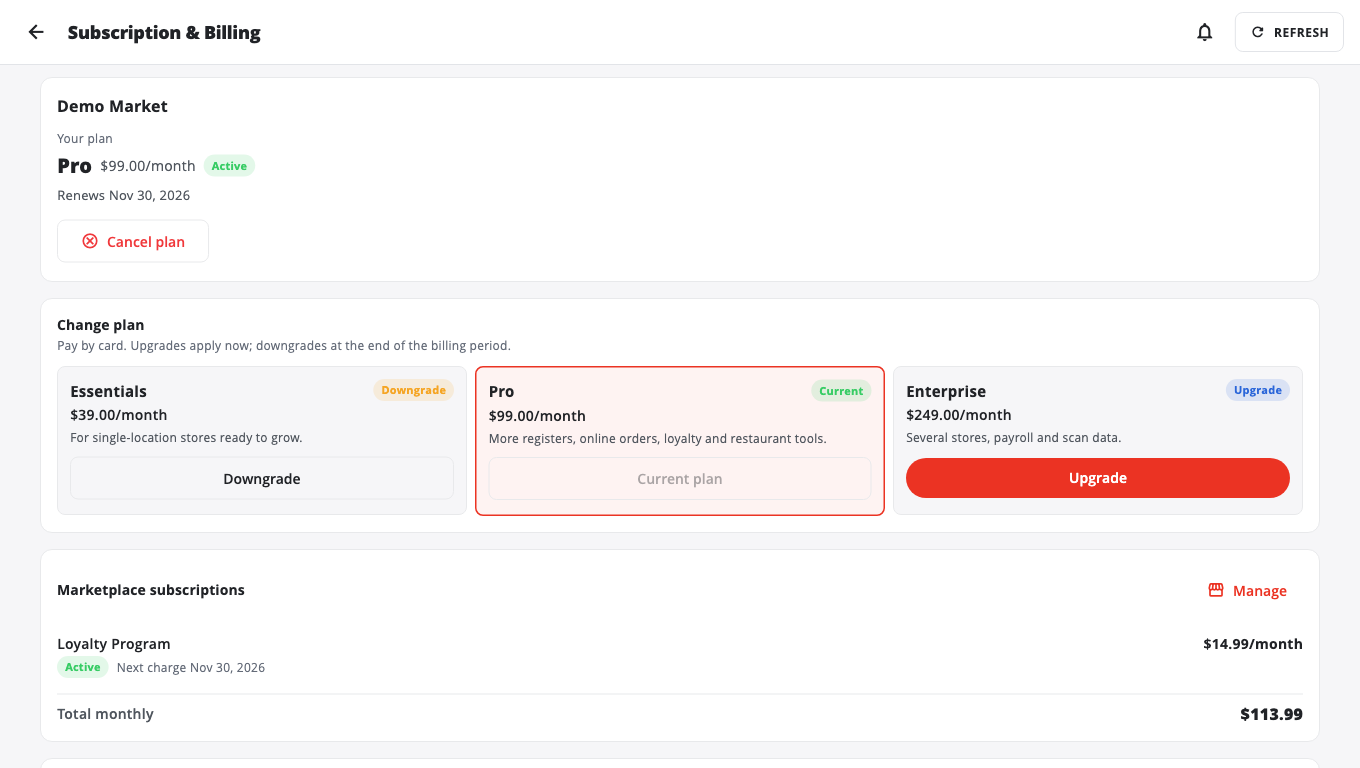
The page has these parts:
- Your plan: the plan you are on.
- Change plan: other plans you can move to.
- Marketplace subscriptions: add-ons you pay for monthly, and the Total monthly.
- Payment method: the card on file.
- Invoices: every invoice, to View, Email or Open in browser.
Change your plan#
- Under Change plan, tap Upgrade or Downgrade on the plan you want.
- Follow the steps to pay by card. Upgrades start now. Downgrades start at the end of the billing period.
Some stores' plans are managed by their provider. Then the button reads Request upgrade or Request downgrade, and the request goes to your provider for approval. You see Requested … — waiting for your provider until they act.
Turn on an add-on module#
- Go to Marketplace in the menu.
- Find the module, for example Loyalty Program, Gift Cards or Advanced Analytics.
- Tap Subscribe (monthly) or Buy (one-time) and pay in the secure Stripe checkout.
- Back in BuiltOFFICE, if the module isn't on yet, tap I've completed payment — check.
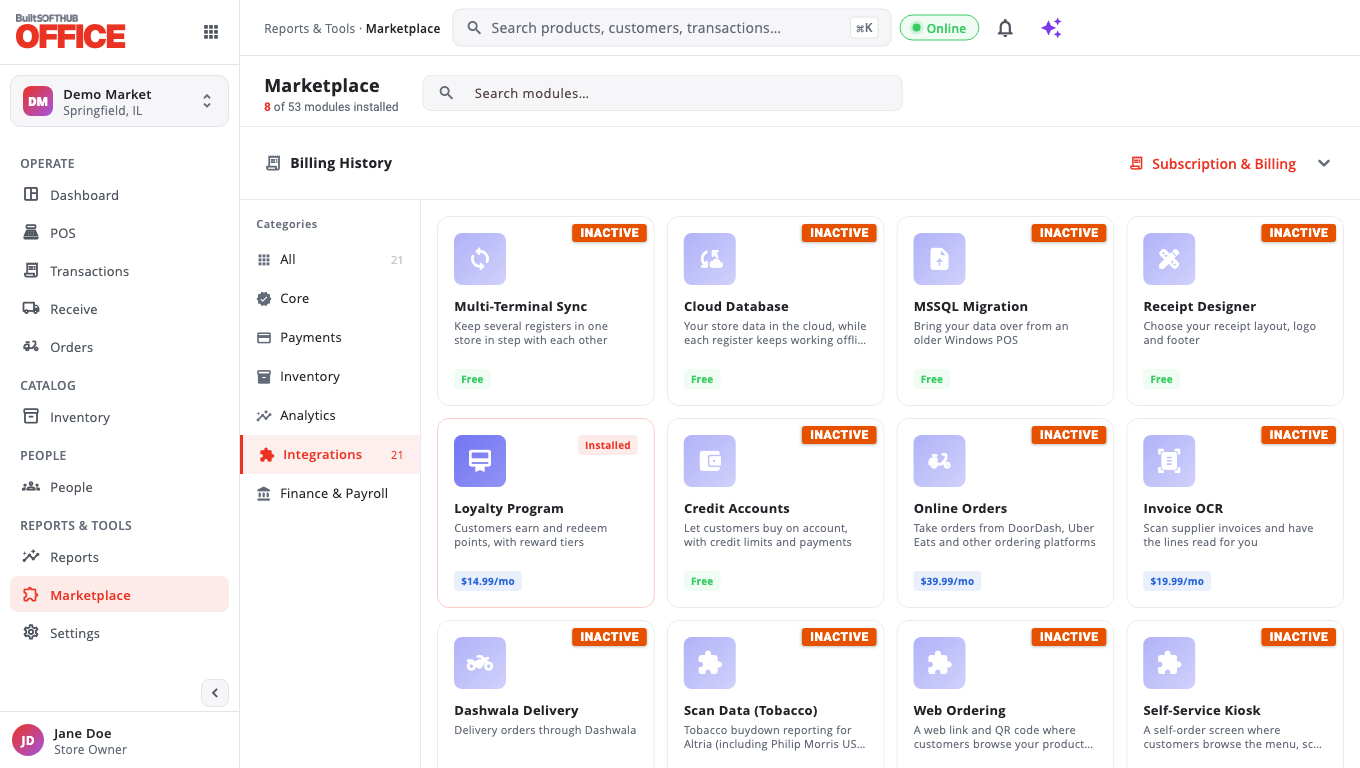
To stop a monthly module, tap Cancel Subscription or Uninstall. If you install it again later while it is still paid for, there is no new charge.
Cards for modules you don't have show a lock in the hubs. Tap one to see This module is currently inactive, with Enable Now or Continue to Checkout. If you were given an activation key, tap Have an activation key?.
Update your card#
Under Payment method, tap Update payment method (or Update card). You enter the new card on Stripe's secure page.
Get an invoice#
Under Invoices, tap View to see it, Email to send it to an Email address you choose, or Open in browser to download the PDF.
Good to know#
- On an iPad or phone, payment opens in your browser. When you're done, come back to BuiltOFFICE.
- If your status shows Past Due or Expired, update your card. When a free trial ends without a plan, the tills lock after a short grace period until you pay.
- Some modules can't be used on legacy Windows POS stores, so the Marketplace doesn't offer them there.
Was this helpful?
Thanks for letting us know.
Sorry it did not help. Tell us what was missing: open Help & Support in the app and choose Report a problem, or email support@builtsofthub.com.