
Sign in once and open your other apps
Use the BuiltSOFTHUB apps menu to open another app already signed in.
Sign in to one web app and you can open the others from the apps menu without typing your password again. This works for BuiltOFFICE, BuiltINVOICE, BuiltCRM, BuiltPAYROLL, BuiltCOMMERCE and BuiltLTS.
Open another app#
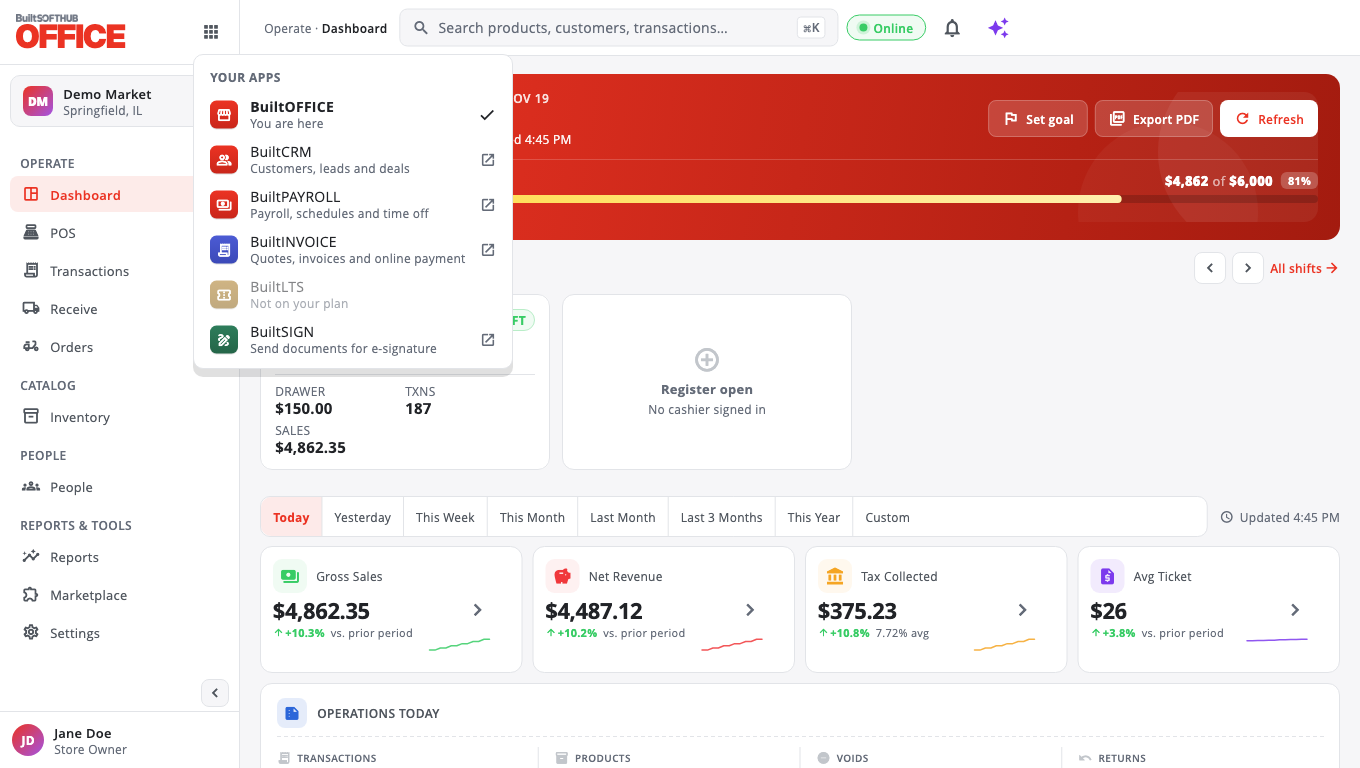
- Select the apps button at the top of the screen (its label is BuiltSOFTHUB apps).
- Under YOUR APPS, choose the app you want.
- It opens in a new tab, already signed in, with the same business or store.
If nothing opens, your browser blocked the new tab. You see Could not open … Allow pop-ups for this site and try again. Allow pop-ups for the app's website, then choose the app again.
What the list shows#
- Apps you can use are listed normally.
- Not on your plan means your business does not have that app yet. See Plans and billing.
- Ask your owner means your business has the app, but your role does not include it. See Team and roles.
- Apps that only run on a device (such as the BuiltPOS till) are listed only on a device where they are installed.
BuiltSIGN#
BuiltSIGN has its own account. Opening it from the menu takes you to sign.builtsofthub.com, where you sign in with your BuiltSIGN email and password.
Signing out#
Signing out of one app does not sign you out of the others. Sign out in each app from your account menu (Sign out).
To end every session on every device and app at once, open BuiltCOMMERCE and choose Sign out everywhere from the account menu. Every app then asks you to sign in again. If your account cannot open BuiltCOMMERCE, ask support through Help & support (see Get help). If you think someone knows your password, also reset your password.
Related#
Was this helpful?
Thanks for letting us know.
Sorry it did not help. Tell us what was missing: open Help & Support in the app and choose Report a problem, or email support@builtsofthub.com.