
Plans and billing
Where each app's plan is chosen and paid for, and where to see prices.
Each BuiltSOFTHUB app has its own plan. Prices are on each product's pricing page, so you always see the current price in your currency.
| App | Where you change the plan | Prices |
|---|---|---|
| BuiltPOS and BuiltOFFICE | BuiltOFFICE, Settings, Subscription & Billing | pos.builtsofthub.com/pricing |
| Add-ons (Web Ordering, Payroll, Scheduling, and more) | BuiltOFFICE, Marketplace | Add-on prices |
| BuiltINVOICE | Inside BuiltINVOICE | Upgrade to Pro |
| BuiltPAYROLL | Turned on per store from the BuiltOFFICE Marketplace | payroll.builtsofthub.com |
| BuiltCOMMERCE | Web Ordering in the BuiltOFFICE Marketplace | commerce.builtsofthub.com |
| BuiltCRM | Contact us through Help & support | crm.builtsofthub.com |
| BuiltLTS | Inside BuiltLTS, per store | Upgrade to Premium |
| BuiltSIGN | Inside BuiltSIGN | sign.builtsofthub.com/pricing |
Usually only the owner of the business or store (or an admin) can change a plan.
BuiltOFFICE: Subscription & Billing#
- In BuiltOFFICE, open Settings and choose Subscription & Billing.
- Your plan shows what you are on. Choose a plan under Change plan to upgrade or downgrade.
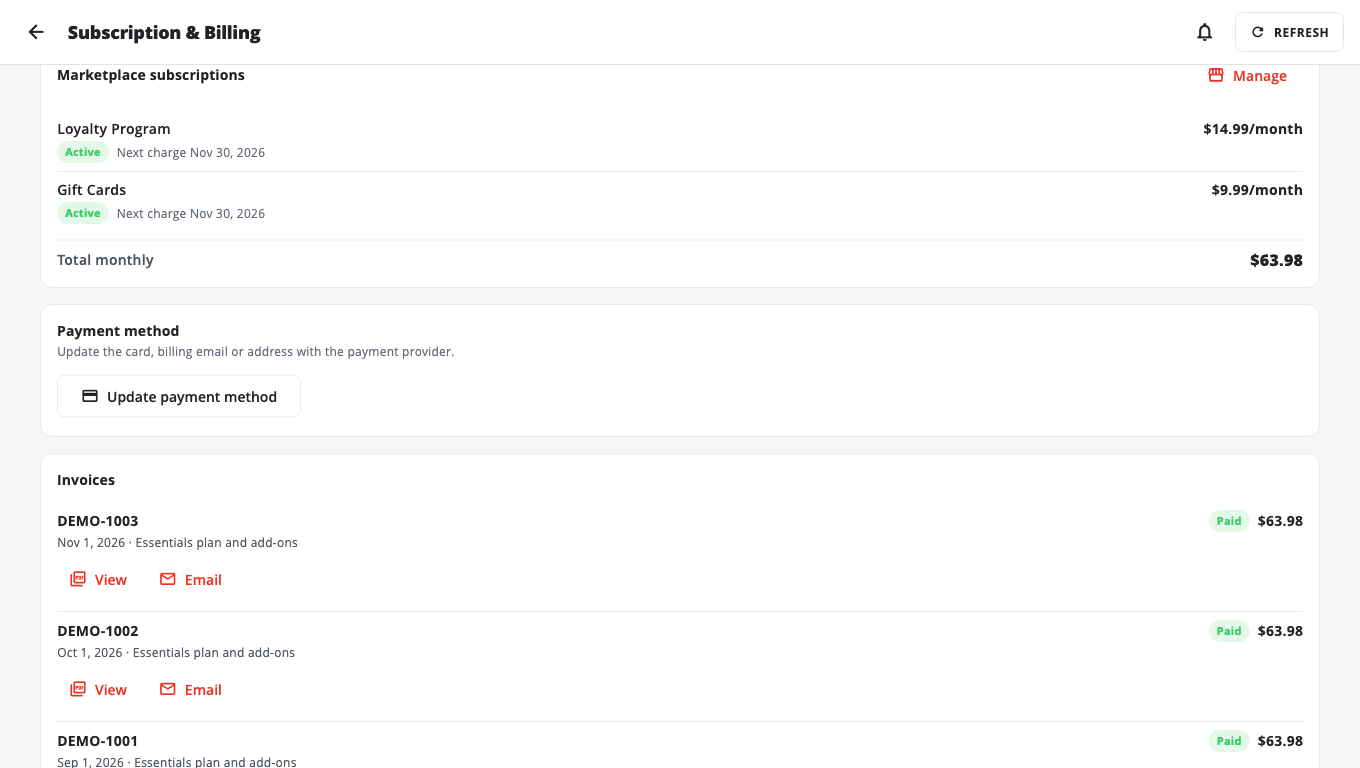
- Marketplace subscriptions lists your add-ons and the Total monthly. Choose Manage to change them.
- Payment method shows your card. Choose Update payment method to change it.
- Invoices lists every bill. Choose View, Email or Open in browser.
Payments go through Stripe. If you see Waiting for your payment in Stripe, finish the payment in the Stripe window, then choose Refresh.
To stop a plan, choose Cancel plan and confirm. Changed your mind before the end of the period? Choose Keep plan.
If your plan says Managed by your provider, your reseller bills you. Contact them for plan changes.
Free trial#
New stores on the free Starter plan get a free trial. Subscription & Billing shows the date it ends and the date the till and BuiltOFFICE lock if no plan is paid for. Pay for a plan before that date to keep selling. Paying early does not shorten your trial.
Related#
Was this helpful?
Thanks for letting us know.
Sorry it did not help. Tell us what was missing: open Help & Support in the app and choose Report a problem, or email support@builtsofthub.com.