
Hide a category from your online store
Take a whole category off the storefront while it stays on the till and kiosk.
Only the store owner or an admin can change this.
- Open Categories.
- Use Find a category to narrow the list.
- Turn a category off to take it off your online store. Turn it on to show it again.
- Press Save. You see Categories saved.
The top of the page shows how many categories are online.
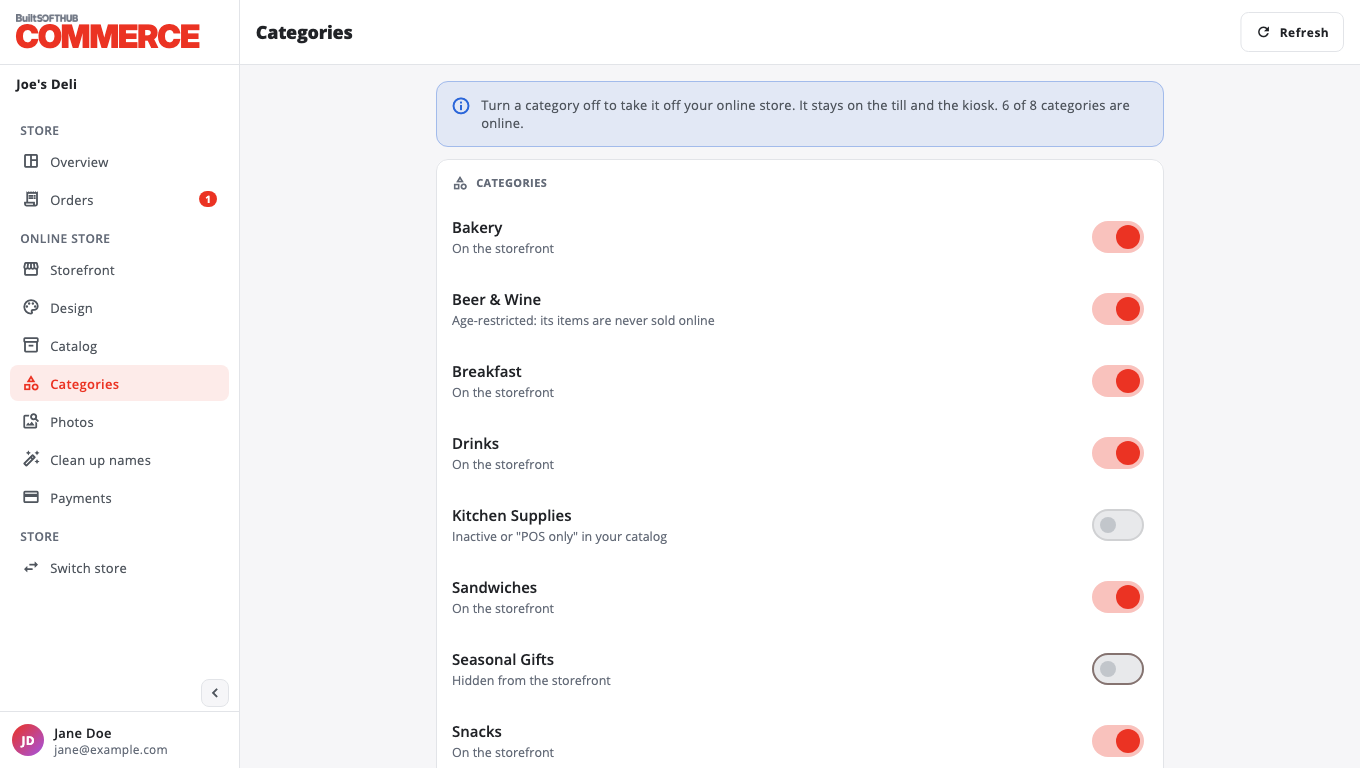
Some categories cannot be turned on:
- Inactive or "POS only" in your catalog: change the category in BuiltOFFICE first.
- Age-restricted: its items are never sold online.
To hide only some products in a category, use Show or hide products online.
Was this helpful?
Thanks for letting us know.
Sorry it did not help. Tell us what was missing: open Help & Support in the app and choose Report a problem, or email support@builtsofthub.com.