
Add BuiltCRM to a business that already uses BuiltPOS
Store owners and admins can switch on BuiltCRM for their business with their existing sign-in.
On this page
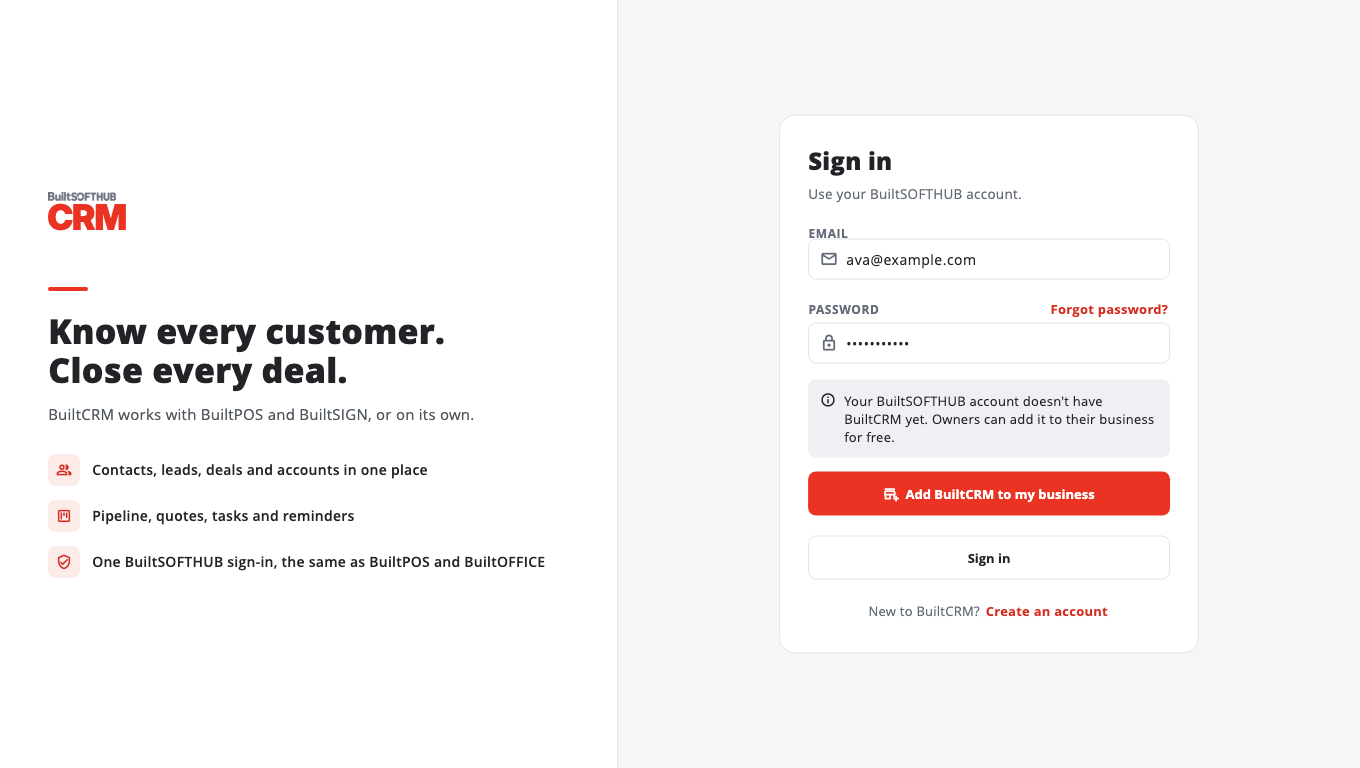
If you already sign in to BuiltPOS or BuiltOFFICE, you do not need a new account. Use the same email and password.
- Go to crm.builtsofthub.com.
- Enter your usual Email and Password and select Sign in.
- If BuiltCRM is not on for your business yet, the page offers Add BuiltCRM to my business. Select it.
- BuiltCRM opens. Your business now has its own CRM, and co-owners of the same business share it.
Who can do this#
Only the owner or an admin of the business can add BuiltCRM. Anyone else sees: "Only the business owner or an admin can add BuiltCRM." Ask your owner to add it first.
What your teammates get#
Your role in BuiltCRM follows your role at your store:
| Store role | BuiltCRM role |
|---|---|
| Owner or admin | Owner |
| Manager | Admin |
| Anyone else | Member |
See Manage your team and Team and roles.
If your email is not verified yet, BuiltCRM asks you to verify it first. See Verify your email.
Was this helpful?
Thanks for letting us know.
Sorry it did not help. Tell us what was missing: open Help & Support in the app and choose Report a problem, or email support@builtsofthub.com.