
Start using BuiltCRM
Create a BuiltCRM account, confirm your email and sign in for the first time.
On this page
BuiltCRM keeps your customers, leads, deals and follow-ups in one place. It runs in your web browser at crm.builtsofthub.com.
If your business already uses BuiltPOS or BuiltOFFICE, read Add BuiltCRM to your business instead, so your CRM stays linked to your stores.
Create an account#
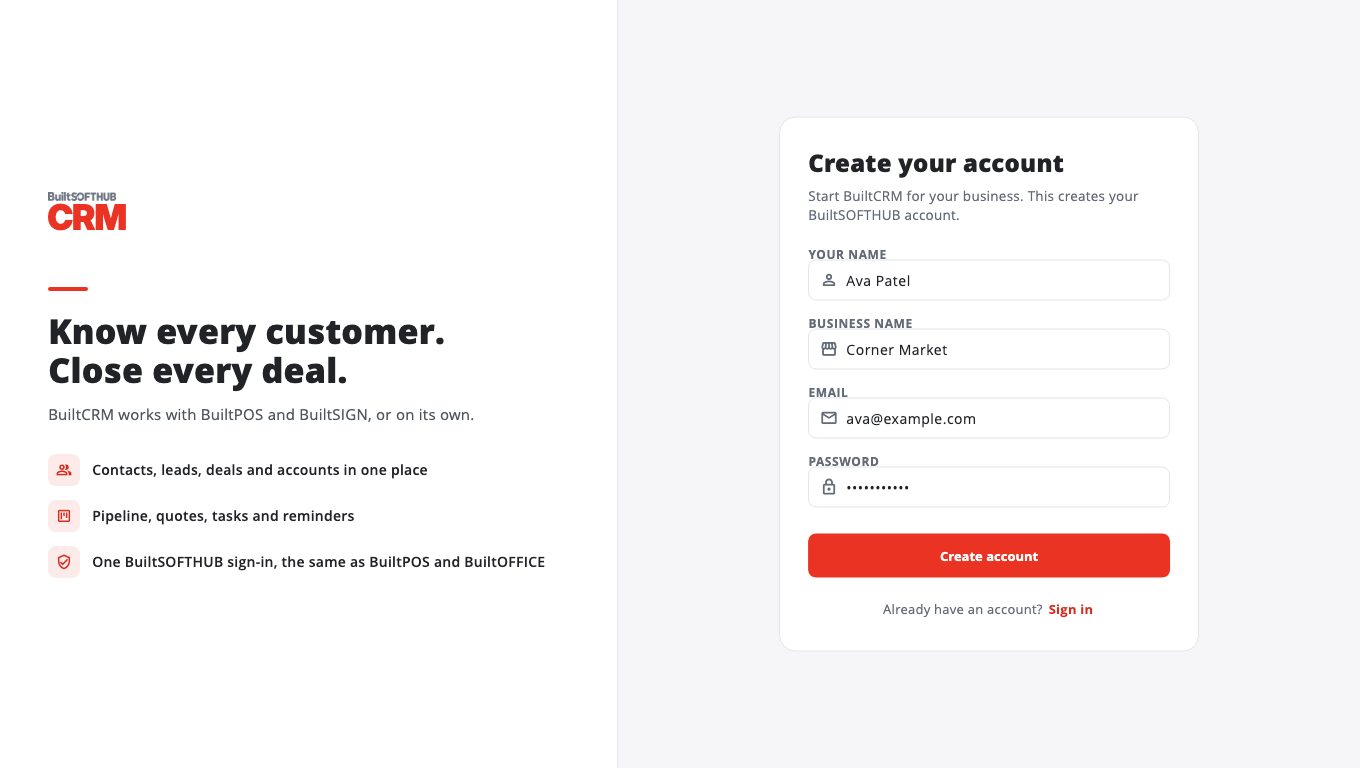
- Go to crm.builtsofthub.com and choose Create an account.
- Fill in Your name, Business name, Email and Password (at least 8 characters).
- Select Create account.
- Open the email we sent you and tap the verification link. The link works for 24 hours.
- Back in BuiltCRM, select I've verified — sign in.
No email? Check your spam folder, then select Send a new link. See Verify your email.
Sign in next time#
- Go to crm.builtsofthub.com and enter your Email and Password.
- Select Sign in.
Your BuiltCRM sign-in is your BuiltSOFTHUB account — the same one you use for BuiltPOS, BuiltOFFICE and our other apps. See Sign in once across apps.
Forgot your password? Select Forgot password? on the sign-in page. See Reset your password.
Next#
Was this helpful?
Thanks for letting us know.
Sorry it did not help. Tell us what was missing: open Help & Support in the app and choose Report a problem, or email support@builtsofthub.com.