
Tag, export or delete many contacts at once
Select contacts in the list and act on all of them together.
- Go to Contacts.
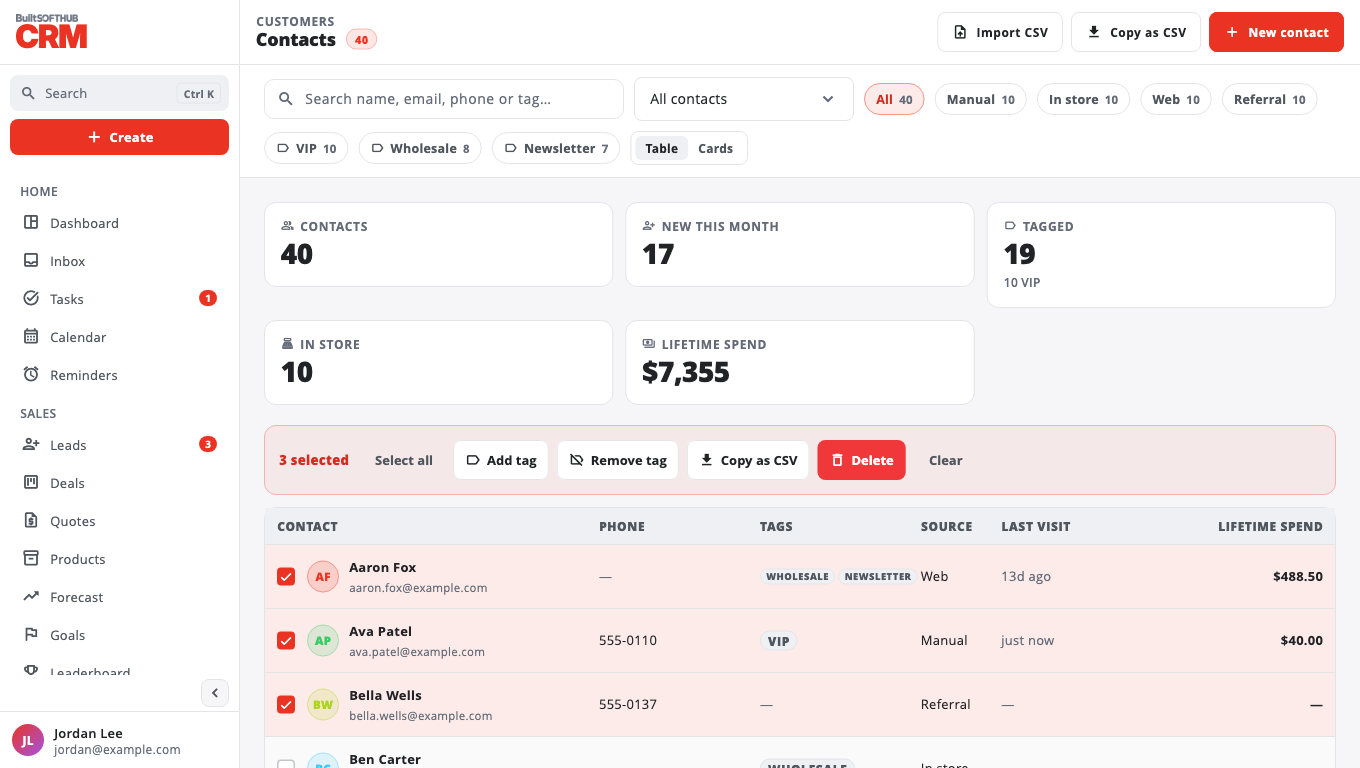
- Tick the box next to each contact you want, or tick one and select Select all to take every contact in the current view.
- In the bar that appears, choose:
- Add tag — type the tag and confirm.
- Remove tag — pick a tag the selected contacts already have.
- Export CSV — copies the selected contacts to your clipboard as CSV, ready to paste into a spreadsheet.
- Delete — owners and admins only. The contacts are removed for everyone; their activities stay in the log.
- Select Clear to unselect.
Tip: filter the list first (search, tag or source chips), then Select all, to act on one group.
To download every contact as a file instead, use Export your data.
Was this helpful?
Thanks for letting us know.
Sorry it did not help. Tell us what was missing: open Help & Support in the app and choose Report a problem, or email support@builtsofthub.com.