
Export your data
Download every contact, deal, lead, account or activity as a CSV, or everything as a backup file.
- Go to Settings.
- Scroll to Data → Export.
- Select what you want: Contacts, Deals, Leads, Accounts, Activities, Other records, or Everything (JSON) for a full backup.
- Wait while it reads every row (the card counts them), then the file downloads.
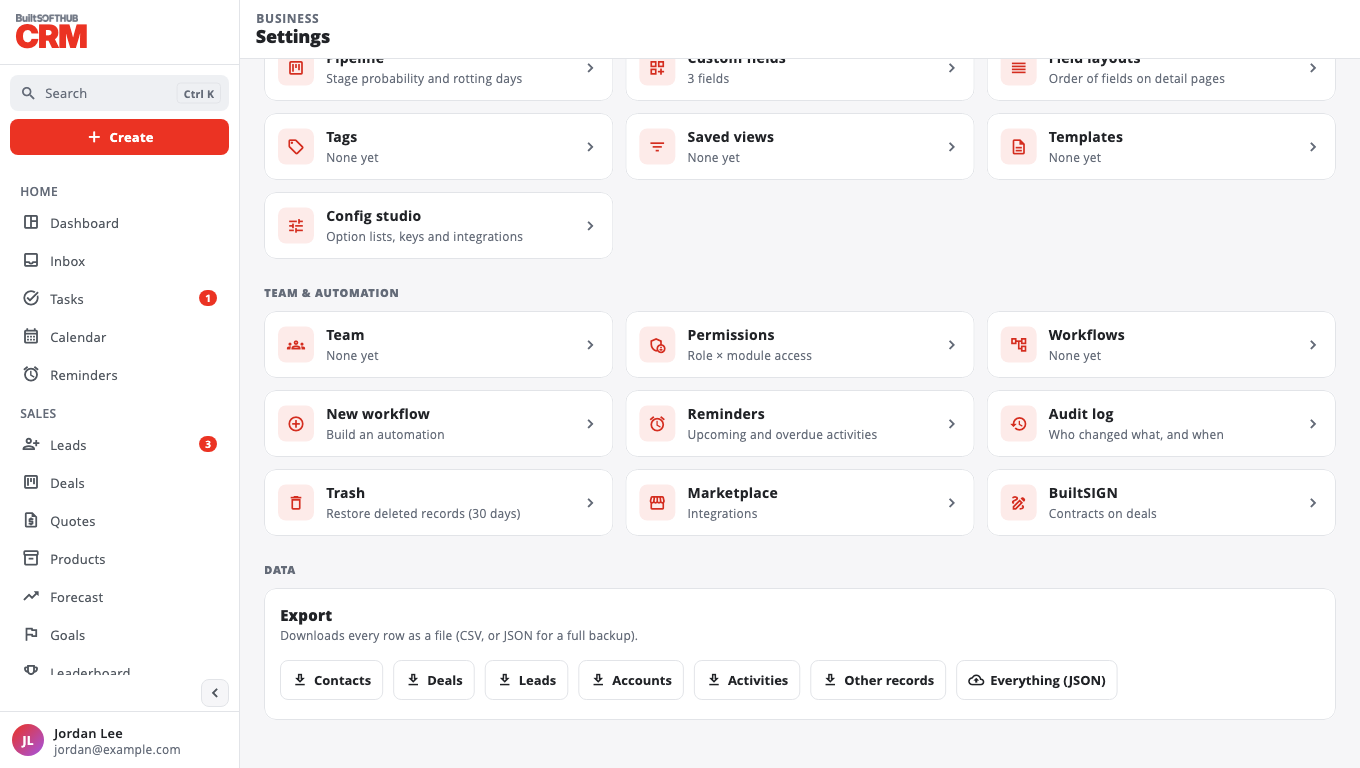
This export includes every row, not just the ones loaded on screen. A contacts export keeps the import columns first, so you can import it back.
The Export CSV button on the Contacts page is different: it copies the contacts you can see to your clipboard.
See also Data and privacy.
Was this helpful?
Thanks for letting us know.
Sorry it did not help. Tell us what was missing: open Help & Support in the app and choose Report a problem, or email support@builtsofthub.com.