
Create your account and set up your business
Sign up for BuiltINVOICE, confirm your email and tell it about your business.
On this page
BuiltINVOICE runs in your web browser at invoice.builtsofthub.com. You do not need a BuiltPOS till to use it.
Sign up#
- Open BuiltINVOICE and choose New to BuiltINVOICE? Create an account.
- Fill in Your name, Business name, Email and Password, then type the password again in Confirm password.
- Choose Create account.
- Open the email we send you and confirm your address. See Verify your email.
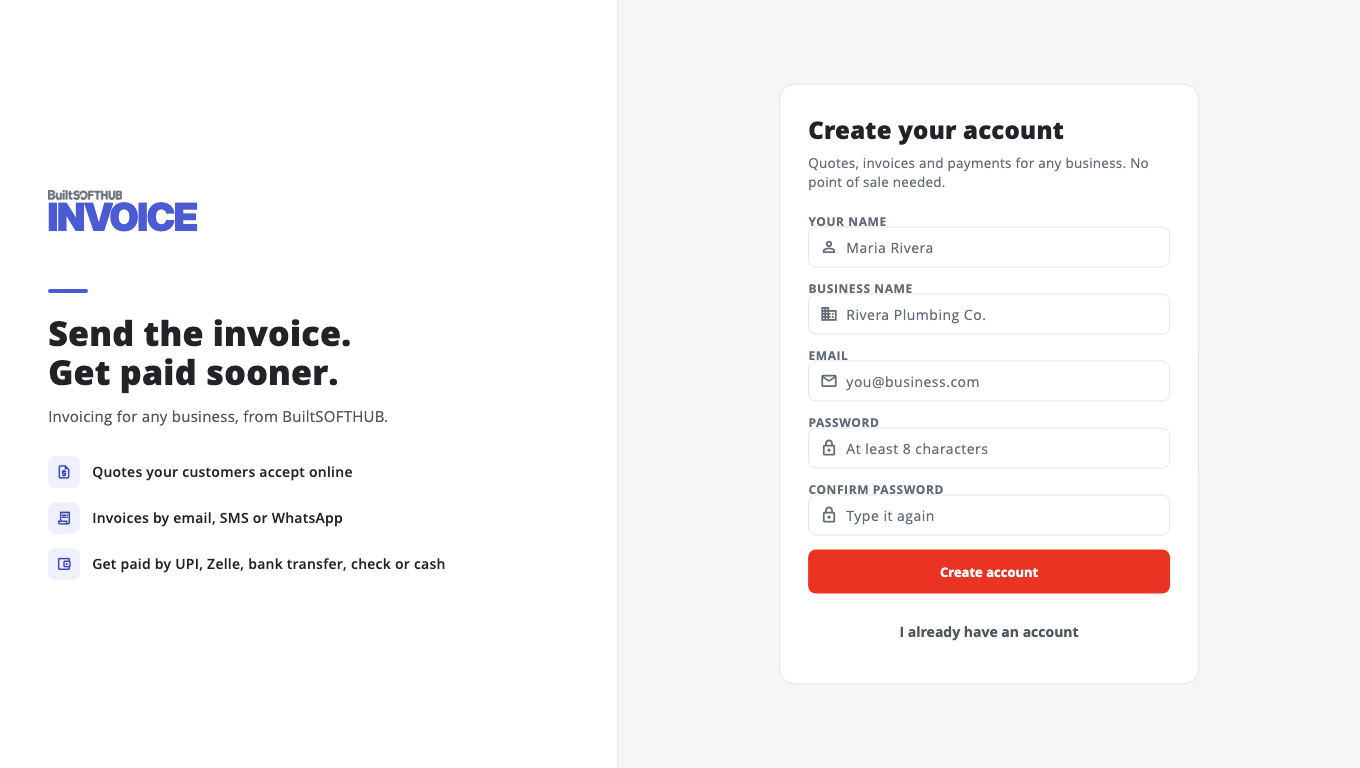
Already use BuiltOFFICE, BuiltCRM or BuiltPAYROLL? Sign in with that same account instead. See Sign in once across apps.
Set up your business#
The first time you sign in, BuiltINVOICE asks a few questions.
- Enter your Business name.
- Choose your Country. This sets the tax rates, tax number types and ways to pay that BuiltINVOICE suggests.
- Check the Business currency. Reports and the dashboard add up in this currency.
- Choose Start invoicing.
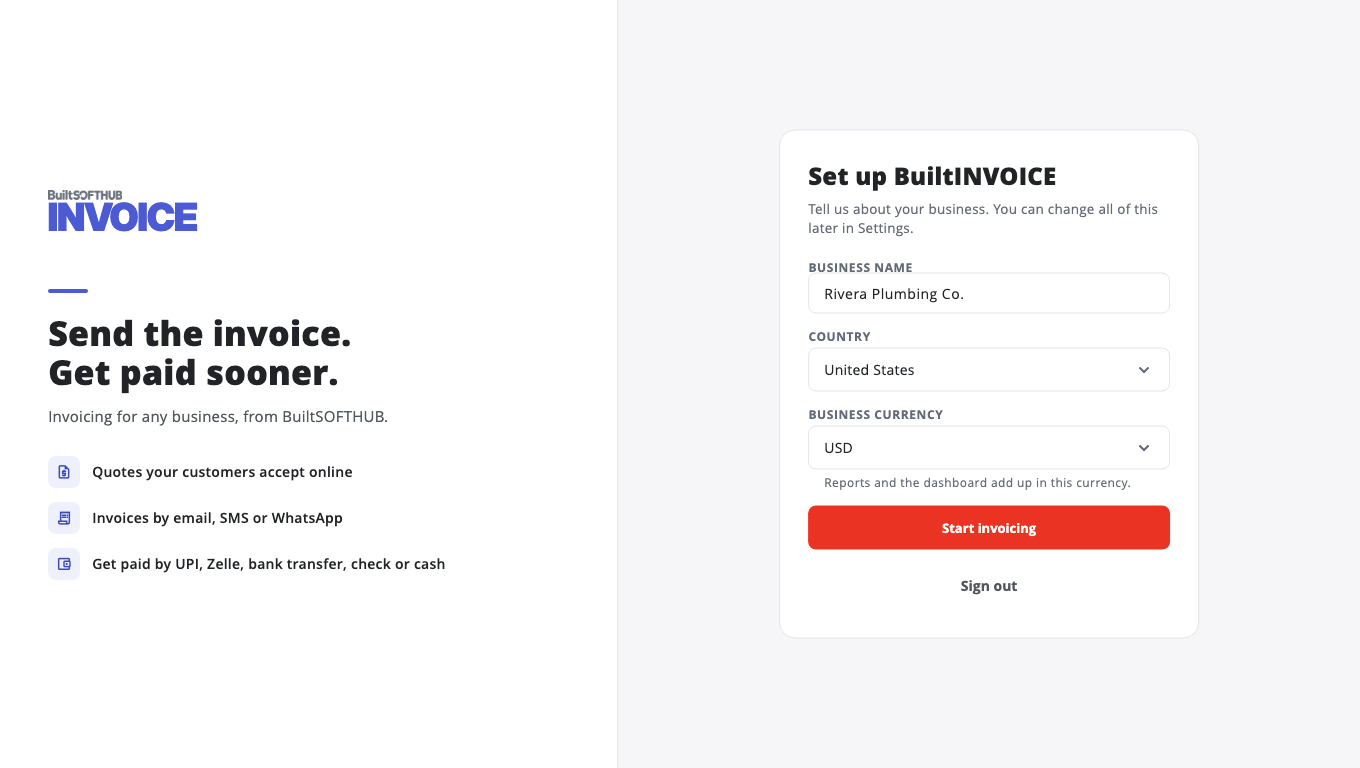
You can change all of this later in Settings.
Next: Find your way around.
Was this helpful?
Thanks for letting us know.
Sorry it did not help. Tell us what was missing: open Help & Support in the app and choose Report a problem, or email support@builtsofthub.com.