
Activate a pack into a box
Put a pack on the wall in the app at the same time you activate it at the lottery terminal.
Activation is the moment a pack goes on the wall. Do it in BuiltLTS when you activate the pack at the lottery terminal.
- Make sure a shift is running. If not, tap Start shift on the Shift screen.
- Tap Activate Pack in the menu.
- Tap Scan barcode and scan the pack.
- Pick the box the pack went into.
- Check the Pack activated message — it shows the game, the new pack number and Place in Box … — and tap Ready.
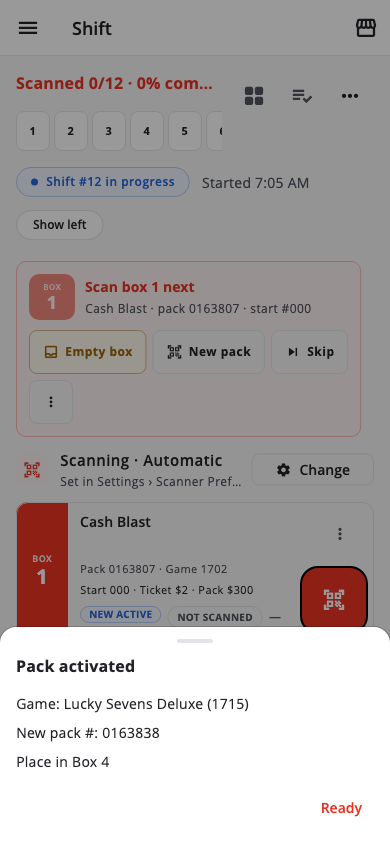
From then on, that box tracks that pack.
A pack selling from a box the app does not know about is the most common cause of a short drawer at close. Activate in the app every time.
You can also tap an empty box on the Shift screen and choose Activate pack.
Related: Same game, fresh pack in the box
Was this helpful?
Thanks for letting us know.
Sorry it did not help. Tell us what was missing: open Help & Support in the app and choose Report a problem, or email support@builtsofthub.com.