
View and fix a settlement
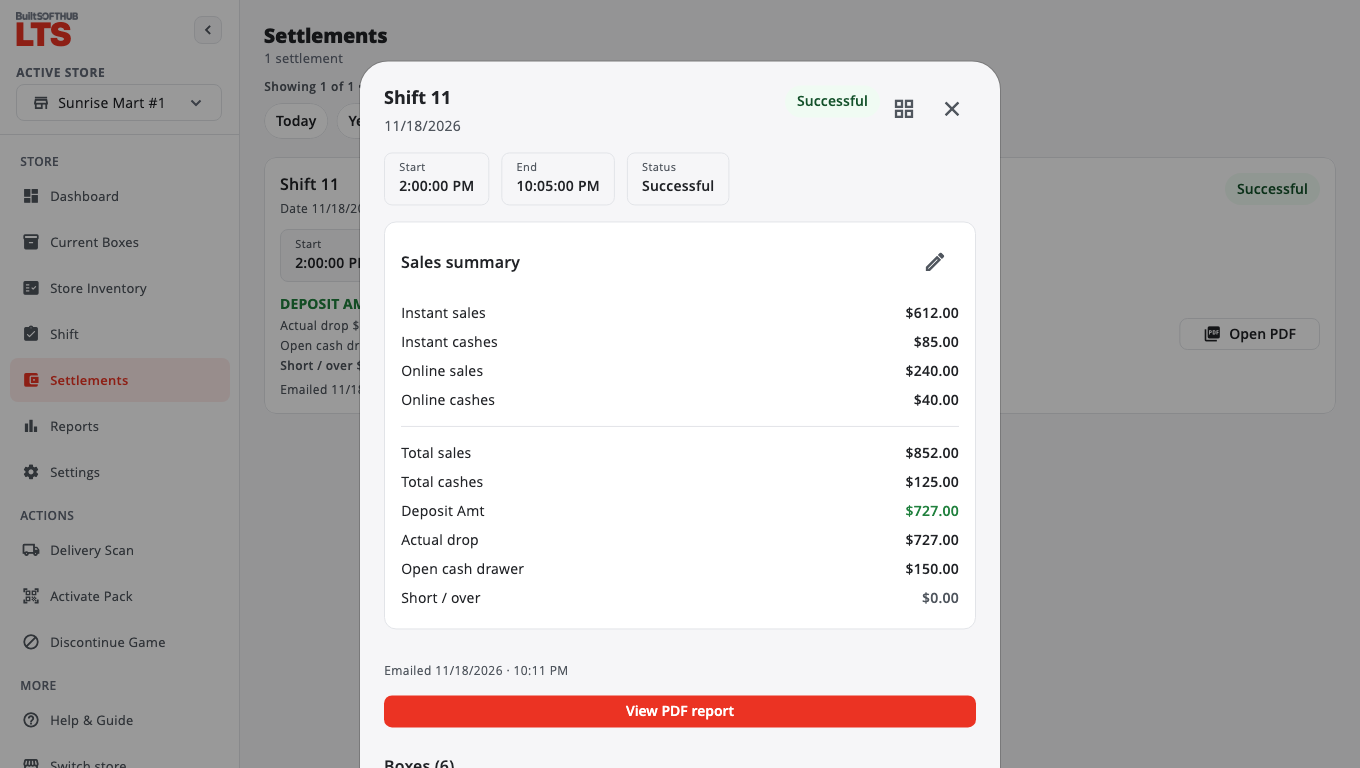
Open a past shift, see its PDF, email it, or correct a wrong number.
- Open Settlements and pick the shift.
- Tap View PDF report to see the settlement PDF, or Email report to send it. Send to defaults to the store contact email.
- Tap Rack map to see every box as it was in that shift.
Fix a wrong number#
- Open the settlement and tap Edit summary (the pencil).
- Tap Continue on Edit settlement summary?
- Change the sales figures, cashes, or Open cash drawer amount and tap Save.
The totals recalculate and the PDF is rebuilt from the corrected numbers.
Only a manager or master admin can edit a filed settlement. Staff see Ask a manager to edit a filed settlement.
If your store turned on Second approval for shift amendments (in Settings › Lottery Settings), you also enter a Reason for the amendment and the Manager PIN. The settlement shows the short/over before and after.
Was this helpful?
Thanks for letting us know.
Sorry it did not help. Tell us what was missing: open Help & Support in the app and choose Report a problem, or email support@builtsofthub.com.