
Set up payroll taxes
Review the tax lines withheld on every paystub, add state and local taxes, and turn on W-4 withholding.
Open Taxes. Every paystub uses the tax lines listed under TAX LINES.
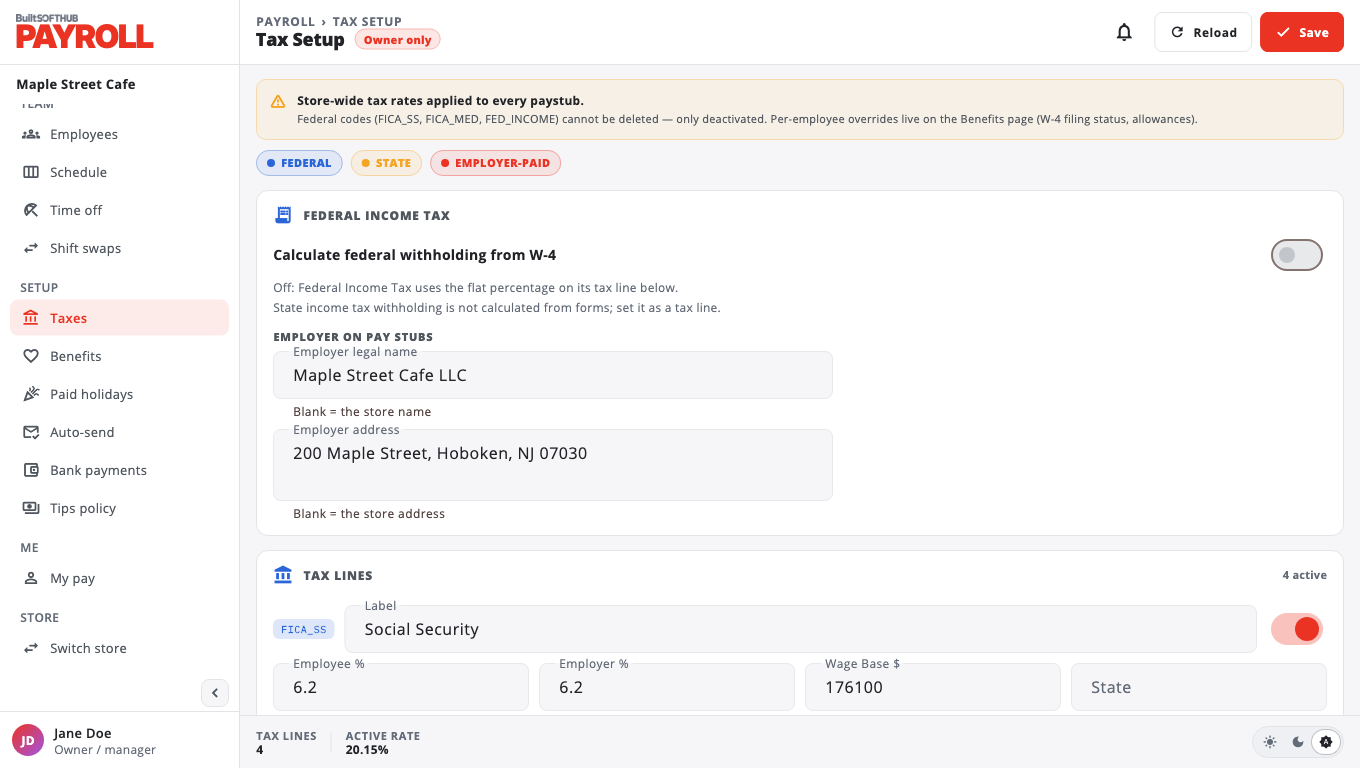
Check each line#
For each line you can change the Label, the Employee %, the Employer %, a Wage Base $ (leave blank for no cap) and the State. Choose Save when done.
Social Security, Medicare and federal income tax lines cannot be deleted. You can switch them off.
Add a state or local tax#
- Choose Add Custom Tax Line.
- Enter a Tax code (for example
CITY_NYC), a Display label, the Employee rate % and the State (optional). - Save it.
State income tax is not worked out from state forms. Add it as a tax line with the right rate.
Withhold federal income tax from the W-4#
- Switch on Calculate federal withholding from W-4 and choose Turn on.
- New draft paystubs withhold federal income tax from each employee's W-4. Employees without a W-4 are withheld as Single with no adjustments.
- Enter W-4s in Pay rates with Edit federal W-4.
Your name on paystubs#
Under EMPLOYER ON PAY STUBS, enter the Employer legal name and Employer address. Leave them blank to use the store name and address.
BuiltPAYROLL works out the tax on each paystub. It does not file or pay taxes to the agencies for you.
Was this helpful?
Thanks for letting us know.
Sorry it did not help. Tell us what was missing: open Help & Support in the app and choose Report a problem, or email support@builtsofthub.com.