
Keep money as customer credit
Keep an overpayment or a credit note as credit the customer uses on later invoices.
On this page
Create credit#
- Overpaid? When you record more than is owed, turn on Keep the extra as customer credit. Or choose Keep as customer credit on a payment instead of a refund.
- Credit note? Open it and choose Keep as customer credit.
Use credit#
- Open an invoice and choose Use customer credit in Deposit and credit, then Use credit.
- Or let it happen by itself: Settings, Ways to pay, turn on Use customer credit automatically. When you send a new invoice, any credit in that currency pays it first.
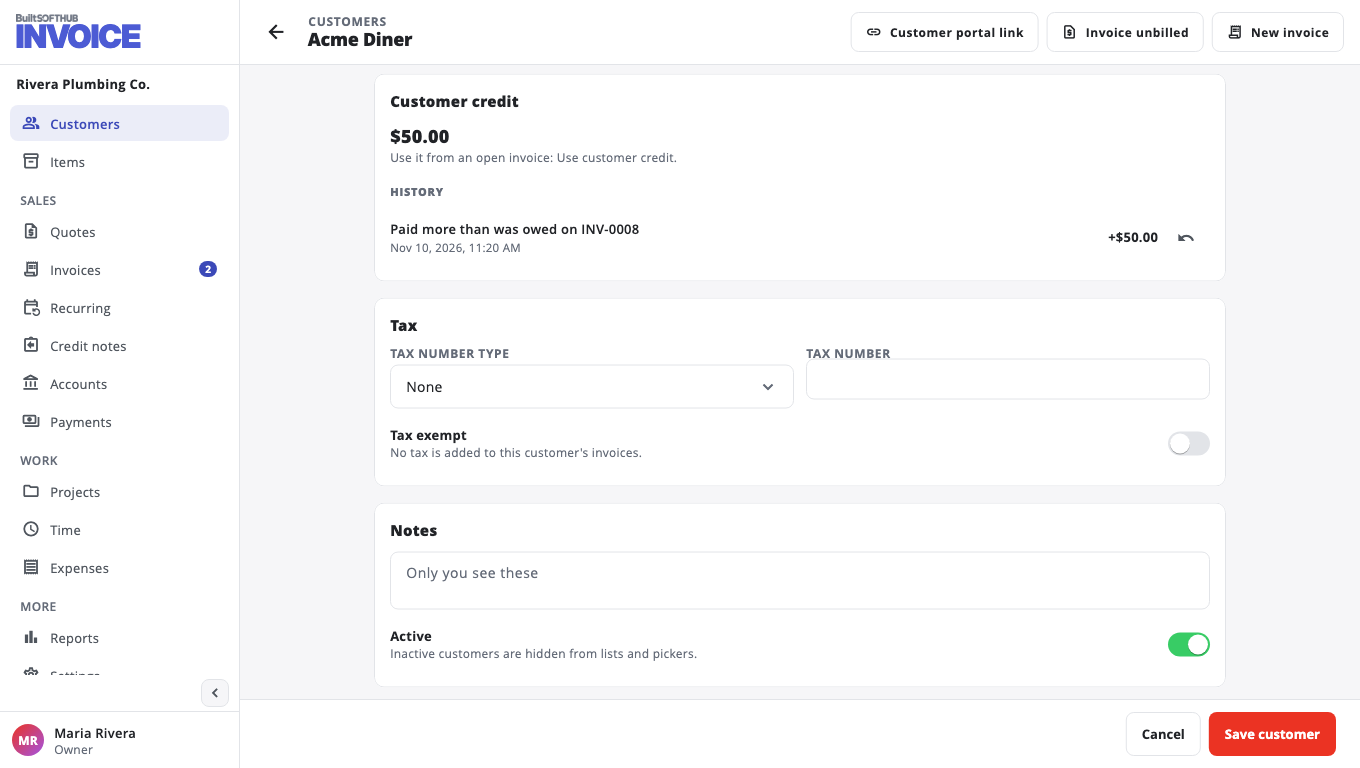
The customer page has a Customer credit card with the balance and History. Choose Take back to remove credit you gave by mistake.
Was this helpful?
Thanks for letting us know.
Sorry it did not help. Tell us what was missing: open Help & Support in the app and choose Report a problem, or email support@builtsofthub.com.