
Ask for a deposit or let customers pay in parts
Ask for money up front on a quote or invoice, and let customers pay part of an invoice online.
Ask for a deposit#
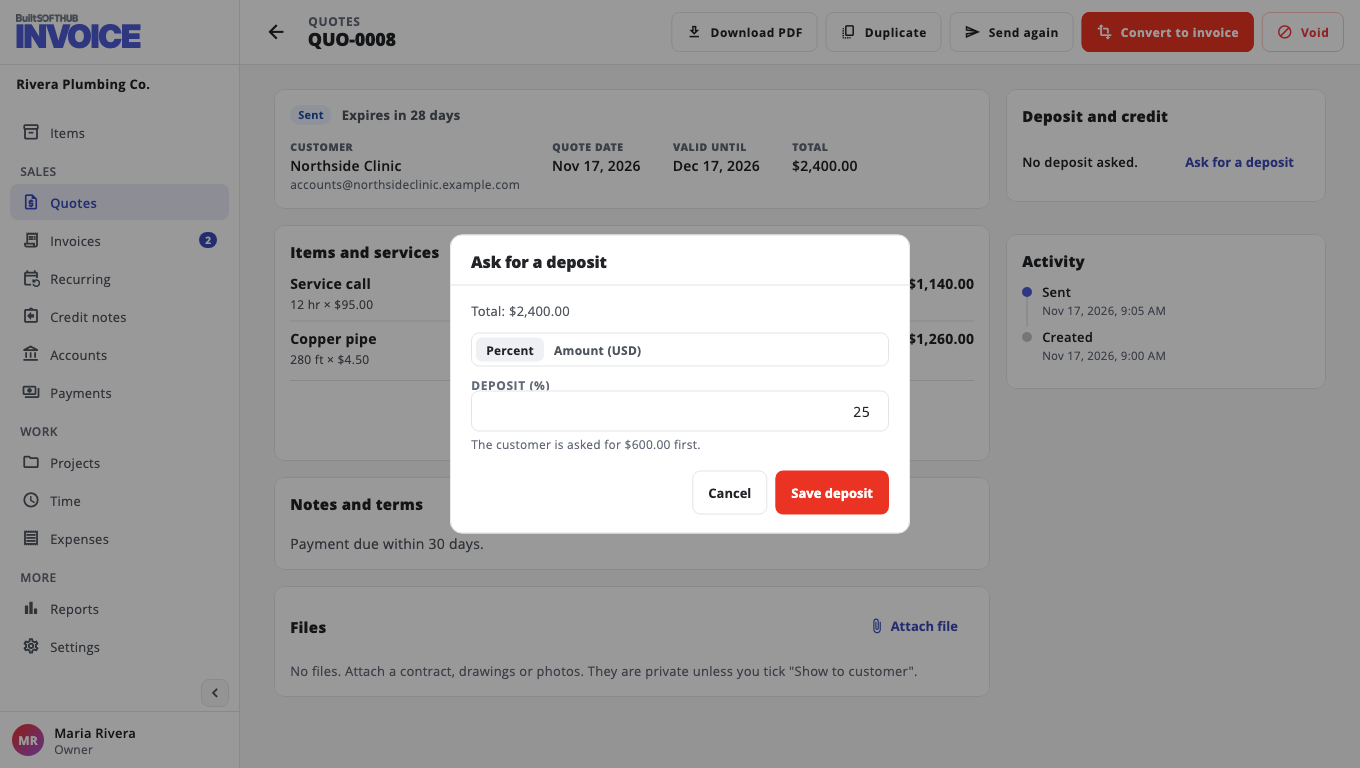
- Open the quote or invoice.
- In Deposit and credit, choose Ask for a deposit.
- Choose Percent or Amount and enter it.
- Choose Save deposit.
The deposit shows on the PDF and the pay page, and the customer can pay it on its own. To take it off, choose Change, then Remove deposit.
Let customers pay part of an invoice#
- Go to Settings, Ways to pay, Part payments and deposits.
- Turn on Allow customers to pay part of an invoice online.
- Optional: set the Smallest part (% of the invoice).
- Choose Save payment options.
On the invoice page the customer can pay any amount up to what is owed. The rest stays due.
Was this helpful?
Thanks for letting us know.
Sorry it did not help. Tell us what was missing: open Help & Support in the app and choose Report a problem, or email support@builtsofthub.com.