
Track signatures and send several quotes for signature
See every signature request in one place, send several quotes at once, or use a BuiltSIGN template.
On this page
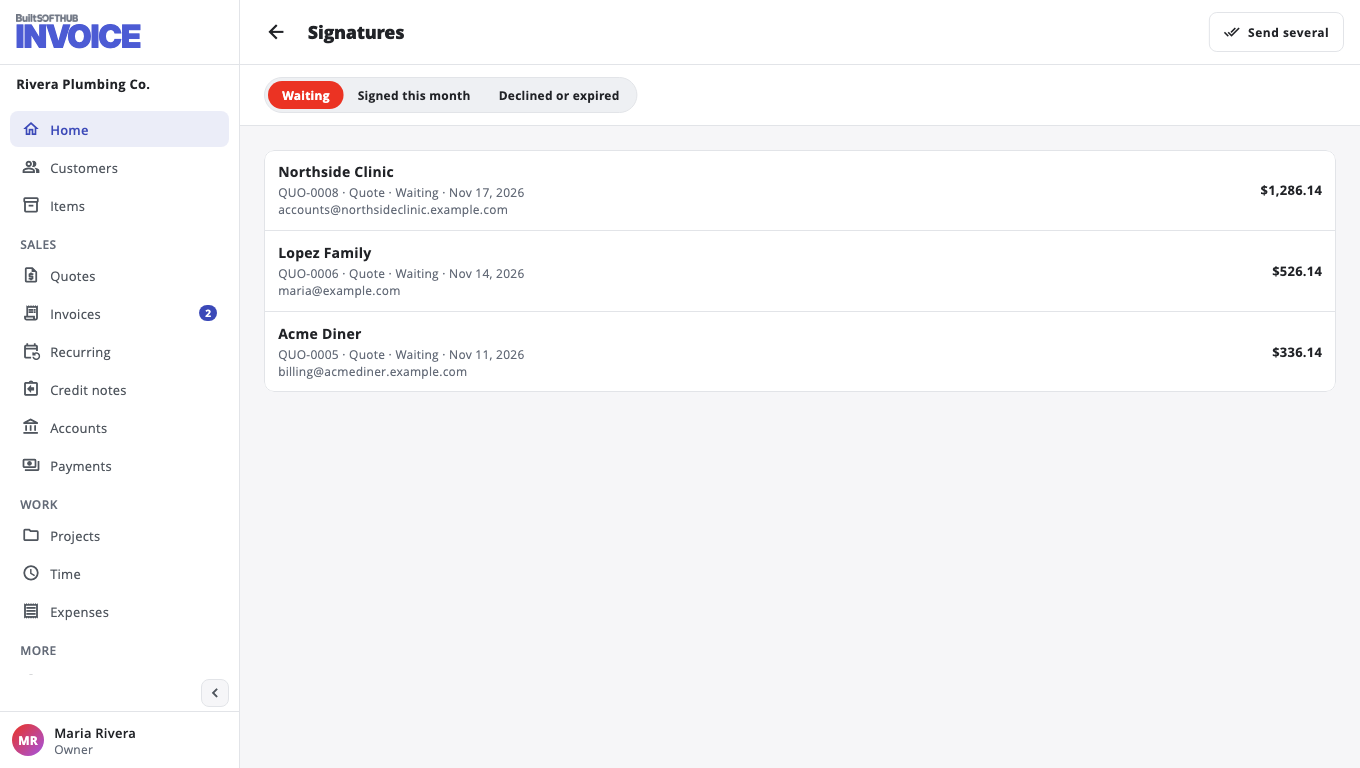
Once BuiltSIGN is connected (see Send a quote or invoice for signature), Home shows a Signatures card: Waiting, Signed this month and Declined or expired. Tap one to open the Signatures page with that tab.
Send several quotes#
- On the Signatures page, choose Send several (or Send several for signature on Quotes).
- Choose the quotes. Each one goes to its own customer.
- Choose Send by and an optional Message (optional).
- Choose Send for signature.
Send by can be Email, SMS and WhatsApp. A template is sent by email only. WhatsApp goes to the customer's WhatsApp number, or their phone if there is none. Quotes whose customer has no email (or no usable number for SMS or WhatsApp) are listed as not sent, for example Not sent: no WhatsApp number.
Use a BuiltSIGN template#
If you have templates in BuiltSIGN, Send for signature shows Document to sign. Pick the quote or invoice as a PDF (with a signature page at the end), or one of your BuiltSIGN templates. A template is sent by email.
Was this helpful?
Thanks for letting us know.
Sorry it did not help. Tell us what was missing: open Help & Support in the app and choose Report a problem, or email support@builtsofthub.com.