
Run reports
Pick a date range and run any of the eight lottery reports as PDF or CSV.
- Open Reports.
- Pick a range: Today, Yesterday, Current month, Last month, Current year, Last year or Custom….
- Under Report types, tap a report. Choose PDF or CSV, and tick Email it to the report recipients if you want it sent.
- Tap Run report.
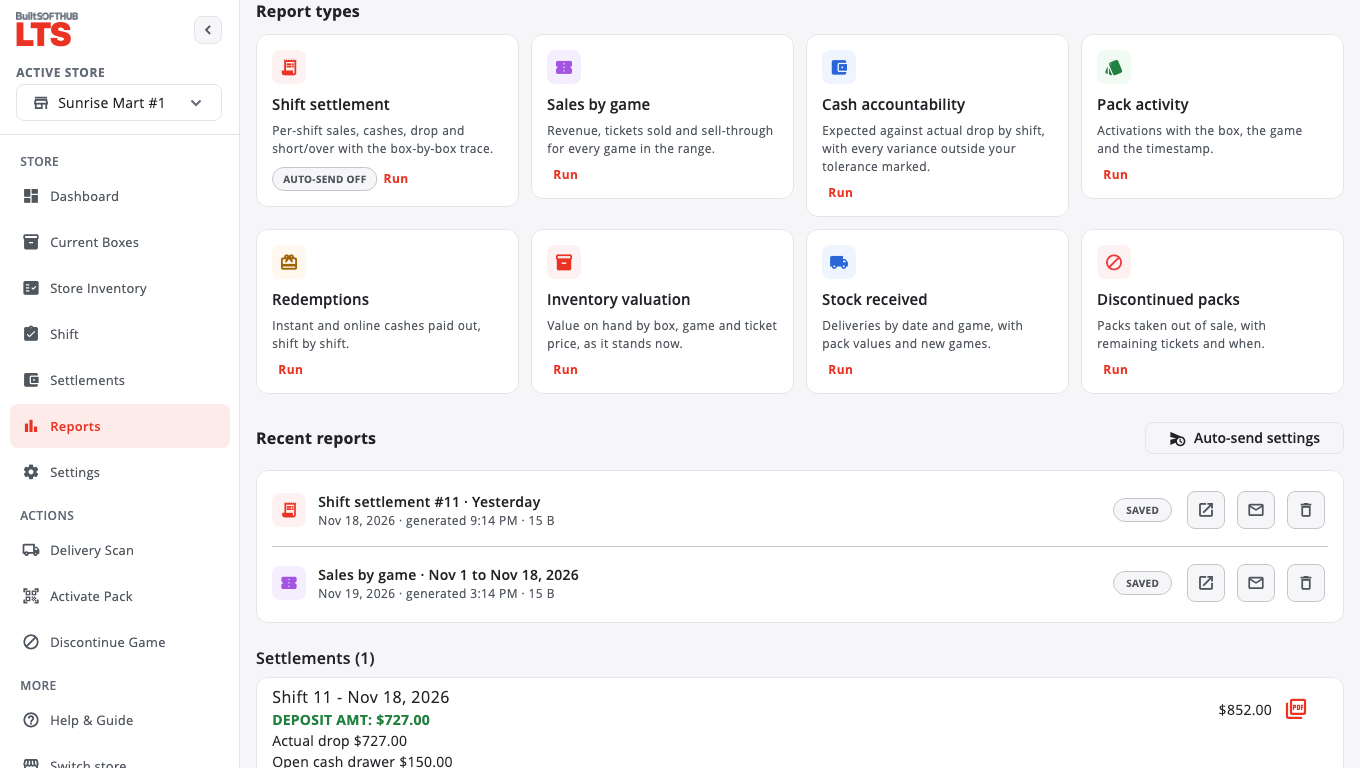
The reports#
- Shift settlement — per-shift sales, cashes, drop and short/over with the box-by-box trace.
- Sales by game — revenue, tickets sold and sell-through for every game.
- Cash accountability — expected against actual drop by shift, with every variance outside your tolerance marked.
- Pack activity — activations with the box, the game and the time.
- Redemptions — instant and online cashes paid out, shift by shift.
- Inventory valuation — value on hand by box, game and ticket price, as it stands now.
- Stock received — deliveries by date and game.
- Discontinued packs — packs taken out of sale, with remaining tickets.
Reports you run are kept under Recent reports so you can open or resend them. The Settlements list on the same screen shows each shift's drop and short/over.
Was this helpful?
Thanks for letting us know.
Sorry it did not help. Tell us what was missing: open Help & Support in the app and choose Report a problem, or email support@builtsofthub.com.