
Set the tips policy
Choose how card and cash tips from your BuiltPOS tills are shared among staff.
Tips policy is shown only for stores that use BuiltPOS.
- Open Tips policy.
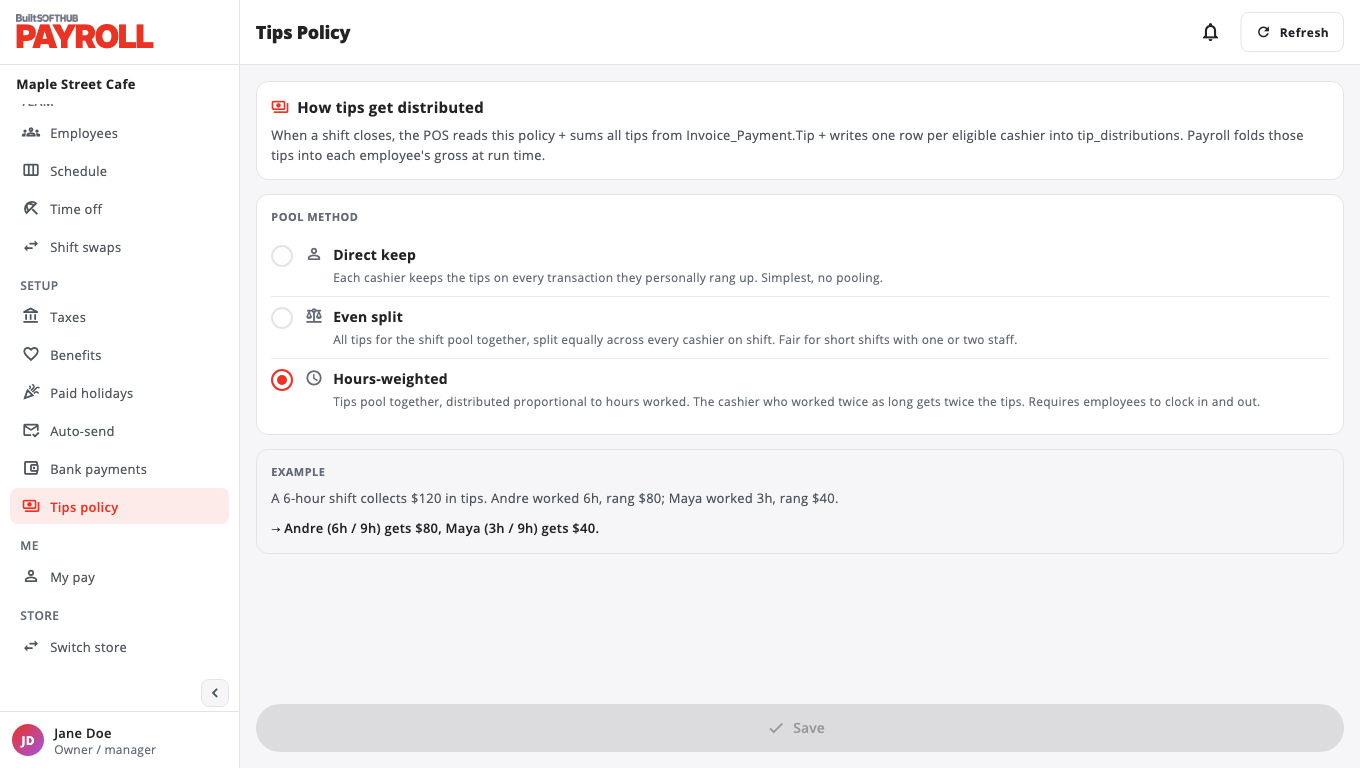
- Pick a POOL METHOD:
- Direct keep: each cashier keeps the tips on the sales they rang up.
- Even split: tips for the shift are pooled and split equally across everyone on shift.
- Hours-weighted: tips are pooled and shared by hours worked. Staff must clock in and out for this to work.
- Choose Save. The EXAMPLE box shows how a shift's tips would be shared.
Tips appear on paystubs. When a paystub is finalized, the tips on it are marked as paid. Employees see Unpaid (next payroll) and Paid (in paystubs) on My pay.
Was this helpful?
Thanks for letting us know.
Sorry it did not help. Tell us what was missing: open Help & Support in the app and choose Report a problem, or email support@builtsofthub.com.