
Start your first shift
Count the cash drawer and open a shift so the register can start selling.
On this page
The register cannot ring a sale until a shift is open. A shift starts with the cash you counted into the drawer and ends when you close it at the end of the day or hand over.
Open the shift#
- Sign in with your PIN. You land on Home.
- Tap Start Shift (or tap POS — with no shift open, the sale screen shows No shift is open on this terminal).
- Count the cash in the drawer.
- Type the amount on the keypad under Opening cash. Digits fill in from the cents: type 10000 for $100.00. Or tap . to place the point yourself: 100. is $100.00. Use 00 for whole dollars faster, C to clear and the arrow key to delete a digit.
- Tap Start Shift.
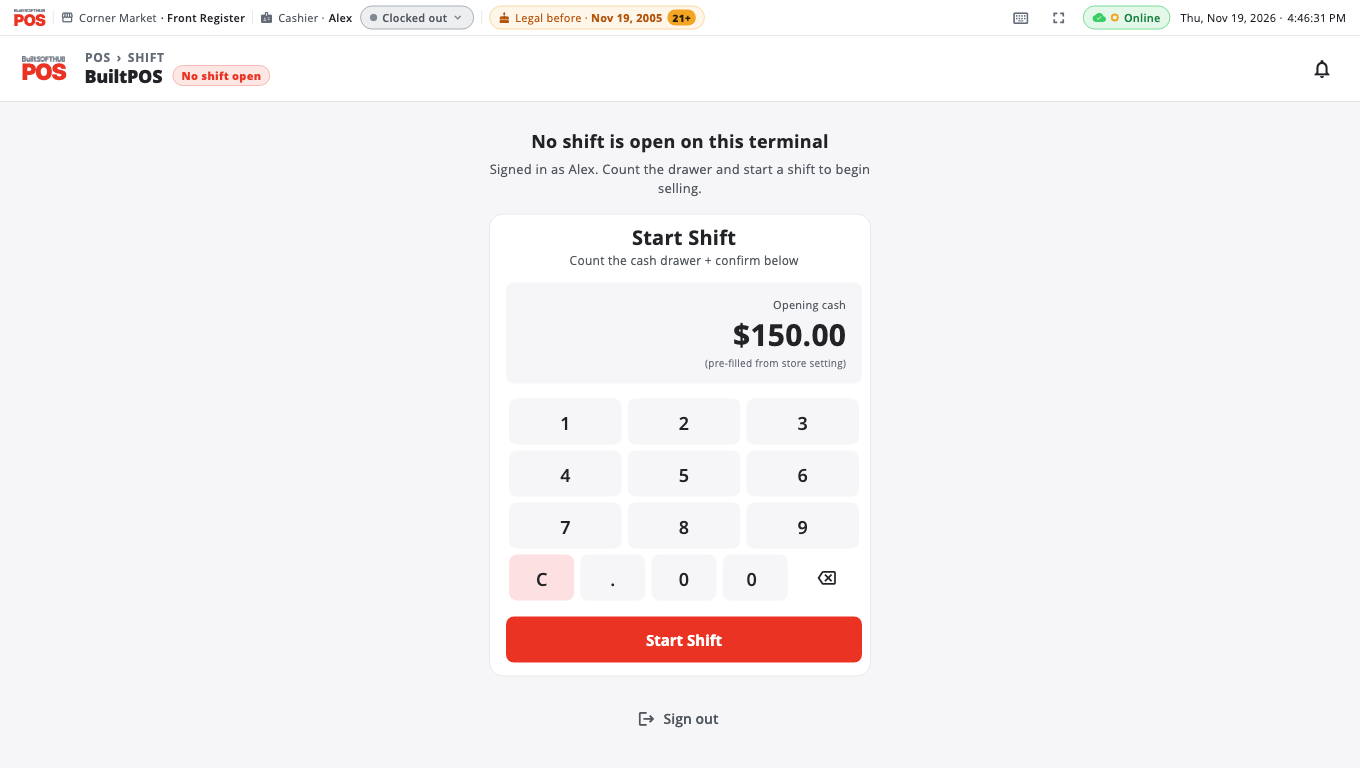
If your store has a default opening amount, it is already filled in and marked (pre-filled from store setting). Change it if your count is different.
Clocking in#
With the standard settings, starting a shift also clocks you in. If your register is set to Require clock-in to sell and you are not clocked in, you will see Clock in to start selling — tap Clock in. See Clock in and out.
Good to know#
- Only one shift is open on a register at a time. Other staff who sign in on that register sell on the same shift.
- Closing the shift is covered in Open and close a shift.
- Pages that move no money — Home, Store Management, reports, receipts, Time Clock — work without a shift.
- An owner can turn off Require an open shift to sell in Store Management → This Till → Terminal Settings, but most stores leave it on so every sale belongs to a counted drawer.
- On a register that also runs as a self-order kiosk, the kiosk opens its own daily shift automatically. When you sign in you are asked to start your own shift.
- Set the default opening cash in Store Management → Store Settings → Cash Register.
- Next: Your first sale.
Was this helpful?
Thanks for letting us know.
Sorry it did not help. Tell us what was missing: open Help & Support in the app and choose Report a problem, or email support@builtsofthub.com.