
Get new order alerts
Hear a chime and see a desktop notification when a web order comes in.
BuiltCOMMERCE checks for new web orders about every 30 seconds while it is open in your browser, on any page.
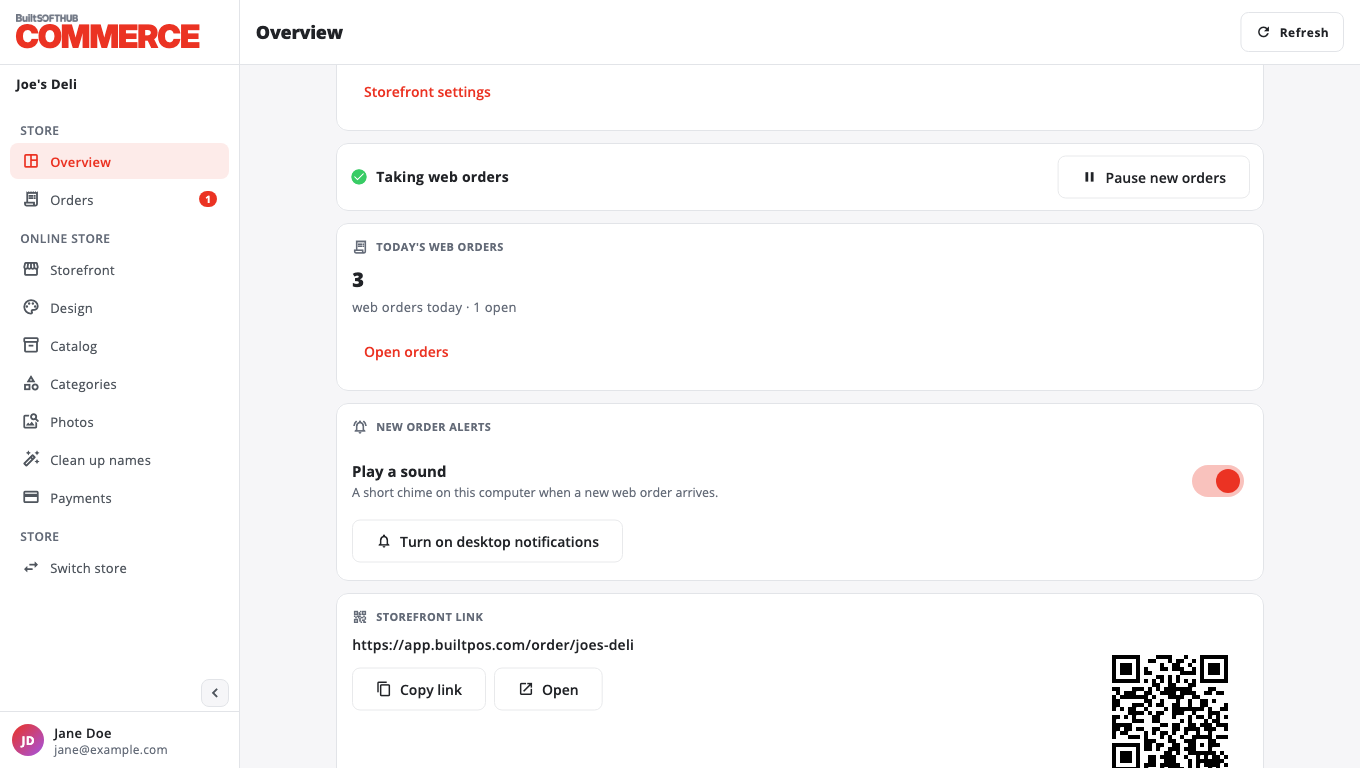
- Open Overview.
- Under New order alerts, turn on Play a sound. This plays a short chime on this computer.
- Press Turn on desktop notifications and allow them when your browser asks.
When a new order arrives:
- the Orders menu item shows a count,
- the browser tab title flashes,
- the chime plays and a notification appears.
These settings are per browser. Set them on each computer you use.
If it says Desktop notifications are blocked in this browser's settings, allow notifications for the site in your browser settings.
Alerts only work while the BuiltCOMMERCE tab is open. New orders also show on your BuiltPOS till.
Was this helpful?
Thanks for letting us know.
Sorry it did not help. Tell us what was missing: open Help & Support in the app and choose Report a problem, or email support@builtsofthub.com.