
Offer pickup and delivery
Choose pickup, your own delivery, or both, with a delivery fee and minimum order.
Only the store owner or an admin can change this.
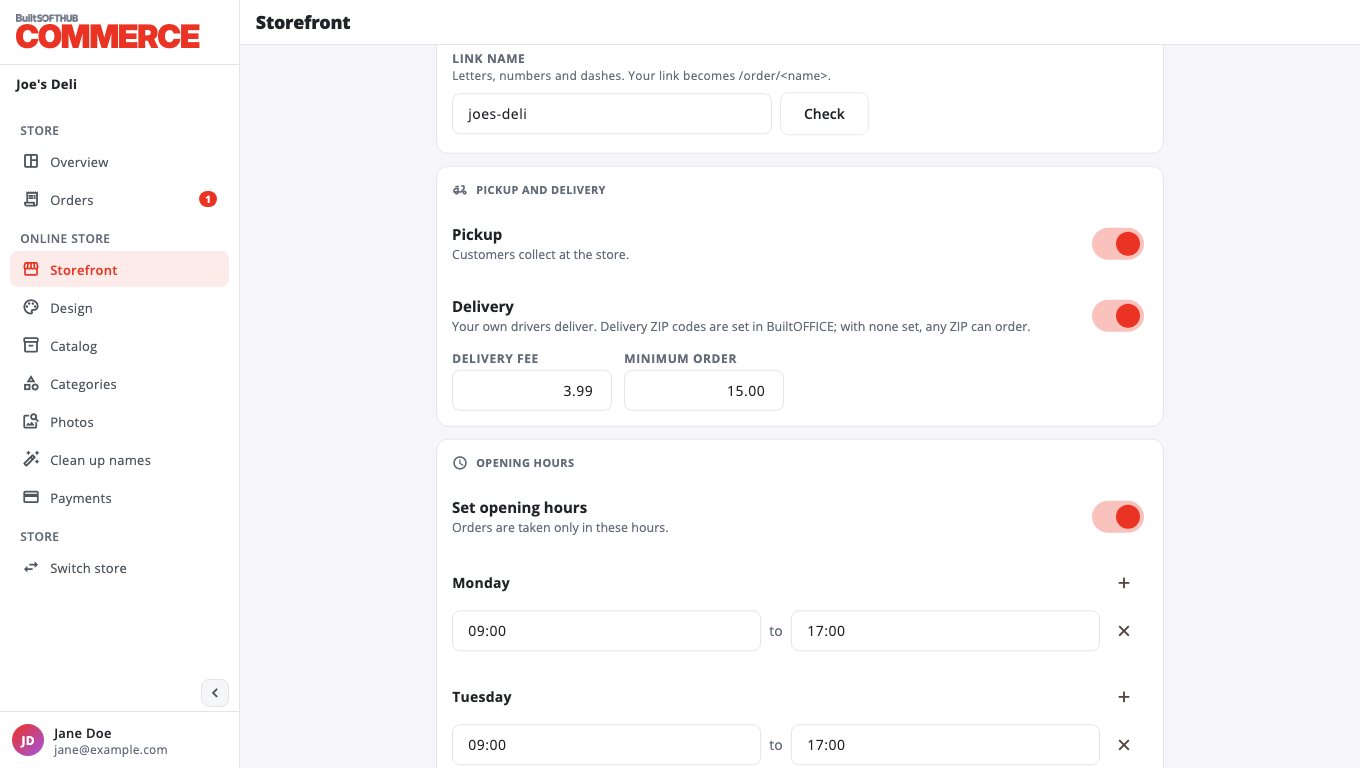
- Open Storefront.
- Under Pickup and delivery:
- Pickup: customers collect at the store.
- Delivery: your own drivers deliver.
- With Delivery on, set a Delivery fee (up to $100) and a Minimum order (up to $1,000). Use 0 for none.
- Press Save.
If both are off, customers cannot order.
Limit delivery to some ZIP codes#
The ZIP code list is set in BuiltOFFICE: open the web ordering settings and fill in ZIP codes (blank = any). Leave it blank to deliver anywhere.
Was this helpful?
Thanks for letting us know.
Sorry it did not help. Tell us what was missing: open Help & Support in the app and choose Report a problem, or email support@builtsofthub.com.