
Pause and resume orders
Stop new web orders for a busy hour without taking your storefront down.
On this page
Owners, admins and managers can pause orders.
Pause#
- Open Orders.
- Press Pause orders (or Pause new orders).
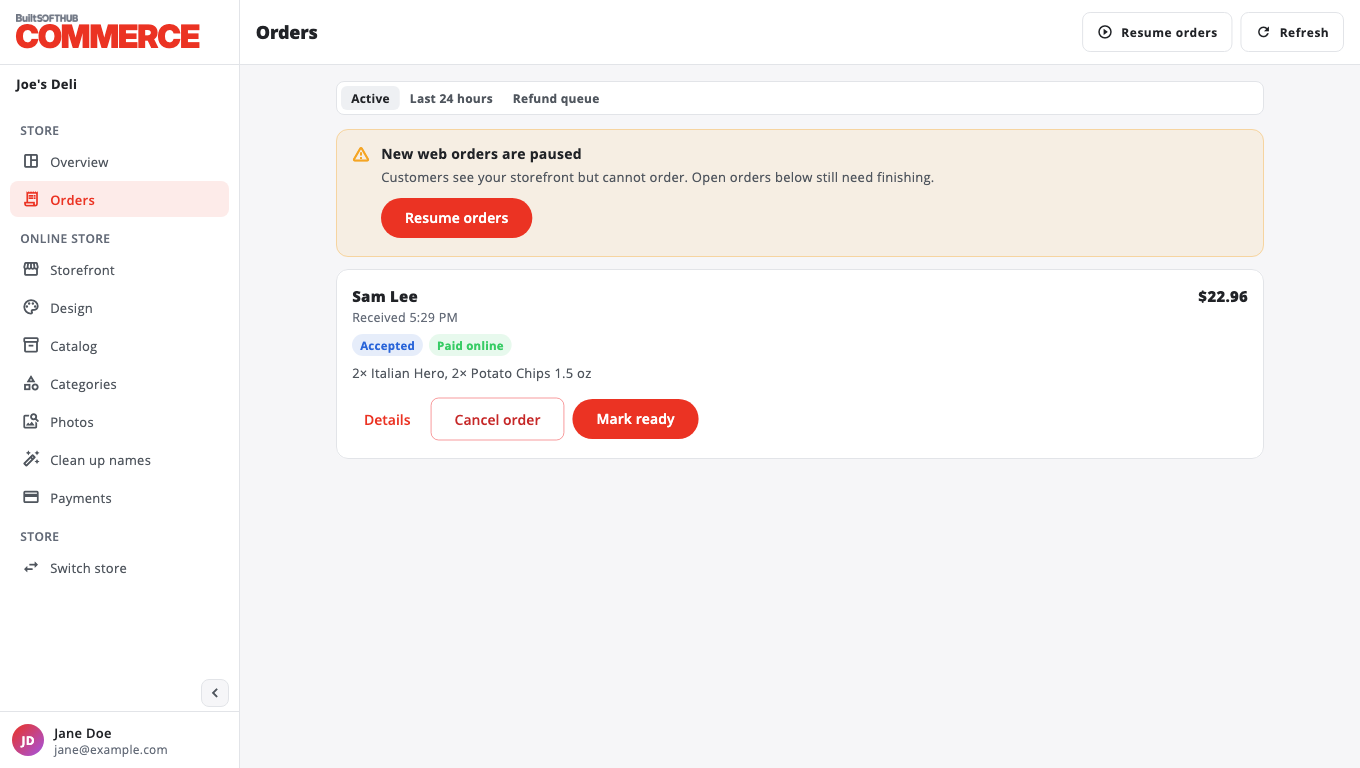
- You see New web orders are paused. Your storefront stays up.
Customers can still see your menu but cannot order. Orders already placed still need finishing.
Resume#
Press Resume orders. You see Taking web orders again.
Other ways to stop orders#
- Owners can turn off Accepting orders now on Storefront. This is the same switch.
- Turning off Web ordering on Storefront hides the storefront completely.
- Opening hours and closed dates stop orders automatically. See Set opening hours.
Was this helpful?
Thanks for letting us know.
Sorry it did not help. Tell us what was missing: open Help & Support in the app and choose Report a problem, or email support@builtsofthub.com.