
Set opening hours and closed dates
Take web orders only during your hours, and close the store page on holidays.
Only the store owner or an admin can change hours.
Opening hours#
- Open Storefront.
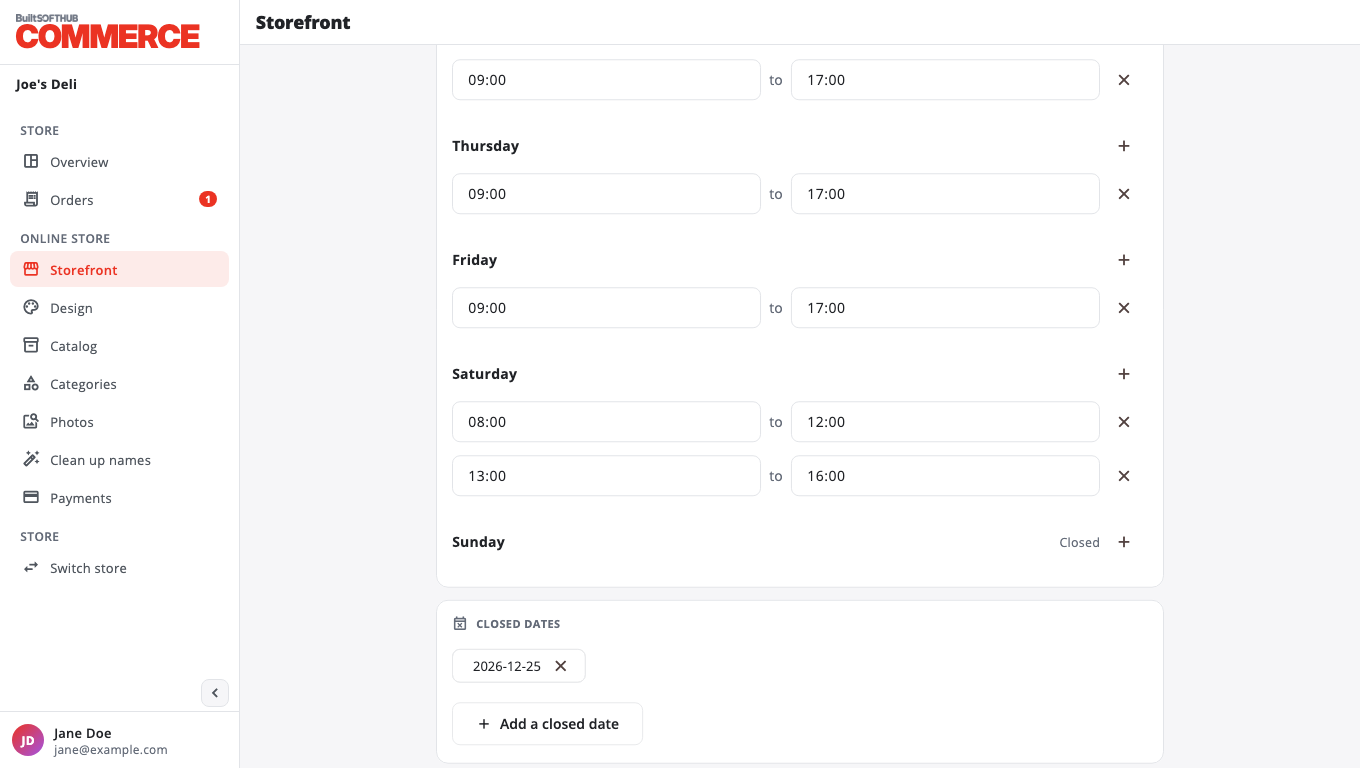
- Under Opening hours, turn on Set opening hours.
- For each day, set the open and close times in 24-hour format, for example
09:00and17:30. Use24:00for midnight. - Press Add hours to add a second or third time window in a day (up to 3), for example lunch and dinner.
- Remove every window for a day to show it as Closed.
- Press Save.
With Set opening hours off, orders are taken whenever web ordering is on.
Opening hours use your store's time zone. If the page asks for it, set the time zone for the store in BuiltOFFICE.
Closed dates#
- Under Closed dates, press Add a closed date and pick the day.
- Press Save.
Customers see "Closed today" on that day and the upcoming closed dates on your store page.
Close for a busy hour instead#
To stop new orders for a short while without changing hours, use Pause and resume orders.
Was this helpful?
Thanks for letting us know.
Sorry it did not help. Tell us what was missing: open Help & Support in the app and choose Report a problem, or email support@builtsofthub.com.