
Restore something you deleted
Deleted contacts, accounts, deals, leads and activities stay in the trash for 30 days.
- Go to Settings → Trash.
- Filter by type if you like — Contact, Account, Deal, Lead or Activity.
- Select Restore next to the record.
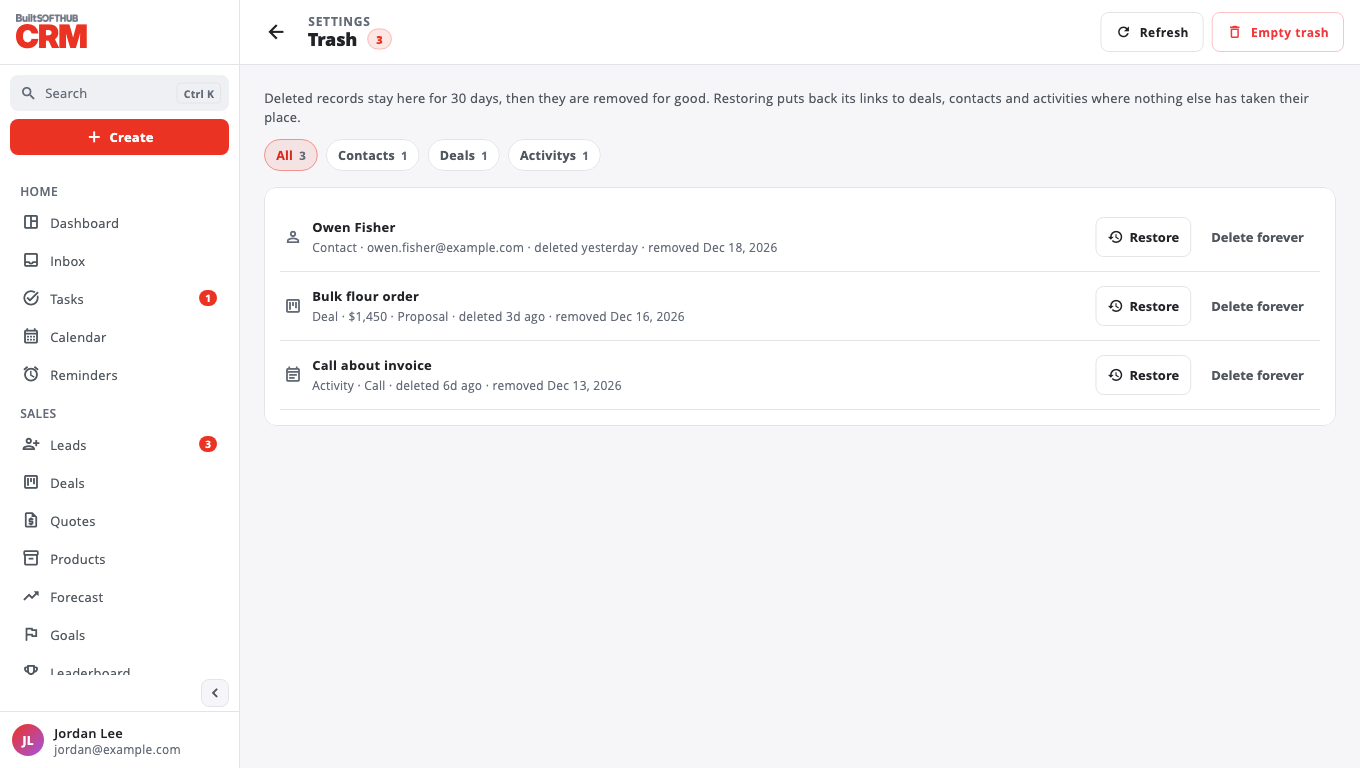
Restoring puts back its links to deals, contacts and activities where nothing else has taken their place.
- Delete forever removes one record for good (files attached to it are deleted too).
- Empty trash removes everything in the trash for good. This cannot be undone.
After 30 days, records are removed automatically. Only owners and admins can restore or delete forever.
Was this helpful?
Thanks for letting us know.
Sorry it did not help. Tell us what was missing: open Help & Support in the app and choose Report a problem, or email support@builtsofthub.com.