
Bill a customer on account
Let a regular customer run up a balance and settle it with one statement.
Good for regulars you bill often, such as a restaurant you supply every week.
Put a customer on account#
- Open the customer.
- Under Billing, choose On account.
- Choose when to Settle: At month end, On a day of the month, Weekly, or When I close it.
- Choose Save customer.
Their invoices now collect on an open account.
Close the account and send a statement#
- Open Accounts and pick the account.
- Check Invoices on this account and the Balance.
- Choose Close & send statement. The statement gets a number and goes to the customer.
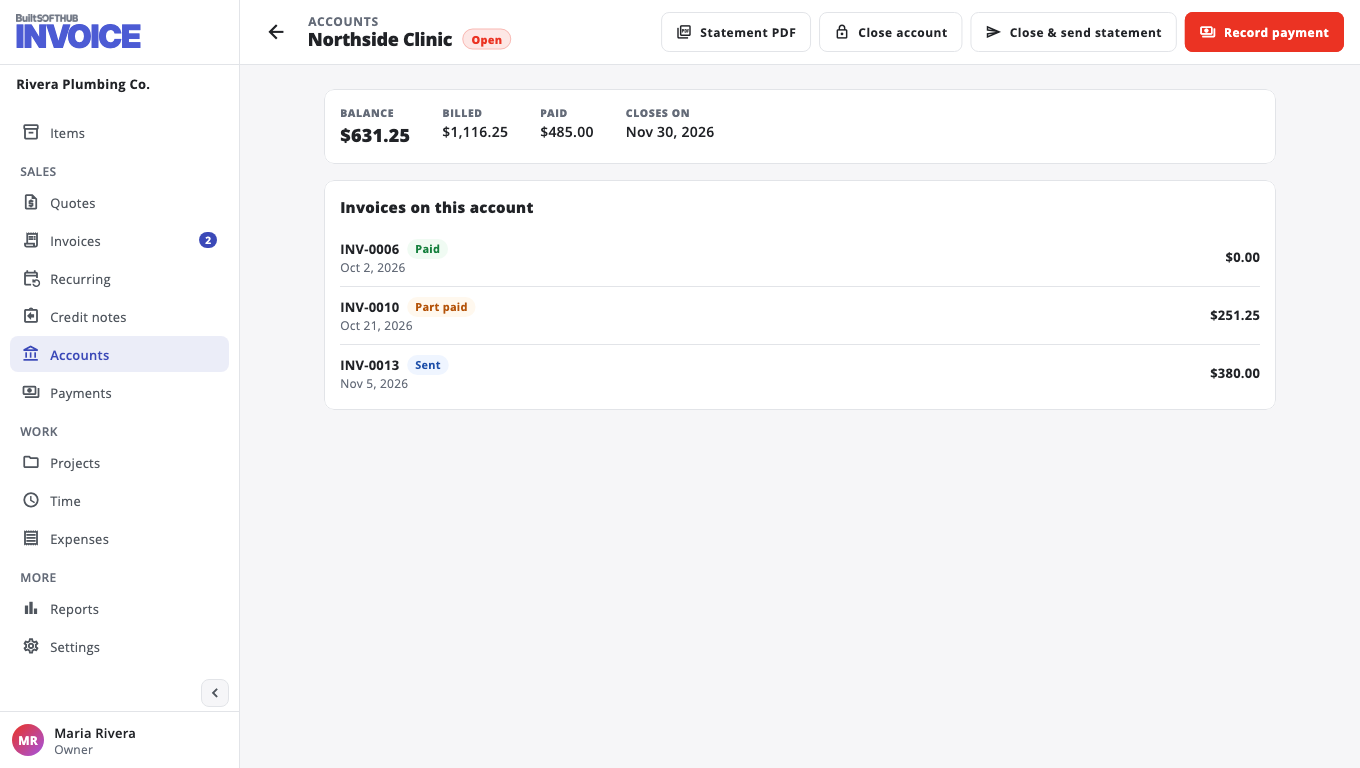
You can also download the Statement PDF, or Record payment against the whole account.
Was this helpful?
Thanks for letting us know.
Sorry it did not help. Tell us what was missing: open Help & Support in the app and choose Report a problem, or email support@builtsofthub.com.