
Track time and expenses, then bill them
Log hours and job costs (including mileage) and turn them into an invoice in one step.
On this page
Log time#
- Open Time and choose Add time.
- Set the Date, an optional Customer (optional), Project (optional) and Task (optional).
- Enter Hours (up to 24) and the Rate per hour.
- Keep Billable on if you will charge for it.
- Choose Save time.
Log an expense#
- Open Expenses and choose Add expense.
- Pick a Category. For Mileage, enter the Distance and the rate per mile or kilometer.
- Enter the Amount, a Description and who it was Paid to (optional).
- To bill it, choose the customer and keep Billable on. Add a Markup % (optional) if you charge more than it cost.
- Choose Attach receipt to keep a photo or PDF of the receipt (PNG, JPEG or PDF, under 2 MB).
- Choose Save expense.
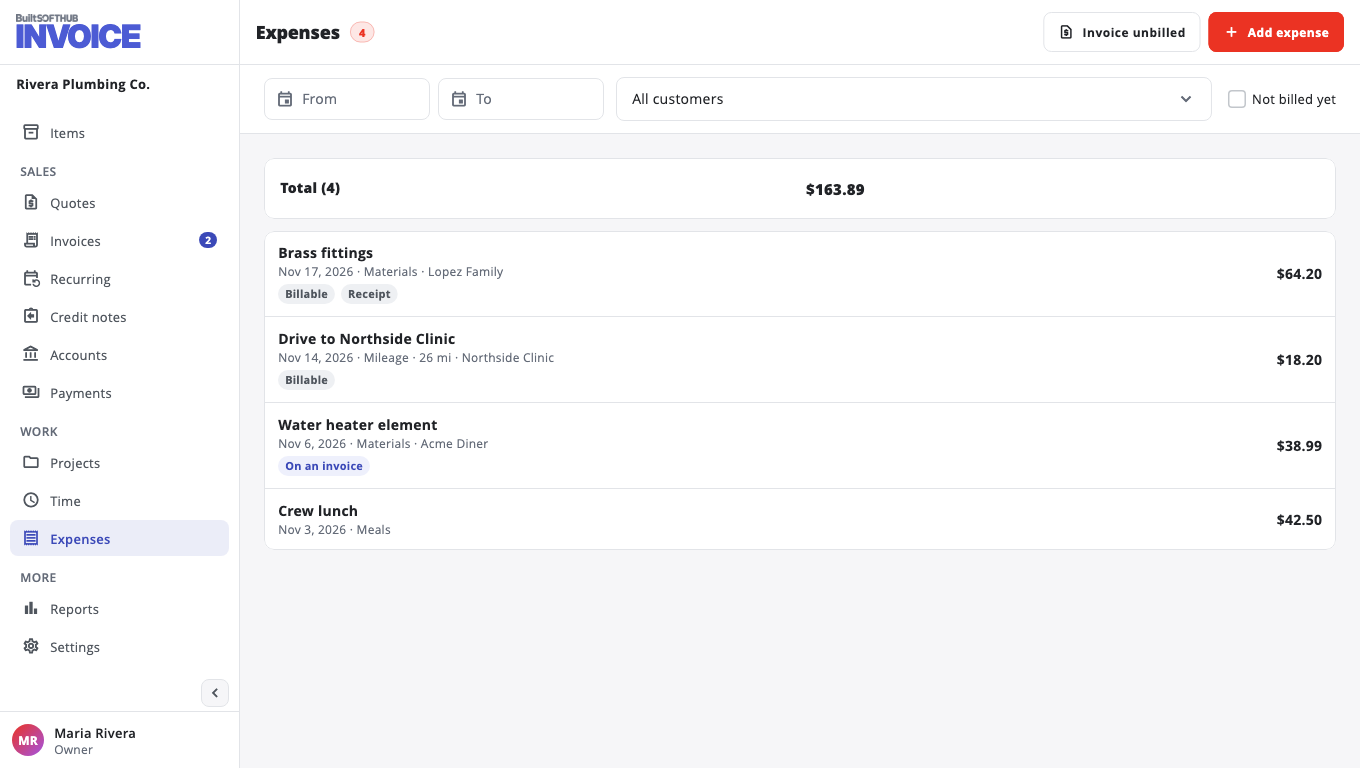
Turn them into an invoice#
- On Time or Expenses (or on the customer), choose Invoice unbilled.
- Pick the Customer and tick the time and expenses to bill.
- Optional: One line per project adds up each project's hours into one line.
- Choose Create draft invoice, check it, and send it.
Bill entries of one currency at a time. Once an entry is on an invoice it is locked; void the invoice to change it.
Was this helpful?
Thanks for letting us know.
Sorry it did not help. Tell us what was missing: open Help & Support in the app and choose Report a problem, or email support@builtsofthub.com.