
Give credit with a credit note
Take money off an invoice, or give a customer credit to use later.
On this page
From an invoice#
- Open a sent invoice and choose Credit note.
- A draft credit note opens with the same customer, currency and lines. Remove or change lines for a part credit.
- Choose Issue.
If the invoice still owes money, the credit note pays it. If it owes nothing, the credit stays on the credit note to use later.
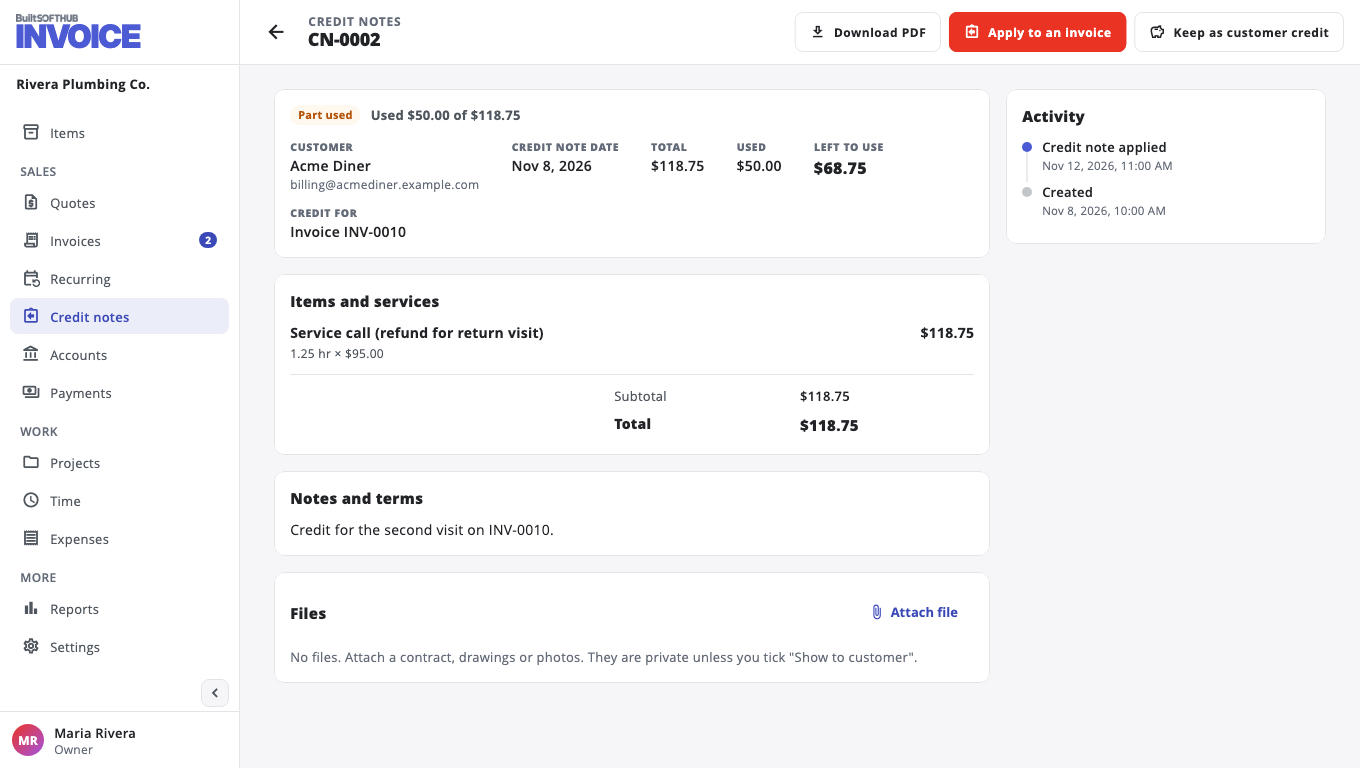
Use credit on another invoice#
- Open the credit note and choose Apply to an invoice.
- Pick the Invoice. Leave Amount empty to use as much as fits.
- Choose Apply credit.
The credit note shows Part used or Used. Credit notes never count towards your plan's monthly allowance.
Was this helpful?
Thanks for letting us know.
Sorry it did not help. Tell us what was missing: open Help & Support in the app and choose Report a problem, or email support@builtsofthub.com.