
Export your records
Download invoices, payments, customers and more as Excel, CSV or PDF.
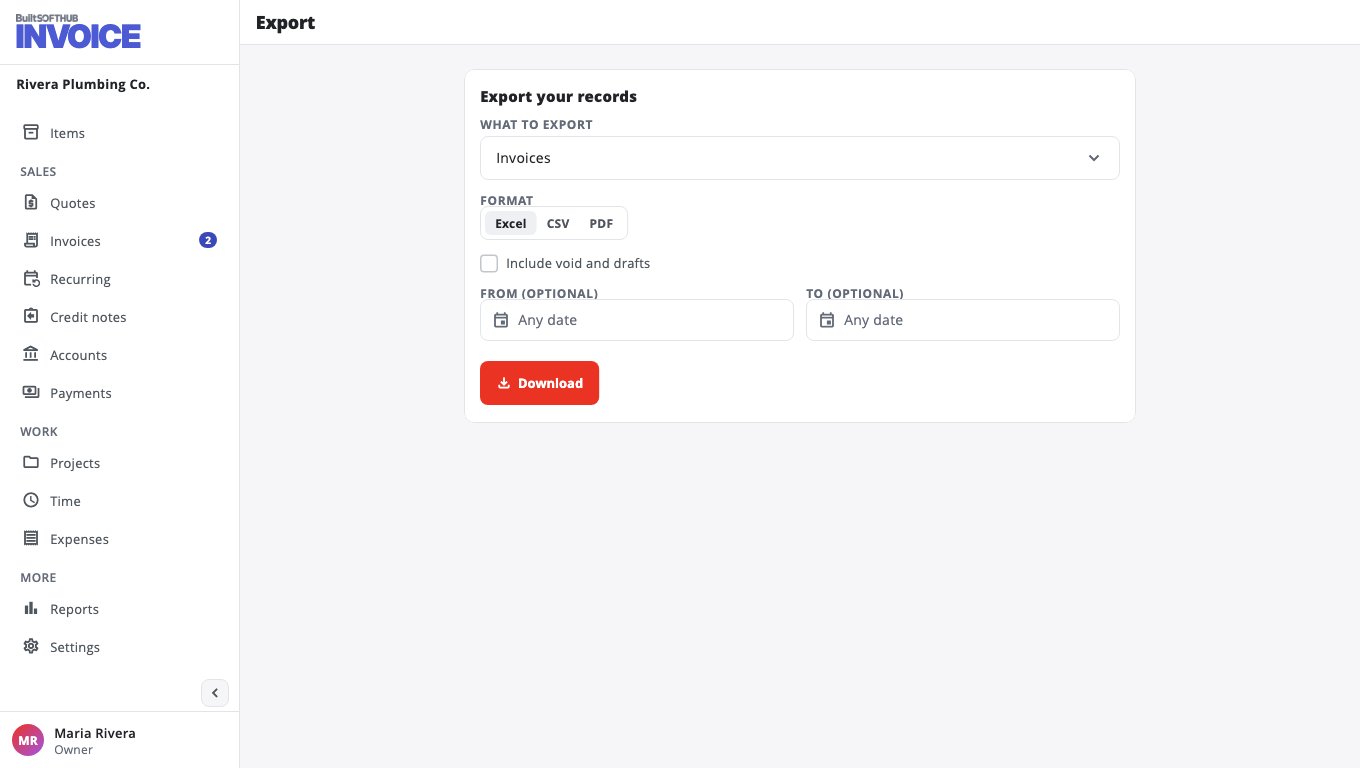
- Open Reports / Export.
- Under What to export, choose Invoices, Quotes, Credit notes, Payments, Customers, Items, Expenses or Time.
- Choose a Format: Excel, CSV or PDF.
- For dated records, set From (optional) and To (optional), or leave them empty for everything.
- For invoices, quotes and credit notes, tick Include void and drafts if you want them too.
- Choose Download.
Your accountant can open the Excel file directly. To download one invoice as a PDF, open it and choose Download PDF.
Was this helpful?
Thanks for letting us know.
Sorry it did not help. Tell us what was missing: open Help & Support in the app and choose Report a problem, or email support@builtsofthub.com.