
Bring in customers from BuiltPOS or BuiltCRM
Copy your store's customers and products, or your BuiltCRM contacts, into BuiltINVOICE.
On this page
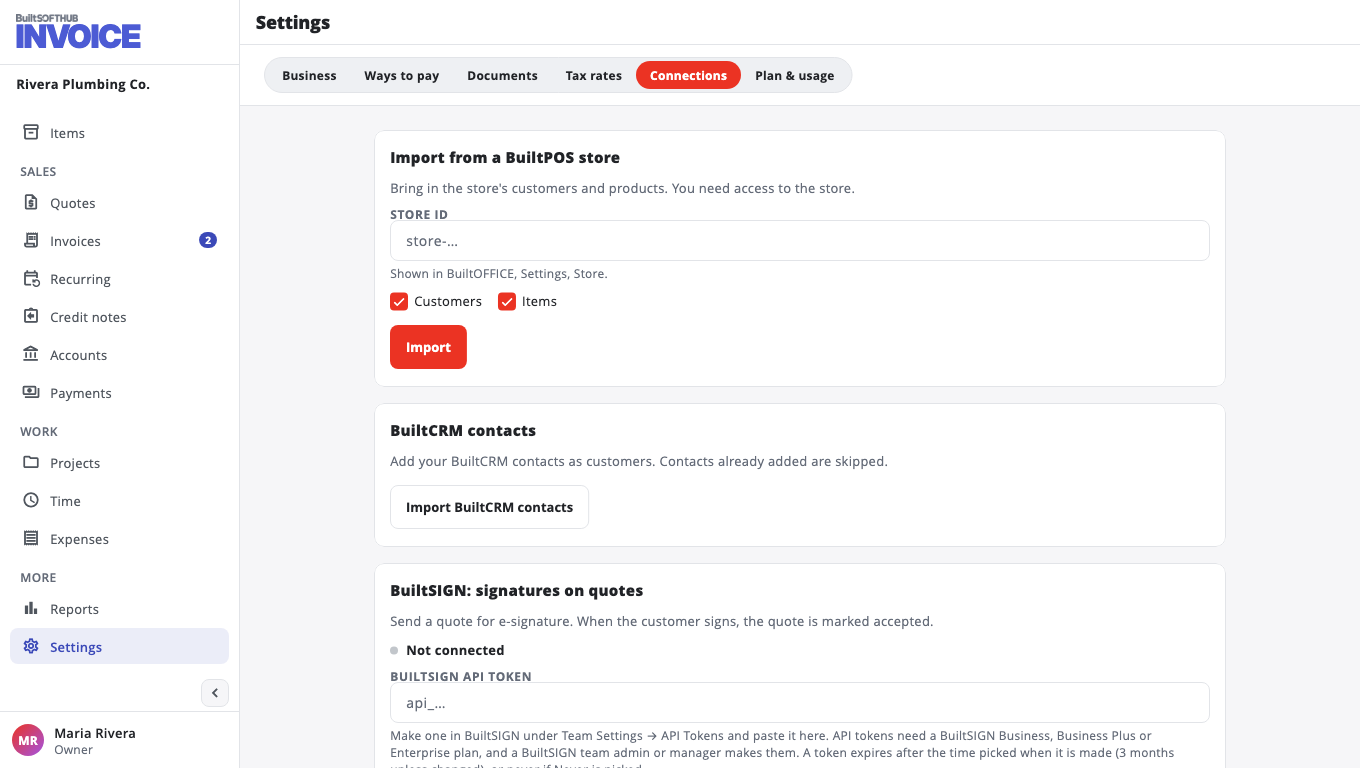
Go to Settings, Connections.
From a BuiltPOS store#
- Under Import from a BuiltPOS store, enter the Store ID. You find it in BuiltOFFICE, under Settings, Store.
- Tick Customers, Items or both.
- Choose Import.
You need access to that store with the same BuiltSOFTHUB account.
From BuiltCRM#
Choose Import BuiltCRM contacts. Your contacts are added as customers. Contacts already added are skipped, so you can run it again later.
You can also start an invoice from a deal in BuiltCRM. See the BuiltCRM help.
Was this helpful?
Thanks for letting us know.
Sorry it did not help. Tell us what was missing: open Help & Support in the app and choose Report a problem, or email support@builtsofthub.com.