
Send, remind or void several invoices at once
Pick several invoices or quotes and act on them in one go.
- Open Invoices (or Quotes) and choose Select.
- Tick the documents you want.
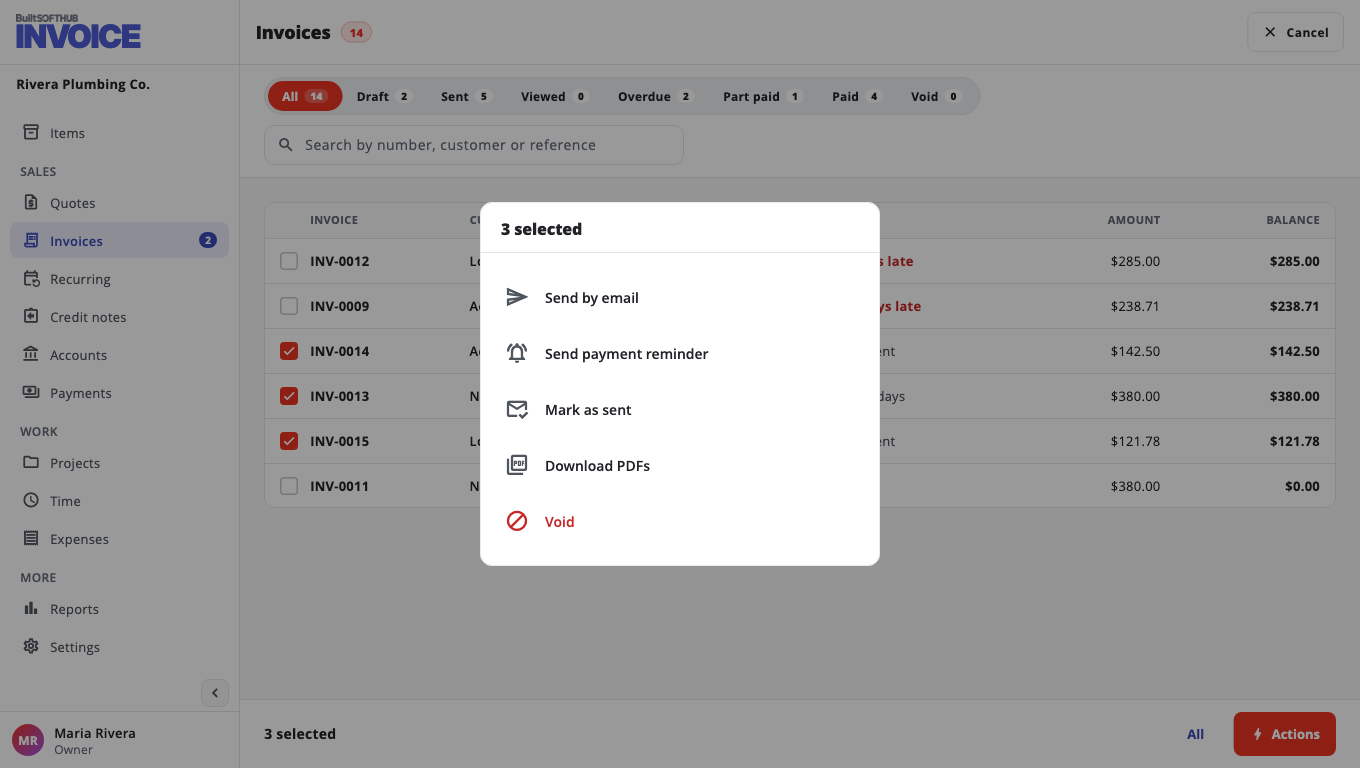
- Choose Actions and pick one:
- Send by email — each one goes to its customer with the PDF. Drafts are issued when the email goes out.
- Send payment reminder — only invoices that are sent and still owed get one; the others are skipped.
- Mark as sent — drafts are issued without sending anything.
- Download PDFs
- Void — documents with payments must have their payments removed first.
- Confirm.
You see a result for each document. On the Free plan, if the monthly allowance runs out part way, the rest are not issued and are listed as not tried.
Was this helpful?
Thanks for letting us know.
Sorry it did not help. Tell us what was missing: open Help & Support in the app and choose Report a problem, or email support@builtsofthub.com.