
Write your own email wording
Change the words in the invoice, quote, reminder, receipt and credit note emails.
- Go to Settings, Documents, and in Email templates choose Edit email templates.
- Pick the email you want to change.
- Edit the Subject and Message. Use Insert to add details such as the customer name, amount or pay link.
- Choose Preview to see it with example values.
- Choose Save.
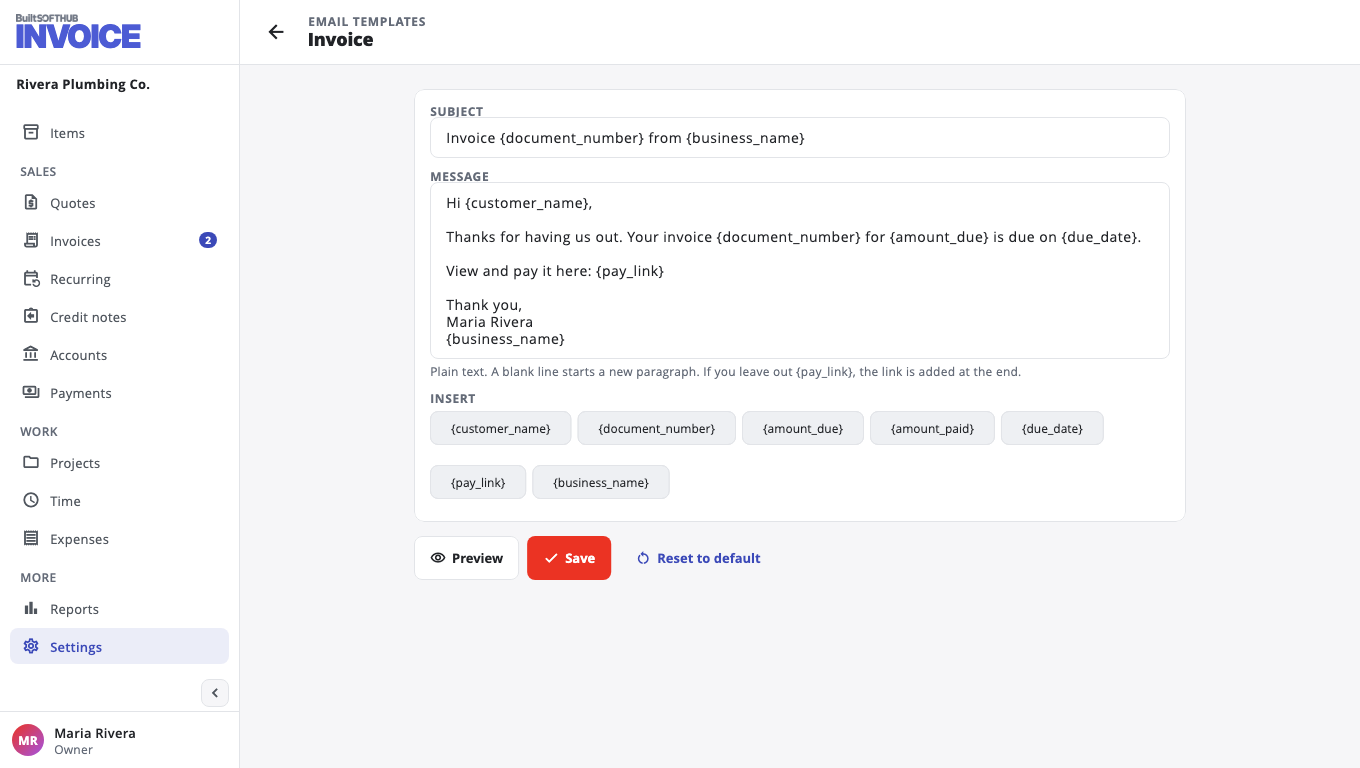
The message is plain text; a blank line starts a new paragraph. If you leave out the pay link, it is added at the end.
Until you save one, the built-in email is sent. Reset to default goes back to it. Only the owner or an admin can change email templates.
Was this helpful?
Thanks for letting us know.
Sorry it did not help. Tell us what was missing: open Help & Support in the app and choose Report a problem, or email support@builtsofthub.com.