
Add paid holidays
List the dates on which hours worked earn each employee's holiday multiplier.
- Open Paid holidays. Use the arrows to pick the year.
- Choose Add Holiday.
- Pick the Date and type a Name (for example Thanksgiving).
- Choose Add.
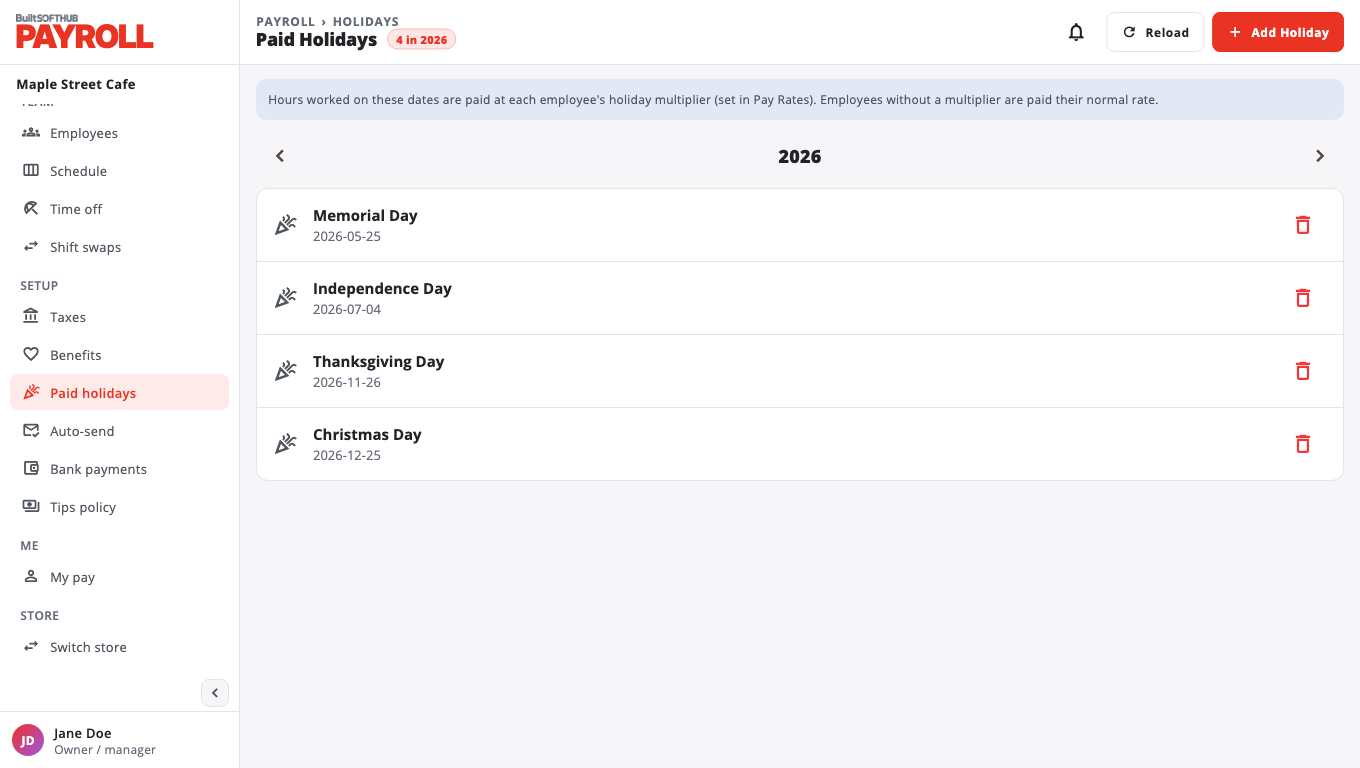
Hours worked on these dates are paid at the employee's Holiday multiplier, set in Pay rates. Employees with no multiplier are paid as normal.
To remove a holiday, choose Delete on its row. Draft paystubs pick up the change the next time you generate them. Finalized paystubs do not change.
Was this helpful?
Thanks for letting us know.
Sorry it did not help. Tell us what was missing: open Help & Support in the app and choose Report a problem, or email support@builtsofthub.com.