
Approve time off and shift swaps
Approve or deny employees' time-off requests and shift-swap requests.
On this page
The Overview page shows how many time-off requests are waiting. Choose Review to open them.
Time off#
- Open Time off.
- Read the request: dates, hours and the reason.
- Choose Approve or Deny. Add a Decision note (optional) if you like.
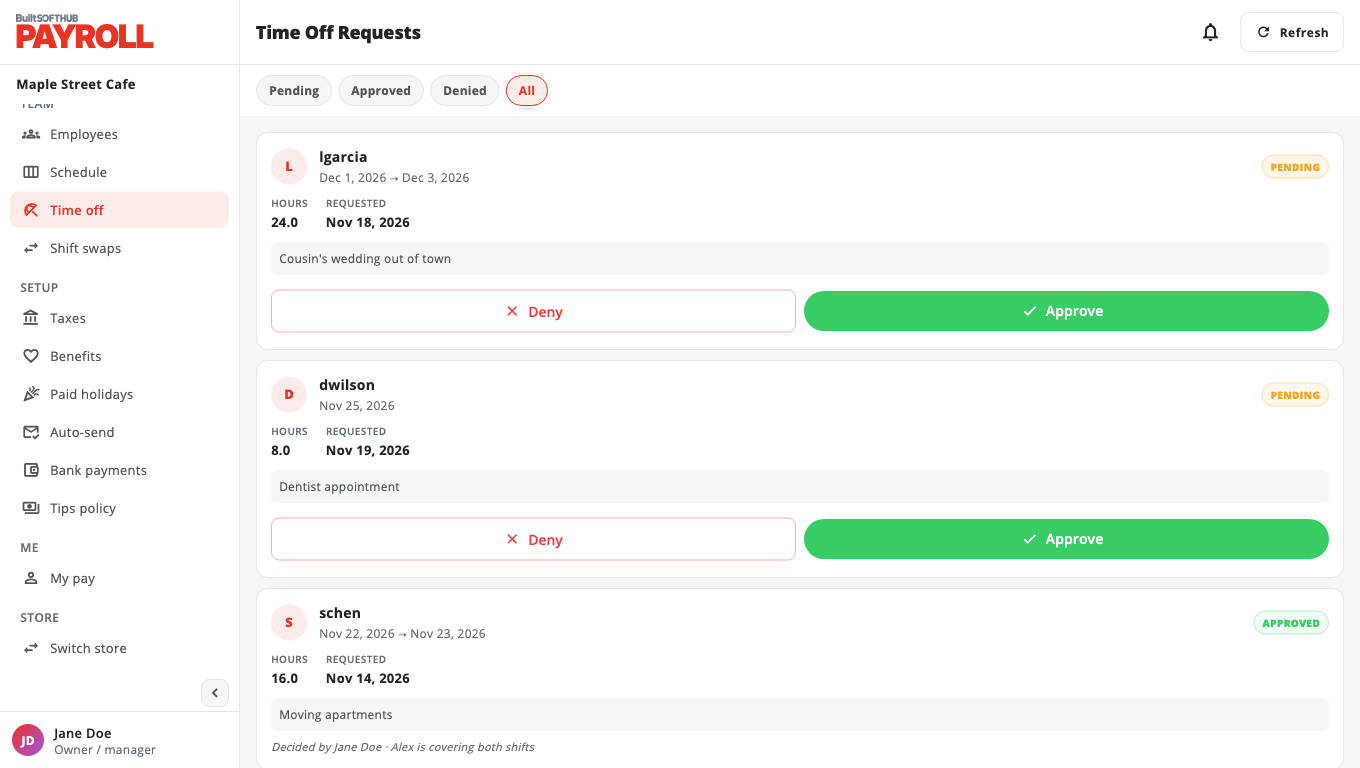
Employees ask for time off on My pay (see For employees).
Shift swaps#
Employees ask to swap shifts on the BuiltPOS till. To decide:
- Open Shift swaps.
- Choose Approve (tick) or Deny (cross). Add a Note (optional).
- If the person taking the shift is already scheduled that day, BuiltPAYROLL warns you. Choose Approve anyway to go ahead.
Was this helpful?
Thanks for letting us know.
Sorry it did not help. Tell us what was missing: open Help & Support in the app and choose Report a problem, or email support@builtsofthub.com.