
View and download paystubs
Find any paystub, open it, and download the PDF.
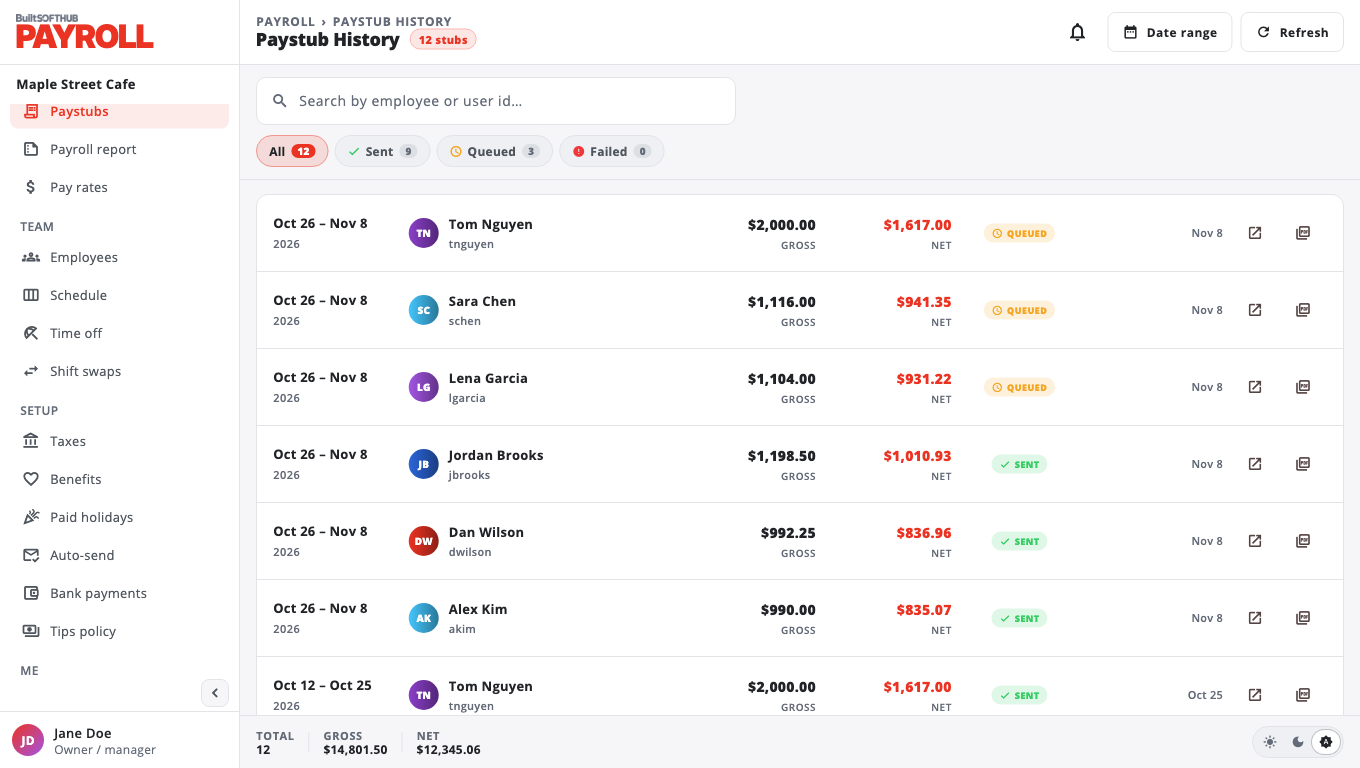
- Open Paystubs.
- Filter by status (Sent, Queued, Failed, Reissued) or pick a date range. Clear range shows everything again.
- On a paystub, choose Open to see the full pay statement, or Download PDF.
The statement shows hours (regular, overtime and double time), each earning, tax and deduction line, NET TAKE-HOME and year-to-date totals.
You can also open Paystub History from the top of Run payroll.
For employees#
Employees see their own paystubs on My pay. Choose View pay statement for the latest one, or scroll to PAYSTUB HISTORY.
Was this helpful?
Thanks for letting us know.
Sorry it did not help. Tell us what was missing: open Help & Support in the app and choose Report a problem, or email support@builtsofthub.com.