
Accept, prepare and complete web orders
Work through new web orders from New to Accepted, Ready and Completed.
Web orders show in BuiltCOMMERCE and on your BuiltPOS till.
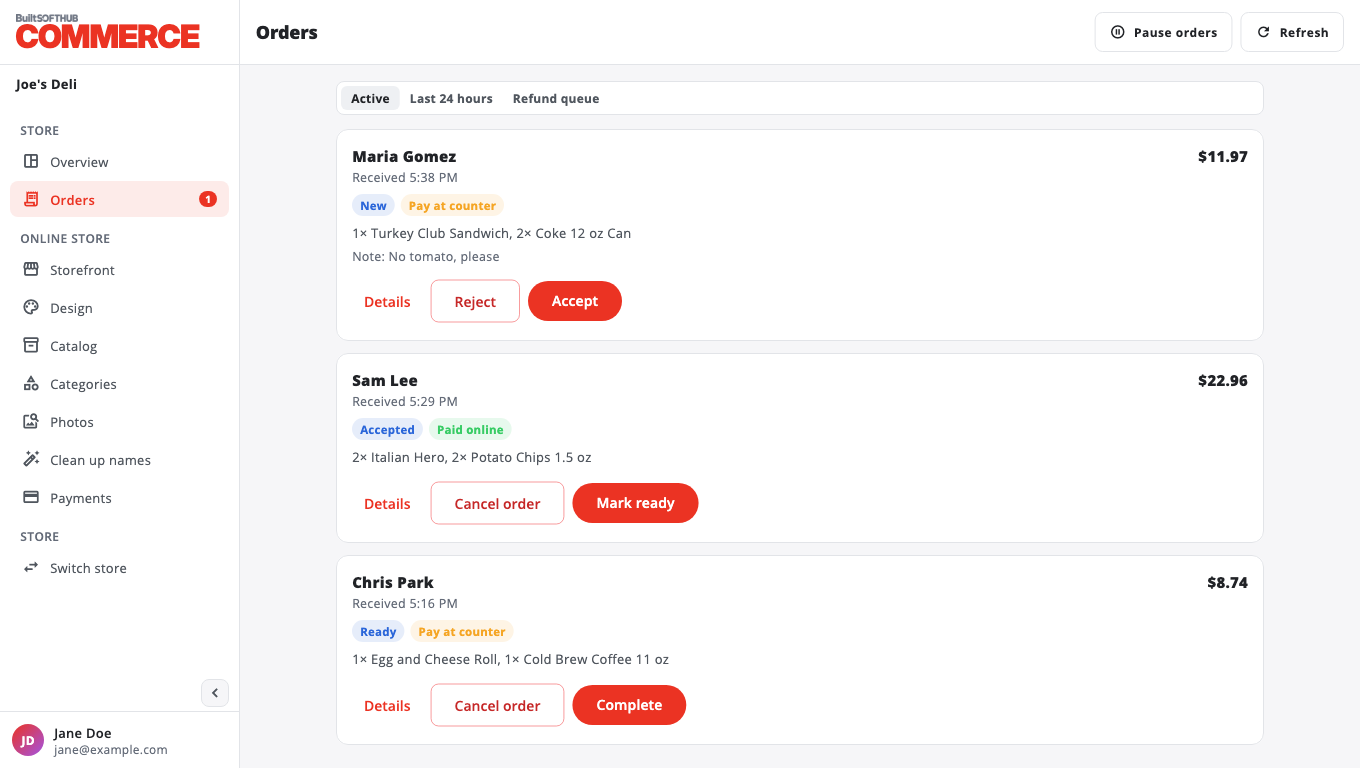
- Open Orders. The Active view shows open orders. The newest unhandled ones are marked New.
- Press Details to see the items, notes, totals and customer contact.
- Each order shows Paid online or Pay at counter.
- Press Accept. The order goes to your kitchen and its stock is taken.
- When it is ready, press Mark ready. The customer can be told it is ready.
- When the customer has it, press Complete.
Other views#
- Last 24 hours: every web order from the last day, including finished ones.
- Refund queue: paid orders that still need a refund. See Reject or cancel an order.
Pay at counter orders#
The customer pays when they pick the order up. It rings up on your POS like any other sale.
Don't miss new orders#
Turn on sounds and desktop notifications. See Get new order alerts.
Was this helpful?
Thanks for letting us know.
Sorry it did not help. Tell us what was missing: open Help & Support in the app and choose Report a problem, or email support@builtsofthub.com.