
Log calls, notes, meetings and tasks
Record what happened with a customer and set follow-ups that show up in Tasks and Reminders.
On this page
Log an activity#
- Open a contact, lead or deal.
- Select Log activity (or Log call, Add note, New task on a contact).
- Pick the Type — Note, Call, Task or Meeting.
- Add a Subject and Details. For a task or meeting, set Due / scheduled for and Assigned to.
- Select Save.
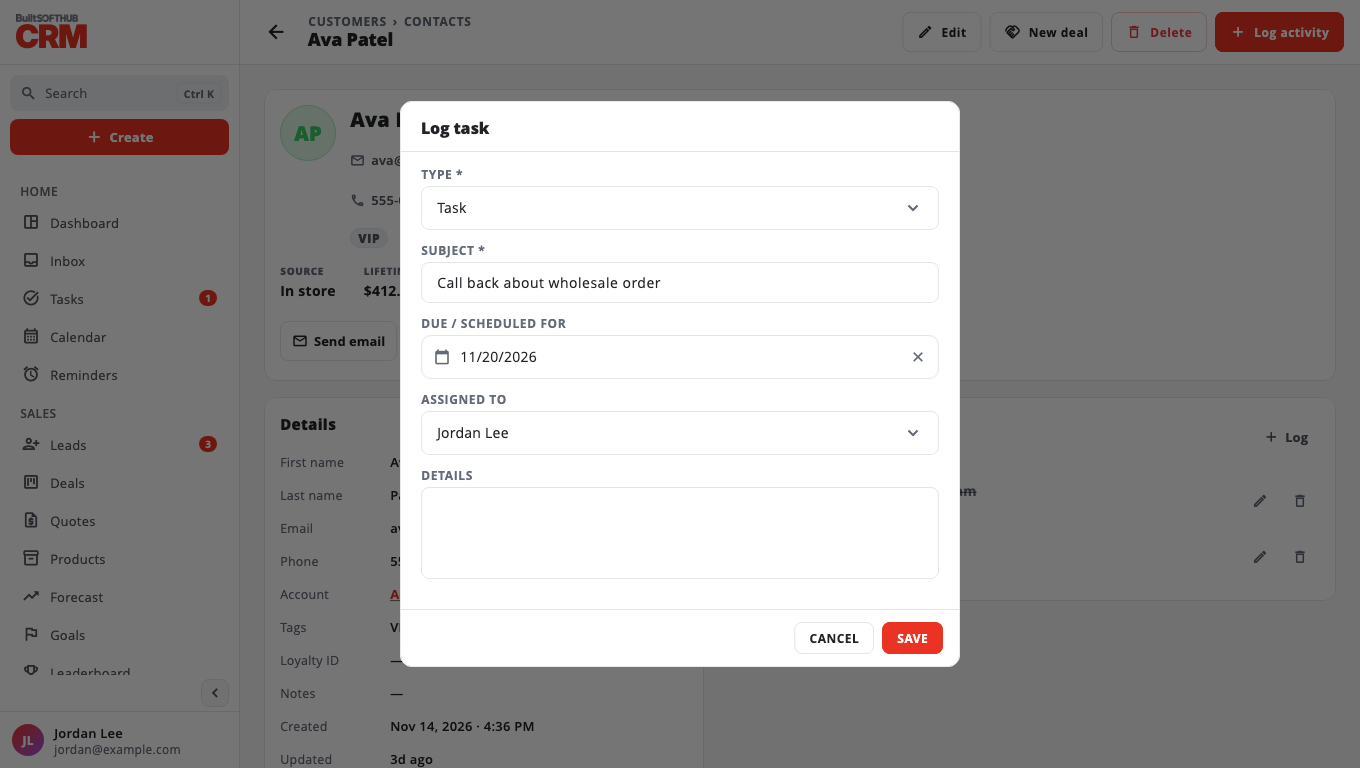
It appears on the record's Activity timeline.
Work your tasks#
Tasks lists every task with Today, Upcoming, Overdue, Completed and All filters, plus My tasks. Tick a task to mark it done.
Reminders#
Reminders shows everything due in the next 7 days, or overdue, grouped Overdue, Today, Tomorrow, This week and Later. On any item use More to Snooze 1 day, Snooze 1 week, mark it complete, Edit or Delete.
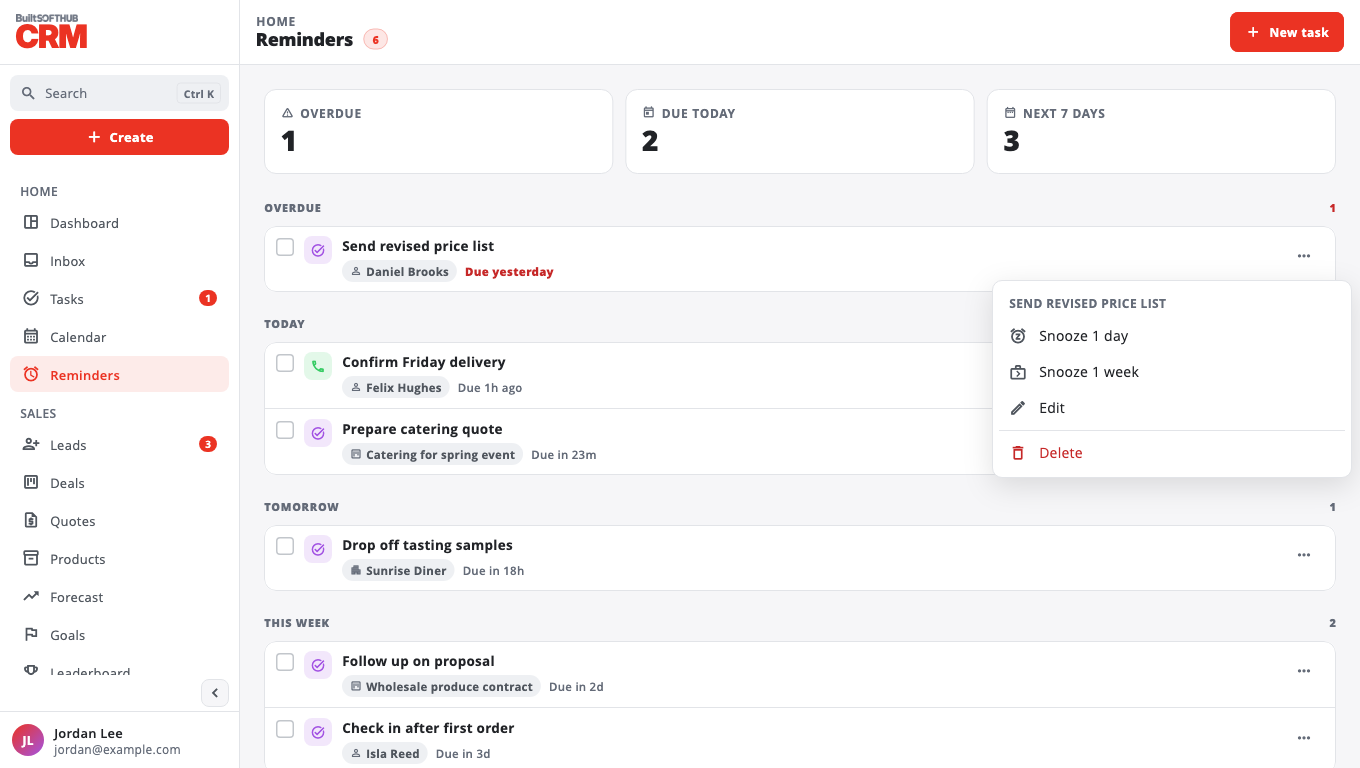
Reminders show inside BuiltCRM. Emailed task reminders are coming in the next release — see Email from BuiltCRM.
Was this helpful?
Thanks for letting us know.
Sorry it did not help. Tell us what was missing: open Help & Support in the app and choose Report a problem, or email support@builtsofthub.com.