
Send a contract for signature from a deal
Connect your BuiltSIGN account, then send a PDF or template to the deal's contact and watch the status.
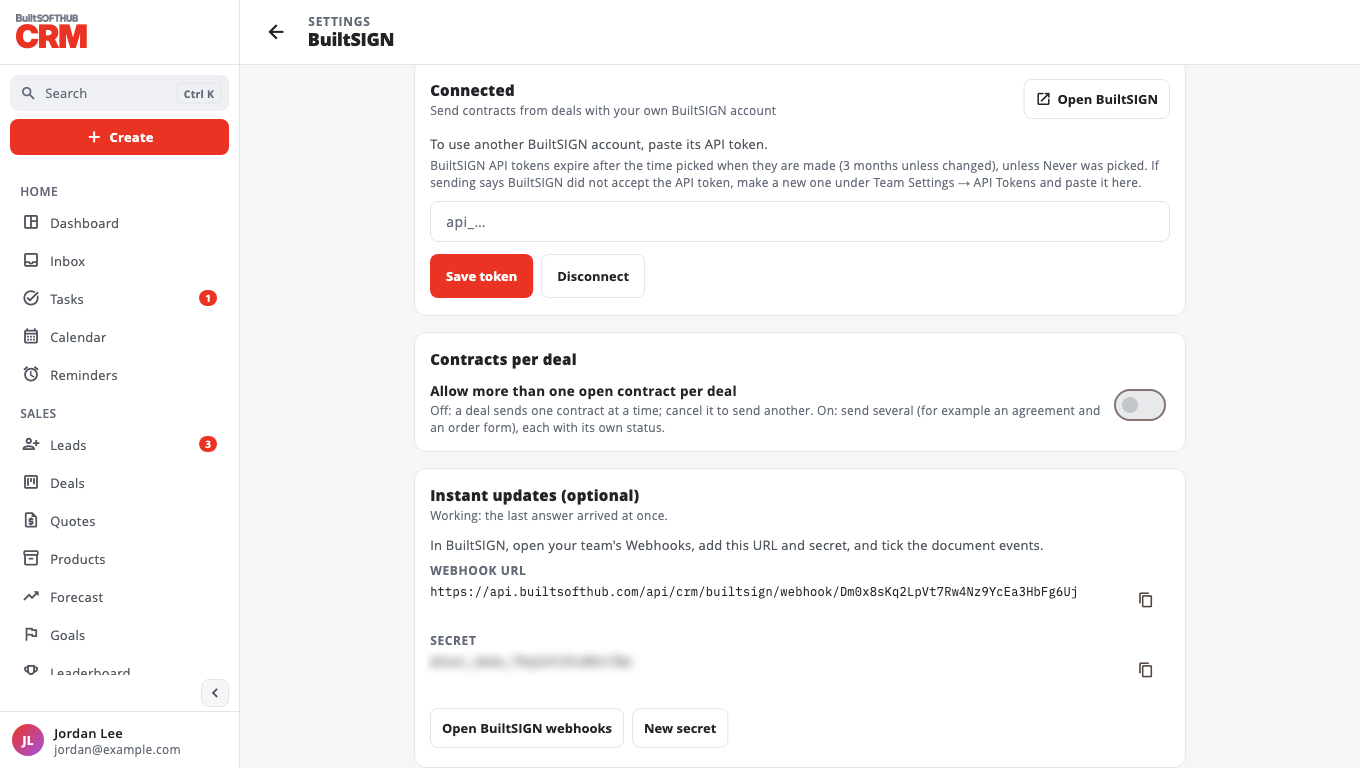
Connect BuiltSIGN (owner or admin, once)#
- In BuiltSIGN, open Settings → API tokens, create a token and copy it.
- In BuiltCRM go to Settings → BuiltSIGN.
- Paste the token and select Save token. The status shows Connected.
- Optional, for instant updates: under Instant updates (optional), copy the Webhook URL and Secret into your BuiltSIGN team's Webhooks and tick the document events. Without it, BuiltCRM checks for answers every 10 minutes.
More on the BuiltSIGN side: Connect BuiltCRM.
Send a contract#
- Open the deal. In Contracts, select Send for signature.
- Choose Upload a PDF (10 MB or smaller) or a BuiltSIGN template.
- Check the Title, Signer name and Signer email, and add a Message (optional).
- Select Send for signature.
The signer gets a link from BuiltSIGN. See Sign a document for what they see.
Follow it#
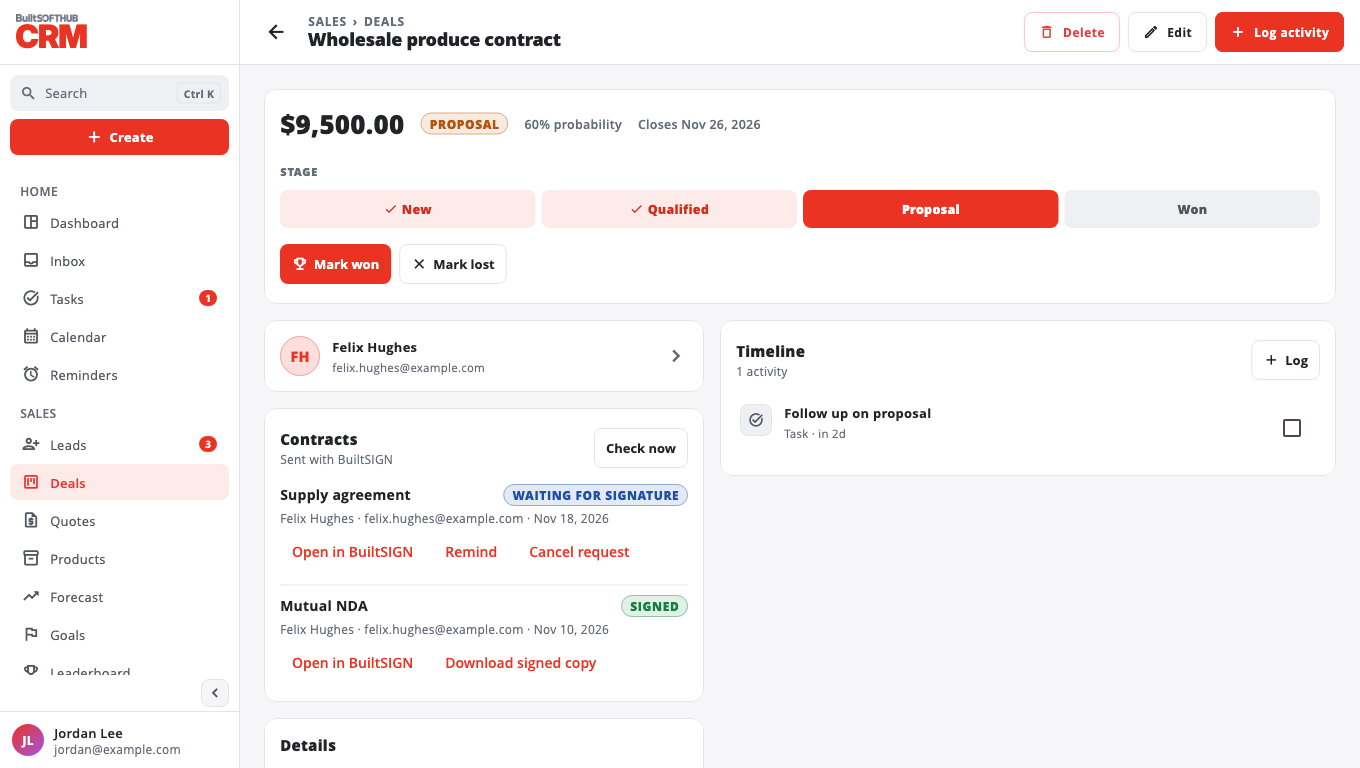
The contract shows Waiting for signature, then Signed, Declined, Cancelled or Expired. Each answer is also added to the deal's activity.
- Check now asks BuiltSIGN for the latest status.
- Remind (while it is waiting) emails the signer again. One reminder a day; until then the button shows Reminded.
- Download signed copy (once it is Signed) saves the signed PDF.
- Open in BuiltSIGN opens the document.
- Cancel request stops it. The signer's link stops working.
One or several contracts per deal#
By default a deal has one open contract at a time; cancel it to send another. An owner or admin can turn on Allow more than one open contract per deal in Settings → BuiltSIGN to send several (each with its own status and Send another).
To stop using BuiltSIGN, select Disconnect. Requests already sent keep their answers.
Stuck? See Contracts stuck waiting.
Was this helpful?
Thanks for letting us know.
Sorry it did not help. Tell us what was missing: open Help & Support in the app and choose Report a problem, or email support@builtsofthub.com.