
Gift cards and store credit
Sell a gift card, check its balance, take one as payment, and use store credit for refunds and purchases.
Sell a gift card#
Selling gift cards needs a manager.
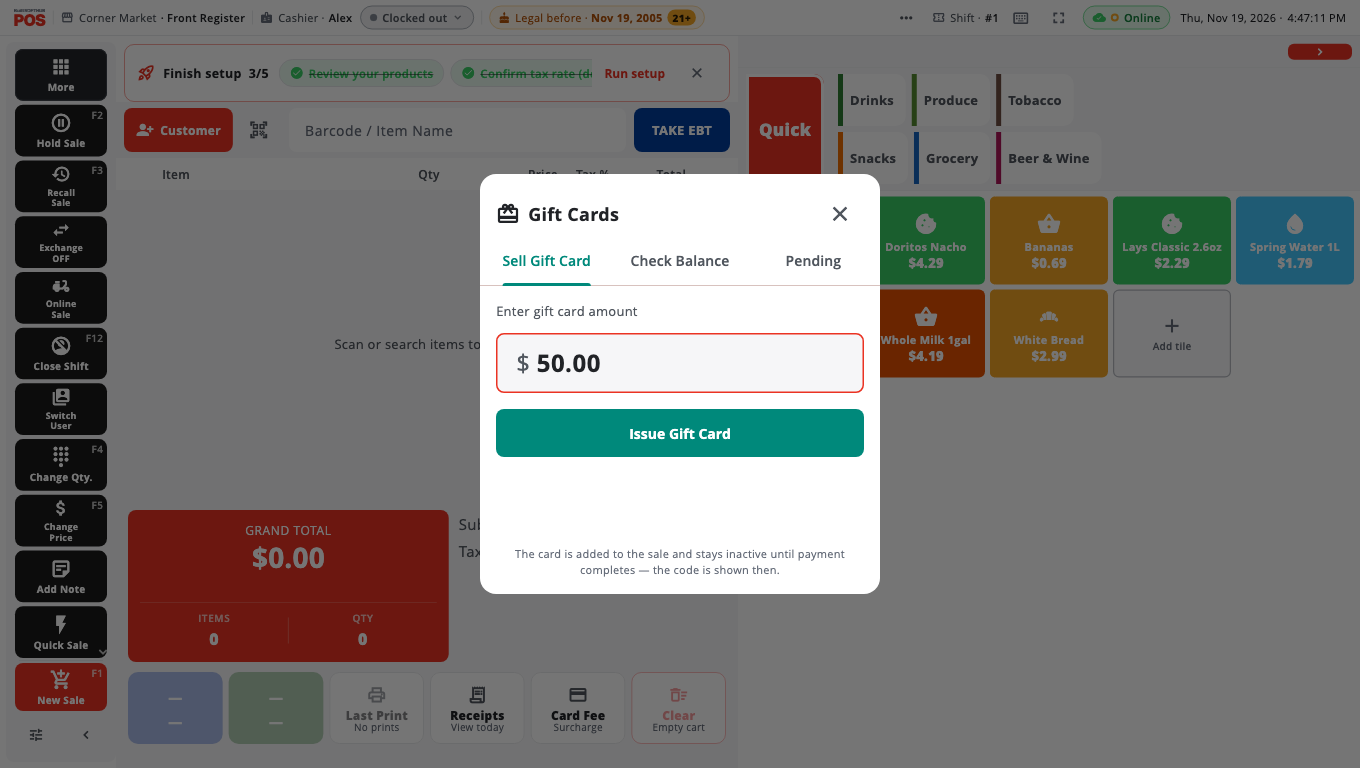
- Tap Gift Cards (in More, or in Manager's Functions on Home). A cashier is asked for a manager PIN.
- On the Sell Gift Card tab, enter the amount in Enter gift card amount.
- Tap Issue Gift Card. The card is added to the sale.
- Take payment for the sale as normal.
The card stays inactive until the payment completes. Then you see Gift Card Activated with the code. If your store set up gift card printing, the card prints too.
Check a gift card balance#
- Open Gift Cards and choose the Check Balance tab.
- Scan or type the code (Enter or scan gift card code) and search.
- The balance shows on screen.
A manager can also Void Card here. A voided card can never be used again.
Take a gift card as payment#
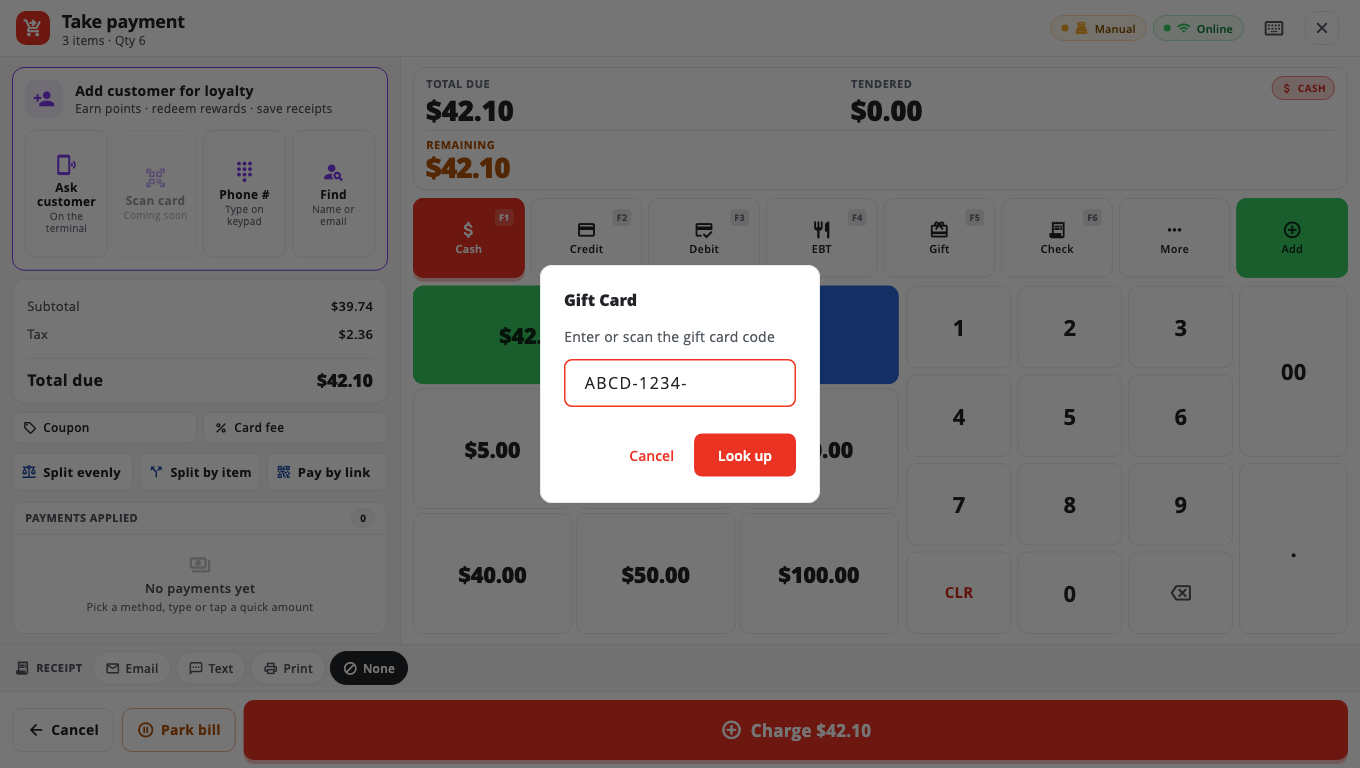
- On Take payment, tap Gift (F5 on Windows).
- Scan or type the code in Enter or scan the gift card code and tap Look up.
- The card pays up to its balance. If it does not cover the whole sale, the till tells you and you take the rest another way.
Store credit#
Store credit is money a customer keeps with your store, linked to their phone number. Paying with store credit needs an internet connection; credit given while offline is saved and posts when the connection is back.
- Give store credit on a refund: in Returns, choose Store Credit as the refund mode. The sale must have a customer with a phone number. See Refunds and exchanges.
- Pay with store credit: attach the customer to the sale, open Take payment, tap More and choose Store Credit from More payment methods.
- Adjust or look up a balance: Store Management → Store Credit (owners). Look up the customer, then use Adjust.
House accounts#
House Acct (Take payment → More, or F7 on Windows) charges the sale to a customer's account to be paid later. Set up house account customers in Store Management → House Accounts or in BuiltOFFICE.
Good to know#
- Gift card money is not a card payment — no card fee is added.
- A sale paid with a gift card or store credit cannot be voided; refund it instead so the value goes back.
- Gift cards cannot be bought with loyalty points.
Was this helpful?
Thanks for letting us know.
Sorry it did not help. Tell us what was missing: open Help & Support in the app and choose Report a problem, or email support@builtsofthub.com.