
Customers and loyalty points
Attach a customer to a sale, add a new customer, earn and redeem loyalty points, or just put a name on an order.
Attach a customer to the sale#
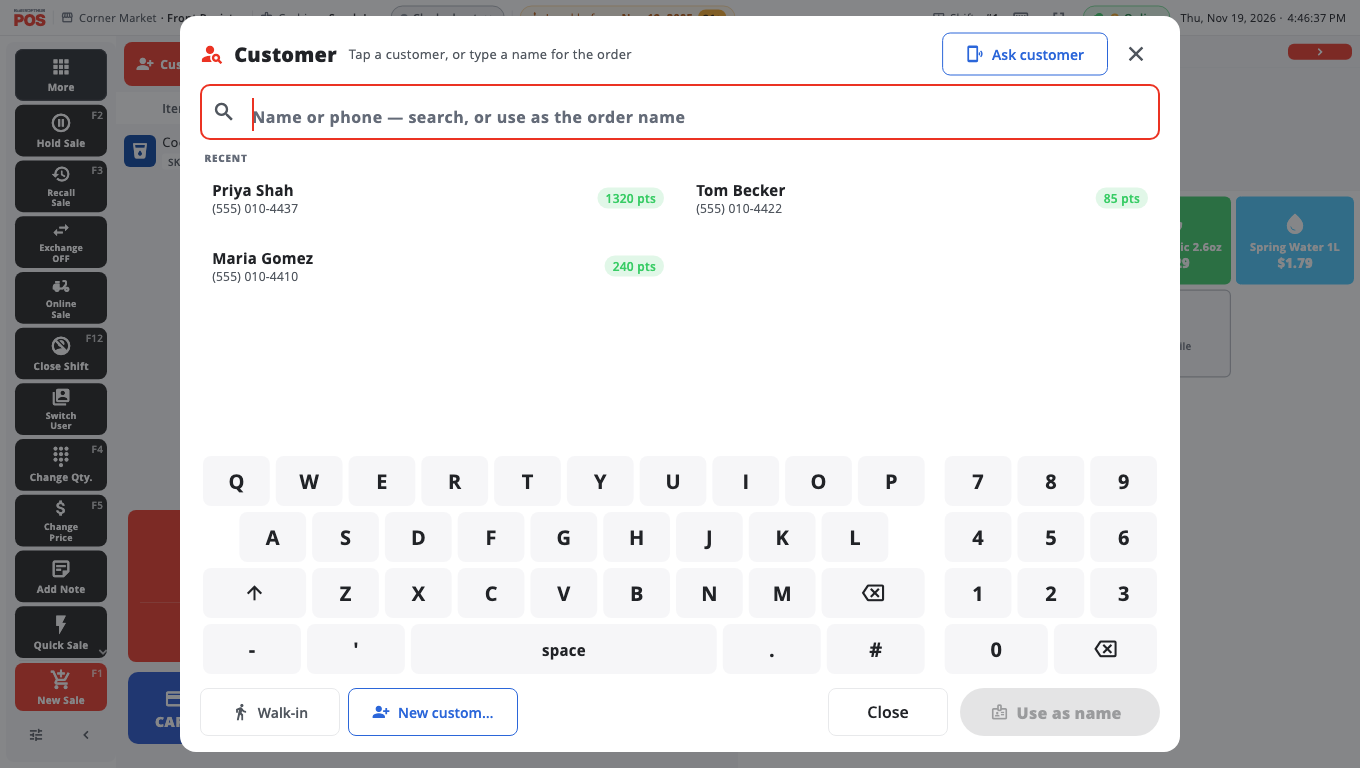
- Tap Customer next to the search box (F7 on Windows). On a phone, tap Add customer on the Review page.
- Search by name, phone, or the last 4 digits of their phone (Search by name, phone, or last 4 digits). Recent customers are listed under RECENT.
- Tap the customer. Their name appears on the sale.
To take the customer off, open the same window and tap Remove customer.
Add a new customer#
- In the customer window, tap New customer.
- Enter the Name and Phone (optional).
- Tap Save. The customer is added and attached to the sale.
Just need a name on the order (for a pickup or a table)? Type it and tap Use as name. That labels the order without creating a customer record.
Earn points#
Points are added automatically when a sale with a loyalty customer is completed. The receipt shows the points earned.
Customers need a phone number on their record to earn points. Without one the till says No phone — no points. An owner can change this in BuiltOFFICE → Loyalty settings. See Customers and loyalty in BuiltOFFICE.
Redeem points#
- Attach the customer and ring the items first.
- Tap Redeem Points (in the customer window, or on the loyalty panel on Take payment).
- Enter the Points to redeem, or tap Half or Max. The screen shows New total due.
- Tap Apply …, then take payment for the rest.
Good to know#
- The customer needs at least the store's minimum number of points to redeem. Points cannot pay for gift cards or fuel.
- If the customer has a note in BuiltOFFICE, it shows when you attach them.
- If the customer has sales on hold, the till tells you so you can recall them.
- On some card terminals you can tap Ask customer so the customer types their phone number on the terminal. If the number matches nobody, the card is charged anyway and the receipt screen offers Add customer for next time (see PAX terminal).
- Edit customers in Store Management → Customers or in BuiltOFFICE.
- For store credit and house accounts, see Gift cards and store credit.
Was this helpful?
Thanks for letting us know.
Sorry it did not help. Tell us what was missing: open Help & Support in the app and choose Report a problem, or email support@builtsofthub.com.