
Licence, free trial and lock screen messages
What the licence banners mean, what happens when a free trial ends, and how to unlock a locked till.
BuiltPOS checks your store's licence when it starts and every few minutes after. Most messages are a coloured banner at the top of the till — the till keeps working. Only a few states lock it.
Banners (the till keeps working)#
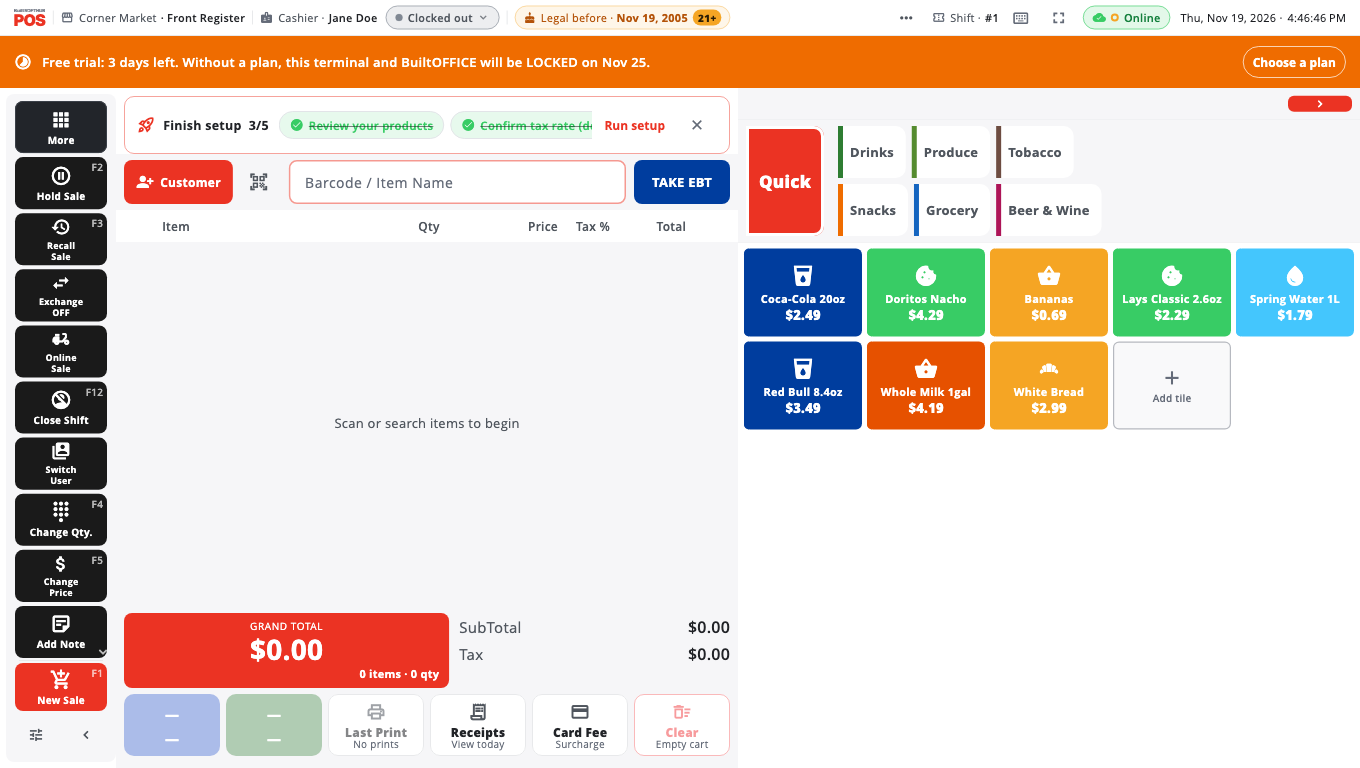
- Free trial: … days left. Your free trial is running. The banner turns orange in the last 5 days and shows the date the till will lock without a plan.
- Your free trial has ended. This terminal and BuiltOFFICE will be LOCKED on … The trial is over and you're in the short grace period. Choose a plan before that date.
- Payment failed — please update your payment method. Your last payment didn't go through. Update your card in BuiltOFFICE.
- License expires in … days. A reminder before your licence end date.
- Offline grace period expired — still selling on this terminal. The till hasn't reached the server for more than 48 hours. It still sells. Connect it to the internet when you can and the banner clears.
Owners and Admins see a button on the banner: Choose a plan on trial banners, Update payment when a payment failed, Renew when the licence is about to expire or has expired, and Reactivate when it was cancelled. Each one opens BuiltOFFICE billing in the browser. If the browser can't open, the till shows the address to open on another device, where you sign in as the owner. Cashiers see the same warning with no button.
Lock screen (the till stops selling)#
- Free trial ended — the trial and its grace period are over.
- License expired — the store's licence end date has passed.
- Subscription cancelled — the subscription was cancelled.
- Service suspended — the account was suspended. Contact your provider or BuiltPOS support.
A till never locks in the middle of a sale because a trial ended — it waits until the cart is empty.
Unlock a locked till#
- The owner chooses or renews a plan in BuiltOFFICE (see Subscription and billing). When the lock is because the free trial ended, an Owner or Admin can tap Choose a plan right on the lock screen; everyone else sees a message asking the store owner to choose a plan.
- On the till, tap Retry. It unlocks as soon as the plan is active.
- Have a key from your dealer? Tap Have an activation key?, enter the key, and tap Activate.
Check your plan on the till#
Owners and Admins can open Store Management → Store → Subscription to see the plan, billing and activation key. Plans and prices: see Plans and billing.
Good to know#
- No internet doesn't lock the till. Only a decision from the server (expired, cancelled, suspended, trial ended) does.
- A brand-new till that has never reached the server can work for 48 hours, then needs to connect once.
- If the date and time on the device were changed, the till may ask you to connect to revalidate. Set the correct date and time.
- Still locked after paying? Tap Retry with the internet on. If it stays locked, contact support from another device.
Was this helpful?
Thanks for letting us know.
Sorry it did not help. Tell us what was missing: open Help & Support in the app and choose Report a problem, or email support@builtsofthub.com.