
Cash drops, pay outs and paid ins
Record cash you move to the safe, cash you pay out of the drawer, and cash you put in, so the shift balances.
Any cash that leaves or enters the drawer outside a sale must be recorded, or the shift will look short (or over) at close.
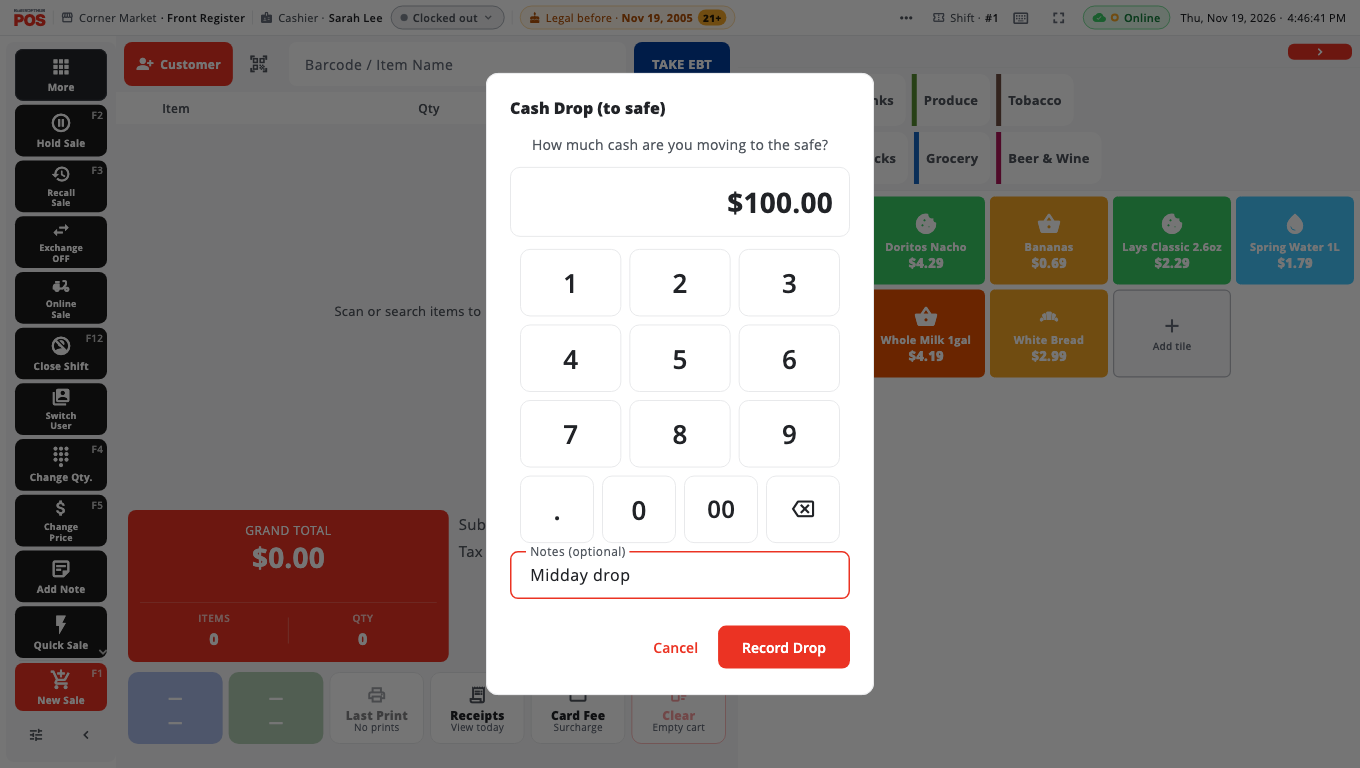
Move cash to the safe (cash drop)#
- Open More and tap Cash Drop (to safe).
- If no shift is open, BuiltPOS asks you to start one first. A drop always belongs to a shift.
- Enter how much cash you are moving under How much cash are you moving to the safe?
- Add a note if you like (Notes (optional)).
- Tap Record Drop.
The drop is taken off the expected cash for the shift, so the drawer still balances at close.
Pay cash out, or put cash in#
Use this for a supplier paid from the drawer, petty cash, a bank deposit, or change a manager adds.
- Open More and tap Pay Out, or open Manager's Functions and tap Pay Out.
- Enter a manager PIN when asked (Owner / Manager PIN). Owners and Admins go straight in, and so does anyone who already entered an Owner or Admin PIN to open Store Management on this visit.
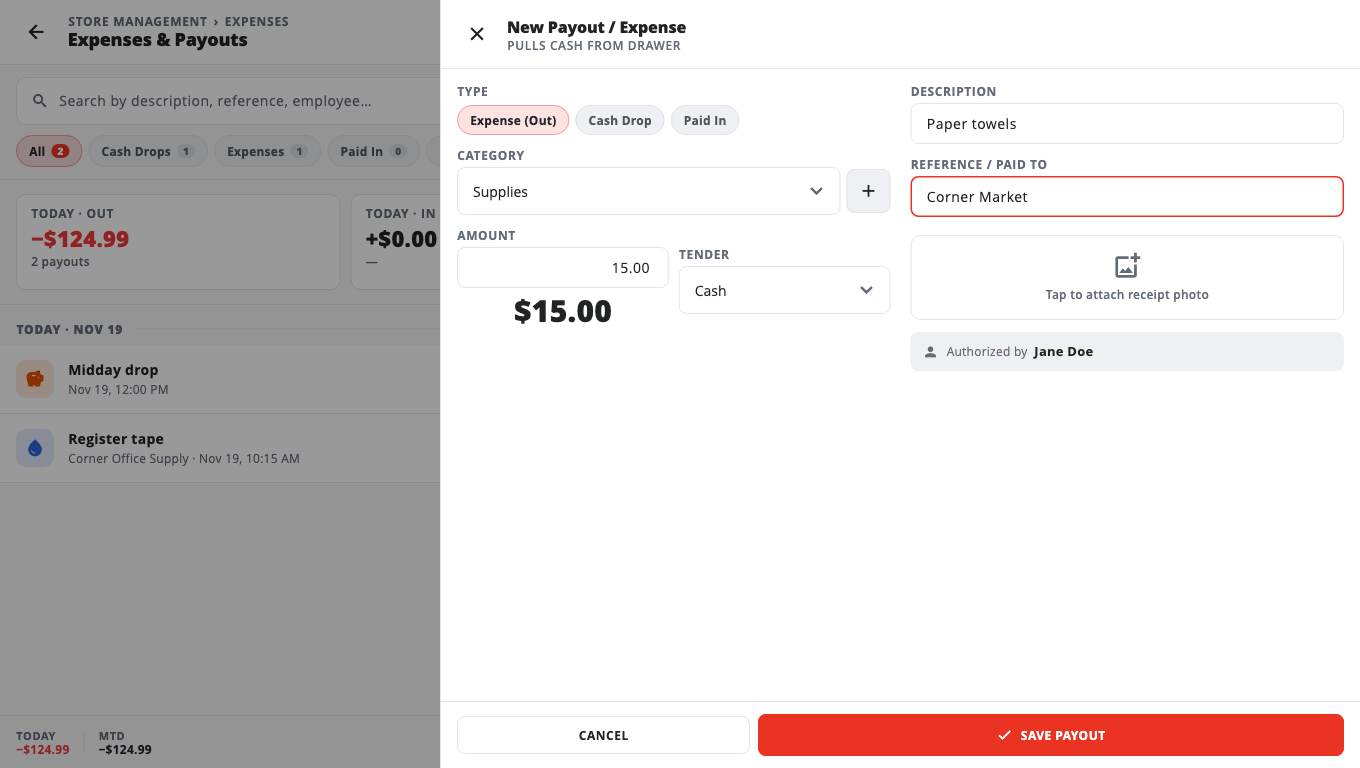
- Tap New Payout.
- Under Type, pick Expense (Out), Cash Drop or Paid In.
- Pick a Category (for example Supplies, Utilities, Petty Cash).
- Enter the Amount and choose the Tender (Cash, Check, Card, Transfer or Other). Only cash changes the drawer.
- Add a Description and Reference / Paid to if you want them on record. You can also attach a photo of the receipt.
- Tap Save Payout.
The Expenses & Payouts page lists today's entries with Today · Out, Today · In and Net Today totals.
Who can do this#
- Pay Out is a Store Management page. Owners and Admins open it directly. A Manager is asked for an Owner or Admin PIN. Cashiers cannot open it.
- Cash Drop (to safe) is open to everyone by default. To require a manager, turn on Safe Drop requires Manager/Admin in Store Management → This Till → Terminal Settings → Cash Drawer.
Good to know#
- To have the drawer open when you save a cash pay out, paid in or drop, turn on Open drawer on cash payout / paid-in / safe drop in the same Cash Drawer settings. It is off by default.
- To open the drawer without a sale, use No Sale / Open Drawer. By default this needs a manager (No Sale / Open Drawer requires Manager/Admin).
- On a phone there is no More button on the sale screen. The same buttons are under Functions.
- Drops and pay outs show on the shift's Z Report.
Related#
Was this helpful?
Thanks for letting us know.
Sorry it did not help. Tell us what was missing: open Help & Support in the app and choose Report a problem, or email support@builtsofthub.com.